> ## Documentation Index
> Fetch the complete documentation index at: https://docs.textql.com/llms.txt
> Use this file to discover all available pages before exploring further.
# Organization Limits
> Understanding organization specifications and limits in TextQL
# Organization Specifications and Limits
TextQL places certain limits on individual organizations and accounts to ensure optimal performance and resource allocation.
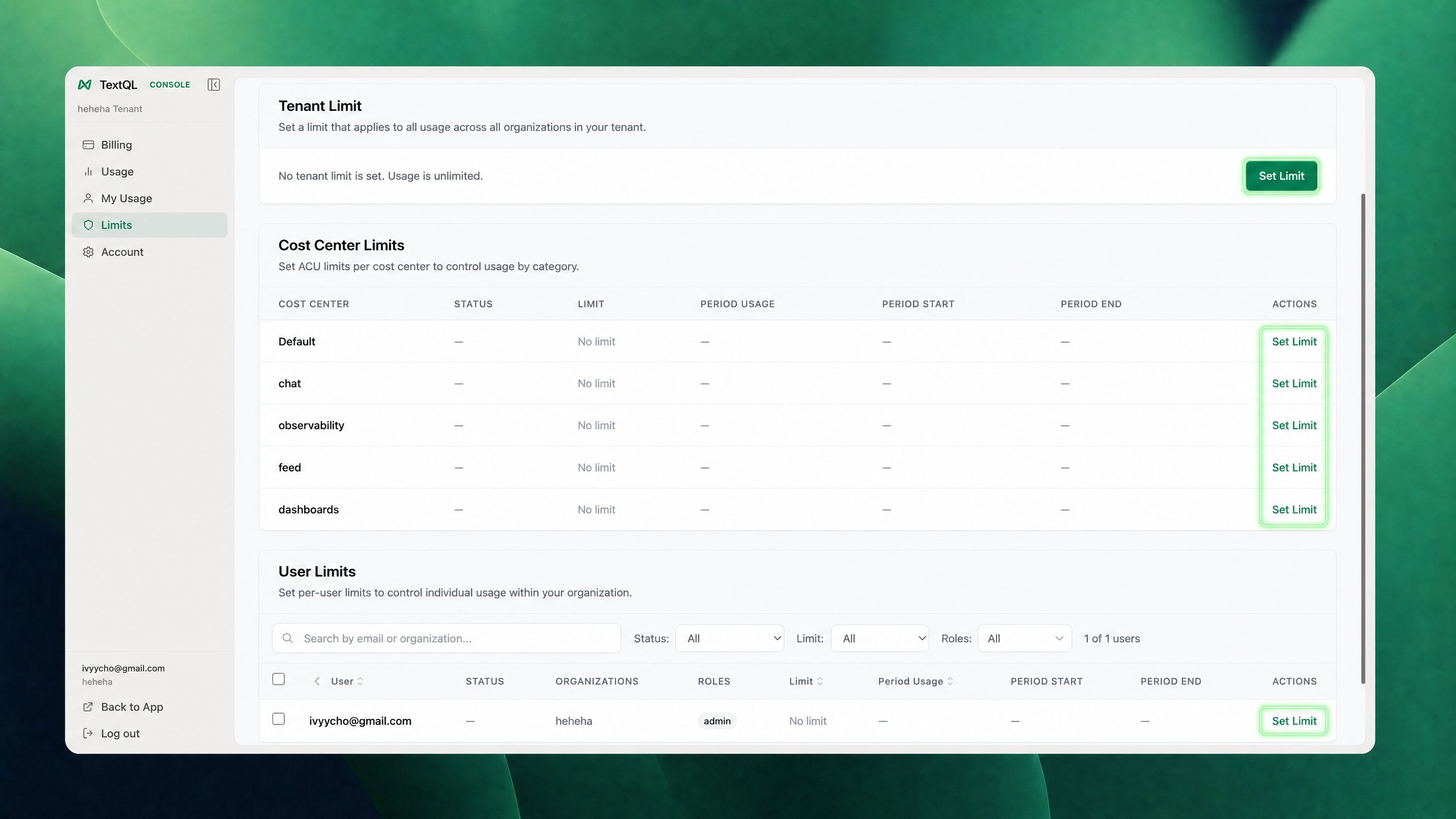
As an organization administrator, you can view these limits under your Org (bottom-left corner) → **Usage & Billing → Limits**.
 ## Data Size Limits
The following limits are placed on data operations within your organization:
| Limit Type | Default Value | Unit |
| --------------------- | ------------- | ------- |
| Max SQL Row Limit | 2,000,000 | rows |
| Max CSV Row Limit | 1,000,000 | rows |
| Max CSV Columns Limit | 100 | columns |
| Max Tableau Row Limit | 10,000 | rows |
## Time Limits
Various operations in TextQL have associated timeout limits:
| Operation | Default Timeout | Unit |
| ------------------- | --------------- | ------------ |
| Max Cell Run Time | 360,000 | milliseconds |
| Max Entry Load Time | 180,000 | milliseconds |
| Stream Timeout | 200,000 | milliseconds |
| Max Run SQL Time | 180,000 | milliseconds |
## Preview Limits
When previewing data, the following row limits apply:
| Preview Type | Default Row Limit | Unit |
| --------------- | ----------------- | ---- |
| Max CSV Preview | 1,000 | rows |
| Max SQL Preview | 1,000 | rows |
## Requesting Limit Changes
These limits are in place to ensure system stability and optimal performance for all users. Regular monitoring and adjustments of these limits help us maintain a balanced and efficient platform for all organizations.
If your organization requires modifications to any of these limits, please contact [support@textql.com](mailto:support@textql.com) for assistance.
## Data Size Limits
The following limits are placed on data operations within your organization:
| Limit Type | Default Value | Unit |
| --------------------- | ------------- | ------- |
| Max SQL Row Limit | 2,000,000 | rows |
| Max CSV Row Limit | 1,000,000 | rows |
| Max CSV Columns Limit | 100 | columns |
| Max Tableau Row Limit | 10,000 | rows |
## Time Limits
Various operations in TextQL have associated timeout limits:
| Operation | Default Timeout | Unit |
| ------------------- | --------------- | ------------ |
| Max Cell Run Time | 360,000 | milliseconds |
| Max Entry Load Time | 180,000 | milliseconds |
| Stream Timeout | 200,000 | milliseconds |
| Max Run SQL Time | 180,000 | milliseconds |
## Preview Limits
When previewing data, the following row limits apply:
| Preview Type | Default Row Limit | Unit |
| --------------- | ----------------- | ---- |
| Max CSV Preview | 1,000 | rows |
| Max SQL Preview | 1,000 | rows |
## Requesting Limit Changes
These limits are in place to ensure system stability and optimal performance for all users. Regular monitoring and adjustments of these limits help us maintain a balanced and efficient platform for all organizations.
If your organization requires modifications to any of these limits, please contact [support@textql.com](mailto:support@textql.com) for assistance.