> ## Documentation Index
> Fetch the complete documentation index at: https://docs.textql.com/llms.txt
> Use this file to discover all available pages before exploring further.
# Get Usage via API
> Retrieve ACU usage records for your organization programmatically via the TextQL Billing Usage API.
## Overview
TextQL exposes usage data through several channels. Each answers a different question — pick the right one before building.
| What you want | Where to get it |
| ----------------------------------------------------------- | ---------------------------------------------------------- |
| ACU spend or dollar cost, by user or time period | **Usage API** (`GET /v1/billing/usage`) — this page |
| All conversations across all users and sources | **Chat List API** (`POST /v1/chat/list`) |
| Tokens and cost per conversation | **GetLlmUsage** RPC |
| Message content of a conversation | **Chat API** (`GET /v2/chats/{id}`) |
| Raw token counts by model (reconcile against provider bill) | [Token Usage API](/core/admin/token-usage-api) — BYOK only |
***
## Data Sources Reference
### Usage API — `GET /v1/billing/usage`
ACU consumption aggregated by **user × time bucket**. Use for billing dashboards and spend tracking across teams.
**Contains:** `organization`, `email`, `category` (`llm_tokens`, `compute_hours`, `cell_executions`), `acu`, `start_datetime`, `end_datetime`
**Does not contain:** per-conversation breakdown, raw token counts, cost in dollars
***
### Chat List API — `POST /v1/chat/list`
Returns all conversations in the org across every source. Requires an **admin API key** — a member-scoped key silently returns only that member's chats.
```bash theme={null}
curl -s -X POST 'https://app.textql.com/v1/chat/list' \
-H "tql_api_key: $K" \
-H 'Content-Type: application/json' \
-d '{"memberOnly": false}'
```
**Contains:** `chat_id`, `title`, `source` (Slack, UI, playbook), `creator` (email), `created_at`, `updated_at`
**Does not contain:** token counts, cost, message content
**Key parameters:**
| Parameter | Type | Description |
| ------------ | ------- | ----------------------------------------------------------------------------------- |
| `memberOnly` | boolean | `false` returns all org chats; `true` (default) returns only the key holder's chats |
| `sources` | array | Filter by source: `"slack"`, `"ui"`, `"playbook"` |
| `limit` | int | Page size (default 50) |
| `offset` | int | Pagination offset |
***
### GetLlmUsage — per-conversation tokens and cost
Returns token breakdown and estimated cost for a specific chat. Requires an **admin API key** for `include_costs`.
```bash theme={null}
curl -s -X POST 'https://app.textql.com/rpc/public/textql.rpc.public.chat.ChatService/GetLlmUsage' \
-H "tql_api_key: $K" \
-H 'Content-Type: application/json' \
-d '{"chat_id": "YOUR_CHAT_ID", "include_costs": true}'
```
**Contains:** one record per LLM call within the chat — `input_tokens`, `output_tokens`, `cache_creation_input_tokens`, `cache_read_input_tokens`, `model_name`, `timestamp`, and `estimated_cost` (admin only). Sum across the array for conversation totals.
**Does not contain:** ACU values, message content
**Typical pattern:** call `POST /v1/chat/list` to get all `chat_id`s, then call `GetLlmUsage` for each.
***
### Chat API — `GET /v2/chats/{id}`
Returns the full content of a single conversation including messages.
```bash theme={null}
curl 'https://app.textql.com/v2/chats/YOUR_CHAT_ID' \
-H "tql_api_key: $K"
```
**Contains:** message content, source, participants, timestamps
**Does not contain:** token counts, cost
***
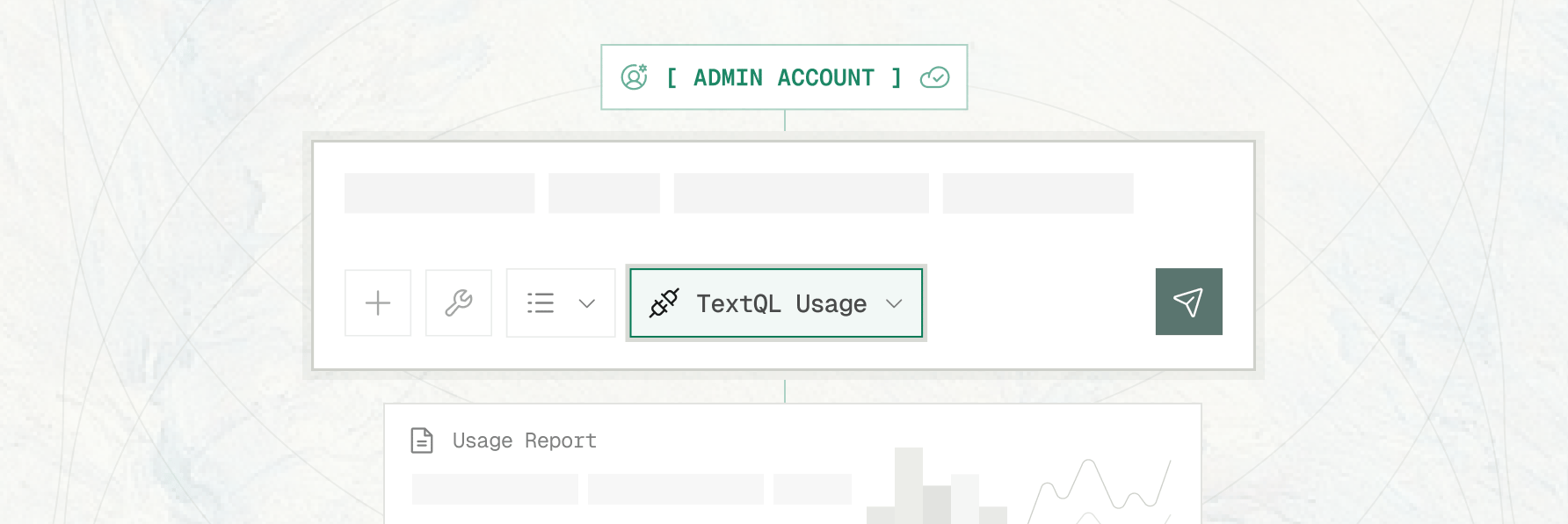
The **TextQL Usage connector** (visible inside Ana) contains the same thread-level fields as the Chat List API but is designed for interactive querying inside Ana — not for backend polling or external integrations. It does **not** contain ACU values or dollar cost.
 **Base URL:** `https://app.textql.com/v1/billing`
## Authentication
All requests require a Bearer token. Your token is a Base64-encoded string in the format `{member_id}:{api_token}`, created in **Settings → Developers → API Keys**.
Pass it in one of two ways:
```bash theme={null}
# Authorization header
-H 'Authorization: Bearer YOUR_TOKEN'
# Or as a custom header
-H 'tql_api_key: YOUR_TOKEN'
```
## Your First Request
Fetch the last 90 days of usage for your organization with a single call:
```bash theme={null}
curl 'https://app.textql.com/v1/billing/usage' \
-H 'Authorization: Bearer YOUR_TOKEN'
```
**Response:**
```json theme={null}
{
"data": [
{
"start_datetime": "2026-01-31T00:00:00Z",
"end_datetime": "2026-02-01T00:00:00Z",
"organization": "acme-engineering",
"email": "m.chen@acme.com",
"category": "llm_tokens",
"acu": 8241.05
}
],
"pagination": {
"page": 1,
"page_size": 100,
"total_count": 3
}
}
```
Each record represents one user's usage within one time bucket, for one category.
## Parameters
All parameters are optional query parameters on `GET /usage`.
### Date Range
| Parameter | Format | Default | Description |
| ------------ | -------- | ------------------------- | --------------------- |
| `start_date` | RFC 3339 | 90 days before `end_date` | Inclusive lower bound |
| `end_date` | RFC 3339 | Current UTC time | Exclusive upper bound |
```bash theme={null}
# Usage for January 2026
curl 'https://app.textql.com/v1/billing/usage?start_date=2026-01-01T00:00:00Z&end_date=2026-02-01T00:00:00Z' \
-H 'Authorization: Bearer YOUR_TOKEN'
```
### Granularity
Controls the size of each time bucket. Defaults to `day`.
| Value | Bucket size |
| ------- | ---------------- |
| `hour` | 1 hour |
| `day` | 1 calendar day |
| `month` | 1 calendar month |
```bash theme={null}
# Monthly rollup
curl 'https://app.textql.com/v1/billing/usage?granularity=month' \
-H 'Authorization: Bearer YOUR_TOKEN'
```
### Filtering
**By organization** — useful for tenants with multiple orgs:
```bash theme={null}
curl 'https://app.textql.com/v1/billing/usage?organization=acme-engineering,acme-research' \
-H 'Authorization: Bearer YOUR_TOKEN'
```
**By user email** — case-insensitive:
```bash theme={null}
curl 'https://app.textql.com/v1/billing/usage?email=j.ramirez@acme.com,s.patel@acme.com' \
-H 'Authorization: Bearer YOUR_TOKEN'
```
**By usage category:**
| Category | What it measures |
| ----------------- | -------------------------------------- |
| `llm_tokens` | LLM inference consumption |
| `compute_hours` | Python and execution environment usage |
| `cell_executions` | Individual cell runs |
```bash theme={null}
curl 'https://app.textql.com/v1/billing/usage?category=llm_tokens,compute_hours' \
-H 'Authorization: Bearer YOUR_TOKEN'
```
Filters can be combined freely:
```bash theme={null}
# LLM usage for one user, by hour, for a specific week
curl 'https://app.textql.com/v1/billing/usage?email=m.chen@acme.com&category=llm_tokens&granularity=hour&start_date=2026-01-27T00:00:00Z&end_date=2026-02-03T00:00:00Z' \
-H 'Authorization: Bearer YOUR_TOKEN'
```
### Sorting
Use the `sort` parameter to control result order. Prefix with `-` for descending.
| Value | Description |
| ----------------- | ---------------------------- |
| `start_datetime` | Oldest first |
| `-start_datetime` | Newest first (default) |
| `acu` | Lowest usage first |
| `-acu` | Highest usage first |
| `email` | Alphabetical by user |
| `-email` | Reverse alphabetical by user |
```bash theme={null}
curl 'https://app.textql.com/v1/billing/usage?sort=-acu' \
-H 'Authorization: Bearer YOUR_TOKEN'
```
### Pagination
| Parameter | Default | Max |
| ----------- | ------- | ---- |
| `page_size` | 100 | 1000 |
| `page` | 1 | — |
```bash theme={null}
# Page 2, 50 records per page
curl 'https://app.textql.com/v1/billing/usage?page=2&page_size=50' \
-H 'Authorization: Bearer YOUR_TOKEN'
```
Use `pagination.total_count` in the response to calculate how many pages exist.
## Code Examples
**Python — fetch all records across pages:**
```python theme={null}
import requests
TOKEN = "your-token"
BASE = "https://app.textql.com/v1/billing"
headers = {"Authorization": f"Bearer {TOKEN}"}
def get_all_usage(**params):
records = []
page = 1
while True:
resp = requests.get(f"{BASE}/usage", headers=headers, params={**params, "page": page, "page_size": 1000})
data = resp.json()
records.extend(data["data"])
if len(records) >= data["pagination"]["total_count"]:
break
page += 1
return records
# Example: all LLM usage for January, grouped by month
usage = get_all_usage(
start_date="2026-01-01T00:00:00Z",
end_date="2026-02-01T00:00:00Z",
granularity="month",
category="llm_tokens",
)
```
**JavaScript:**
```javascript theme={null}
const TOKEN = "your-token";
const BASE = "https://app.textql.com/v1/billing";
async function getUsage(params = {}) {
const query = new URLSearchParams(params).toString();
const res = await fetch(`${BASE}/usage?${query}`, {
headers: { Authorization: `Bearer ${TOKEN}` },
});
return res.json();
}
// Example: top spenders this month
const data = await getUsage({
granularity: "month",
sort: "-acu",
page_size: 10,
});
```
## Response Fields
| Field | Type | Description |
| ---------------- | ------------ | ------------------------------------------------------------------------------ |
| `start_datetime` | string (UTC) | Start of the time bucket, inclusive |
| `end_datetime` | string (UTC) | End of the time bucket, exclusive |
| `organization` | string | Organization name |
| `email` | string | User email (lowercase). Empty if usage cannot be attributed to a specific user |
| `category` | string | Usage category |
| `acu` | number | Usage in ACUs. Records with zero or negative values are omitted |
## Error Reference
| Status | Code | Cause |
| ------ | ------------------- | --------------------------------------------------------------------- |
| 400 | `invalid_parameter` | Bad date range, unknown category, unknown org, or invalid granularity |
| 401 | `unauthorized` | Token is missing, invalid, or expired |
| 403 | `forbidden` | Token does not have access to the requested organization's data |
## Troubleshooting & Support
| Problem | What to check |
| --------------------- | -------------------------------------------------------------------------------------------------------------- |
| 401 on every request | Confirm your token is Base64-encoded in `{member_id}:{api_token}` format and hasn't expired |
| 403 on a specific org | Your API key may not have access to that organization — check your role in **Settings → Members** |
| Empty `data` array | The filters you applied may return no records — try widening the date range or removing category/email filters |
| `acu` values seem low | Records with zero or negative ACU are omitted; usage may also be split across multiple category buckets |
| Unknown org error | The `organization` value must match the org name exactly as it appears in TextQL |
If you're still running into issues, contact support at [support@textql.com](mailto:support@textql.com) and include the full request URL and response body.
**Base URL:** `https://app.textql.com/v1/billing`
## Authentication
All requests require a Bearer token. Your token is a Base64-encoded string in the format `{member_id}:{api_token}`, created in **Settings → Developers → API Keys**.
Pass it in one of two ways:
```bash theme={null}
# Authorization header
-H 'Authorization: Bearer YOUR_TOKEN'
# Or as a custom header
-H 'tql_api_key: YOUR_TOKEN'
```
## Your First Request
Fetch the last 90 days of usage for your organization with a single call:
```bash theme={null}
curl 'https://app.textql.com/v1/billing/usage' \
-H 'Authorization: Bearer YOUR_TOKEN'
```
**Response:**
```json theme={null}
{
"data": [
{
"start_datetime": "2026-01-31T00:00:00Z",
"end_datetime": "2026-02-01T00:00:00Z",
"organization": "acme-engineering",
"email": "m.chen@acme.com",
"category": "llm_tokens",
"acu": 8241.05
}
],
"pagination": {
"page": 1,
"page_size": 100,
"total_count": 3
}
}
```
Each record represents one user's usage within one time bucket, for one category.
## Parameters
All parameters are optional query parameters on `GET /usage`.
### Date Range
| Parameter | Format | Default | Description |
| ------------ | -------- | ------------------------- | --------------------- |
| `start_date` | RFC 3339 | 90 days before `end_date` | Inclusive lower bound |
| `end_date` | RFC 3339 | Current UTC time | Exclusive upper bound |
```bash theme={null}
# Usage for January 2026
curl 'https://app.textql.com/v1/billing/usage?start_date=2026-01-01T00:00:00Z&end_date=2026-02-01T00:00:00Z' \
-H 'Authorization: Bearer YOUR_TOKEN'
```
### Granularity
Controls the size of each time bucket. Defaults to `day`.
| Value | Bucket size |
| ------- | ---------------- |
| `hour` | 1 hour |
| `day` | 1 calendar day |
| `month` | 1 calendar month |
```bash theme={null}
# Monthly rollup
curl 'https://app.textql.com/v1/billing/usage?granularity=month' \
-H 'Authorization: Bearer YOUR_TOKEN'
```
### Filtering
**By organization** — useful for tenants with multiple orgs:
```bash theme={null}
curl 'https://app.textql.com/v1/billing/usage?organization=acme-engineering,acme-research' \
-H 'Authorization: Bearer YOUR_TOKEN'
```
**By user email** — case-insensitive:
```bash theme={null}
curl 'https://app.textql.com/v1/billing/usage?email=j.ramirez@acme.com,s.patel@acme.com' \
-H 'Authorization: Bearer YOUR_TOKEN'
```
**By usage category:**
| Category | What it measures |
| ----------------- | -------------------------------------- |
| `llm_tokens` | LLM inference consumption |
| `compute_hours` | Python and execution environment usage |
| `cell_executions` | Individual cell runs |
```bash theme={null}
curl 'https://app.textql.com/v1/billing/usage?category=llm_tokens,compute_hours' \
-H 'Authorization: Bearer YOUR_TOKEN'
```
Filters can be combined freely:
```bash theme={null}
# LLM usage for one user, by hour, for a specific week
curl 'https://app.textql.com/v1/billing/usage?email=m.chen@acme.com&category=llm_tokens&granularity=hour&start_date=2026-01-27T00:00:00Z&end_date=2026-02-03T00:00:00Z' \
-H 'Authorization: Bearer YOUR_TOKEN'
```
### Sorting
Use the `sort` parameter to control result order. Prefix with `-` for descending.
| Value | Description |
| ----------------- | ---------------------------- |
| `start_datetime` | Oldest first |
| `-start_datetime` | Newest first (default) |
| `acu` | Lowest usage first |
| `-acu` | Highest usage first |
| `email` | Alphabetical by user |
| `-email` | Reverse alphabetical by user |
```bash theme={null}
curl 'https://app.textql.com/v1/billing/usage?sort=-acu' \
-H 'Authorization: Bearer YOUR_TOKEN'
```
### Pagination
| Parameter | Default | Max |
| ----------- | ------- | ---- |
| `page_size` | 100 | 1000 |
| `page` | 1 | — |
```bash theme={null}
# Page 2, 50 records per page
curl 'https://app.textql.com/v1/billing/usage?page=2&page_size=50' \
-H 'Authorization: Bearer YOUR_TOKEN'
```
Use `pagination.total_count` in the response to calculate how many pages exist.
## Code Examples
**Python — fetch all records across pages:**
```python theme={null}
import requests
TOKEN = "your-token"
BASE = "https://app.textql.com/v1/billing"
headers = {"Authorization": f"Bearer {TOKEN}"}
def get_all_usage(**params):
records = []
page = 1
while True:
resp = requests.get(f"{BASE}/usage", headers=headers, params={**params, "page": page, "page_size": 1000})
data = resp.json()
records.extend(data["data"])
if len(records) >= data["pagination"]["total_count"]:
break
page += 1
return records
# Example: all LLM usage for January, grouped by month
usage = get_all_usage(
start_date="2026-01-01T00:00:00Z",
end_date="2026-02-01T00:00:00Z",
granularity="month",
category="llm_tokens",
)
```
**JavaScript:**
```javascript theme={null}
const TOKEN = "your-token";
const BASE = "https://app.textql.com/v1/billing";
async function getUsage(params = {}) {
const query = new URLSearchParams(params).toString();
const res = await fetch(`${BASE}/usage?${query}`, {
headers: { Authorization: `Bearer ${TOKEN}` },
});
return res.json();
}
// Example: top spenders this month
const data = await getUsage({
granularity: "month",
sort: "-acu",
page_size: 10,
});
```
## Response Fields
| Field | Type | Description |
| ---------------- | ------------ | ------------------------------------------------------------------------------ |
| `start_datetime` | string (UTC) | Start of the time bucket, inclusive |
| `end_datetime` | string (UTC) | End of the time bucket, exclusive |
| `organization` | string | Organization name |
| `email` | string | User email (lowercase). Empty if usage cannot be attributed to a specific user |
| `category` | string | Usage category |
| `acu` | number | Usage in ACUs. Records with zero or negative values are omitted |
## Error Reference
| Status | Code | Cause |
| ------ | ------------------- | --------------------------------------------------------------------- |
| 400 | `invalid_parameter` | Bad date range, unknown category, unknown org, or invalid granularity |
| 401 | `unauthorized` | Token is missing, invalid, or expired |
| 403 | `forbidden` | Token does not have access to the requested organization's data |
## Troubleshooting & Support
| Problem | What to check |
| --------------------- | -------------------------------------------------------------------------------------------------------------- |
| 401 on every request | Confirm your token is Base64-encoded in `{member_id}:{api_token}` format and hasn't expired |
| 403 on a specific org | Your API key may not have access to that organization — check your role in **Settings → Members** |
| Empty `data` array | The filters you applied may return no records — try widening the date range or removing category/email filters |
| `acu` values seem low | Records with zero or negative ACU are omitted; usage may also be split across multiple category buckets |
| Unknown org error | The `organization` value must match the org name exactly as it appears in TextQL |
If you're still running into issues, contact support at [support@textql.com](mailto:support@textql.com) and include the full request URL and response body.