> ## Documentation Index
> Fetch the complete documentation index at: https://docs.textql.com/llms.txt
> Use this file to discover all available pages before exploring further.
# AWS Athena Connector
> Connecting TextQL to Amazon Athena
To connect TextQL with Amazon Athena, you will need to set up appropriate AWS credentials and S3 access. Athena requires the following IAM permissions:
* `athena:StartQueryExecution`
* `athena:GetQueryExecution`
* `athena:GetQueryResults`
* `s3:GetObject` and `s3:ListBucket` for data locations
* `s3:PutObject` for query results bucket
* `glue:GetTable` and `glue:GetPartitions` (if using AWS Glue)
### Creating the Connector in TextQL
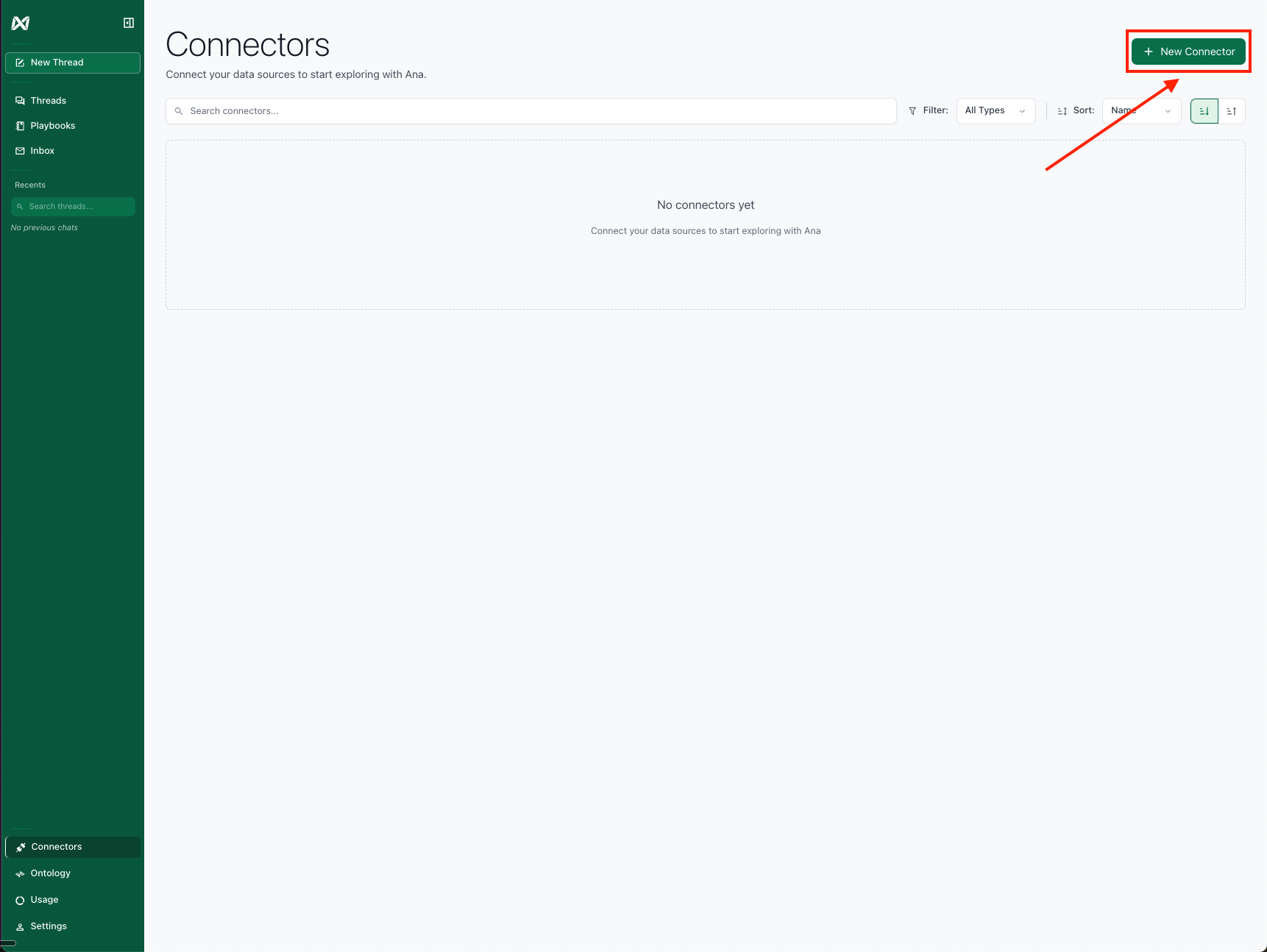
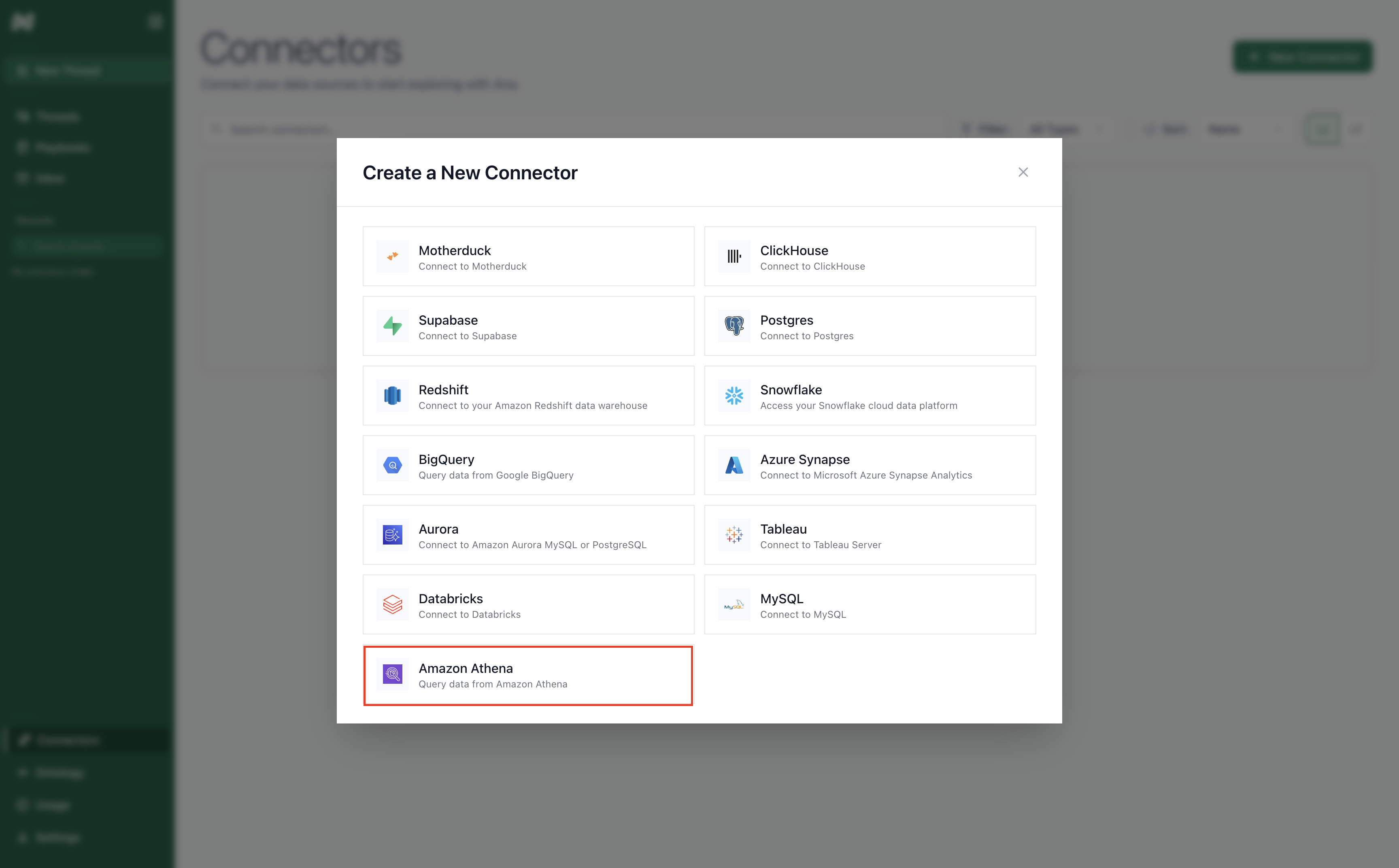
Navigate to the [TextQL Connectors Page](/core/datasources/the-connectors-page) and click **Create New Connector**. Select Amazon Athena from the available connectors to open the configuration form.
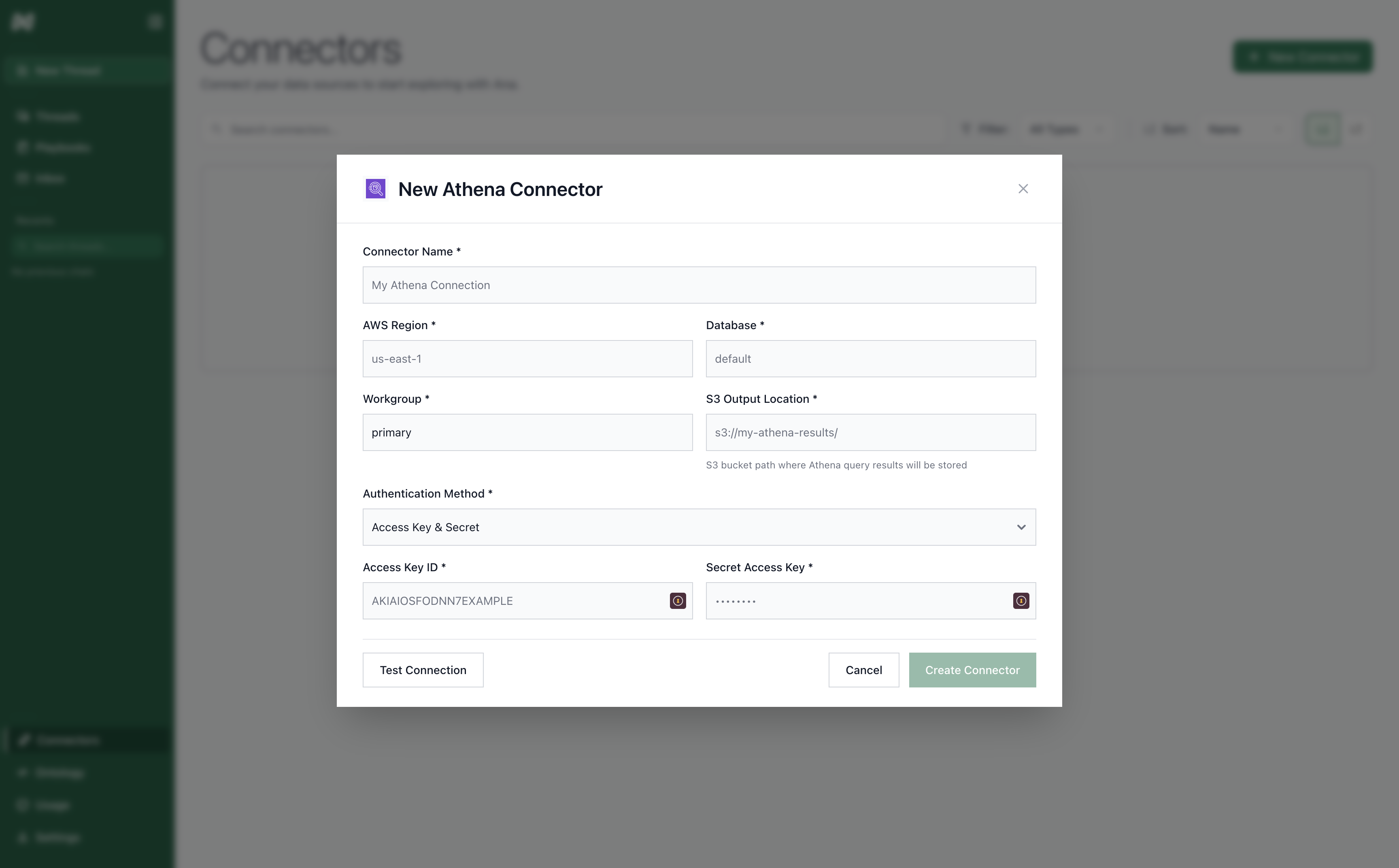
 The form requires the following information:
* **Connector Name:** A descriptive name to identify this specific Athena connection in TextQL.
* **AWS Region:** The AWS region where your Athena workgroup and data reside.
* **Database:** The database/schema name in your catalog.
* **Catalog:** (Optional) The AWS Glue Data Catalog name. Leave blank to use the default catalog for your account.
* **Workgroup:** The Athena workgroup to use for queries. If left blank, defaults to `primary`.
* **S3 Output Location:** S3 bucket path where Athena query results will be stored.
The form requires the following information:
* **Connector Name:** A descriptive name to identify this specific Athena connection in TextQL.
* **AWS Region:** The AWS region where your Athena workgroup and data reside.
* **Database:** The database/schema name in your catalog.
* **Catalog:** (Optional) The AWS Glue Data Catalog name. Leave blank to use the default catalog for your account.
* **Workgroup:** The Athena workgroup to use for queries. If left blank, defaults to `primary`.
* **S3 Output Location:** S3 bucket path where Athena query results will be stored.
 ### Authentication Methods
TextQL supports two AWS authentication methods for Athena:
**Access Key & Secret**
Provide static AWS credentials directly:
* **Access Key ID:** Your AWS access key ID
* **Secret Access Key:** Your AWS secret access key
* **Session Token:** (Optional) A temporary session token, required when using short-lived credentials such as those vended by AWS STS.
**IAM Role**
Assume an IAM role via STS. Both fields are required together:
* **IAM Role ARN:** The ARN of the role to assume (e.g. `arn:aws:iam::123456789012:role/MyRole`)
* **Session Name:** A name for the assumed role session
### S3 Data Formats
Athena supports querying various data formats stored in S3:
* **Parquet:** Recommended for analytics (columnar, compressed)
* **ORC:** Optimized row columnar format
* **JSON:** Semi-structured data
* **CSV:** Comma-separated values
* **Avro:** Schema evolution support
### Testing the Connection
After entering your credentials, click **Create** to establish the connection. TextQL will validate your AWS permissions and create the connector. If the connection fails, verify your IAM permissions and S3 bucket access.
Having trouble connecting? See the [Network Configuration Guide](/core/datasources/databases/network-configuration) for firewall and IP whitelisting setup.
### Authentication Methods
TextQL supports two AWS authentication methods for Athena:
**Access Key & Secret**
Provide static AWS credentials directly:
* **Access Key ID:** Your AWS access key ID
* **Secret Access Key:** Your AWS secret access key
* **Session Token:** (Optional) A temporary session token, required when using short-lived credentials such as those vended by AWS STS.
**IAM Role**
Assume an IAM role via STS. Both fields are required together:
* **IAM Role ARN:** The ARN of the role to assume (e.g. `arn:aws:iam::123456789012:role/MyRole`)
* **Session Name:** A name for the assumed role session
### S3 Data Formats
Athena supports querying various data formats stored in S3:
* **Parquet:** Recommended for analytics (columnar, compressed)
* **ORC:** Optimized row columnar format
* **JSON:** Semi-structured data
* **CSV:** Comma-separated values
* **Avro:** Schema evolution support
### Testing the Connection
After entering your credentials, click **Create** to establish the connection. TextQL will validate your AWS permissions and create the connector. If the connection fails, verify your IAM permissions and S3 bucket access.
Having trouble connecting? See the [Network Configuration Guide](/core/datasources/databases/network-configuration) for firewall and IP whitelisting setup.