> ## Documentation Index
> Fetch the complete documentation index at: https://docs.textql.com/llms.txt
> Use this file to discover all available pages before exploring further.
# The Connectors Page
> Connecting external sources to TextQL
The **Connectors Page** is where technical users manage the data sources available to Ana. From here you can add new connectors, inspect schemas, monitor usage, and explore the chats and dashboards built on each source.
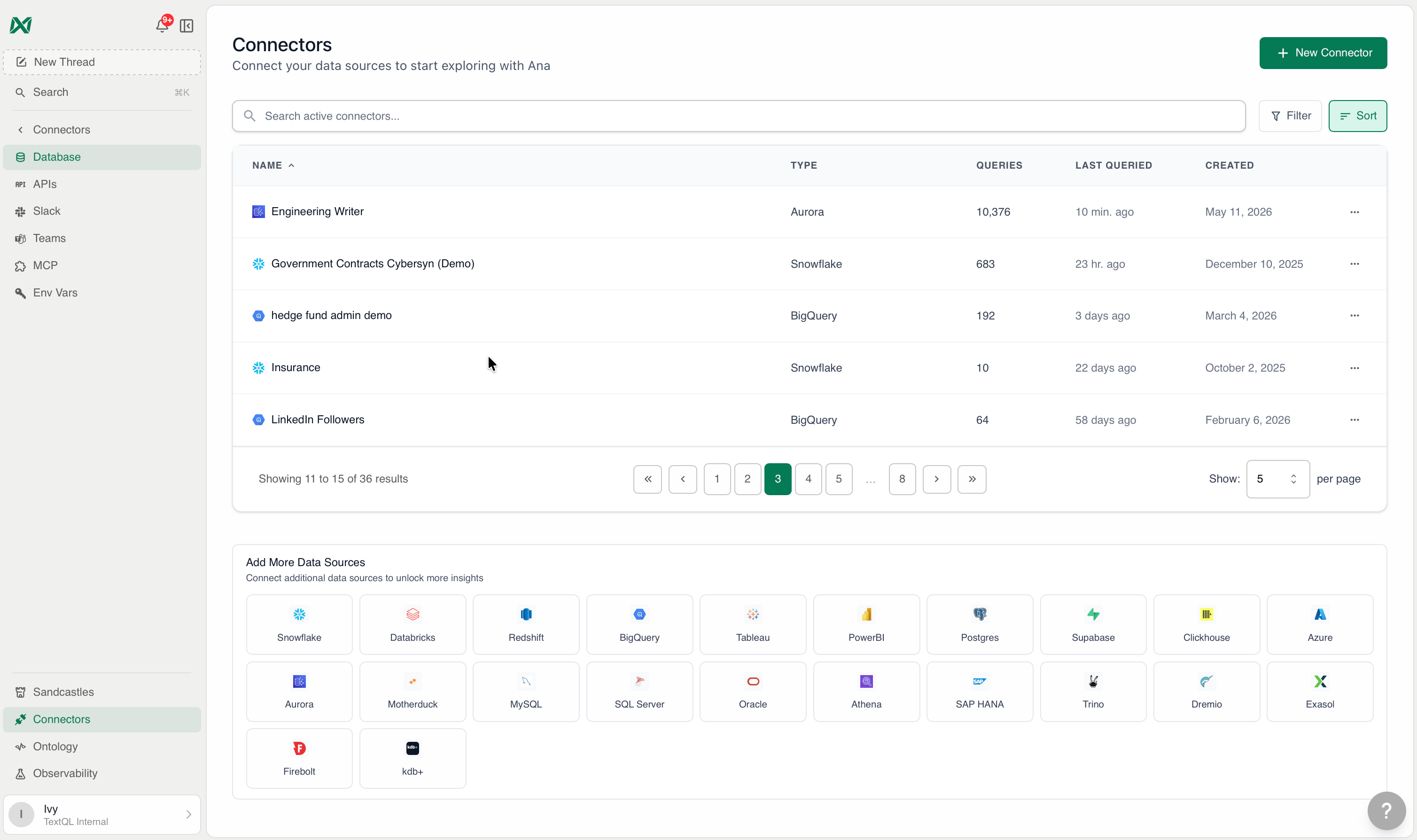 To get to the Connectors Page, click **Connectors** on the left sidebar.
## Permissions
Actions on the Connectors Page are gated by the `connector:write` permission. Users without this permission can still view and use connectors, but the following actions will be hidden or disabled:
| Action | Requires `connector:write` |
| --------------------------------- | --------------------------- |
| Create a new connector | Yes |
| Edit a connector | Yes |
| Delete a connector | Yes |
| Duplicate a connector | Yes |
| Manage Access | Yes |
| Open / Connect (per-member OAuth) | No — available to all users |
By default, members have `connector:write` on public connectors. Admins always have full access. See [Role-Based Access Control](/core/admin/rbac) for details on configuring connector permissions.
## Connector Explorer
Each connected data source has a dedicated detail page. Click any connector to open its Explorer, which answers four questions that previously required manual investigation.
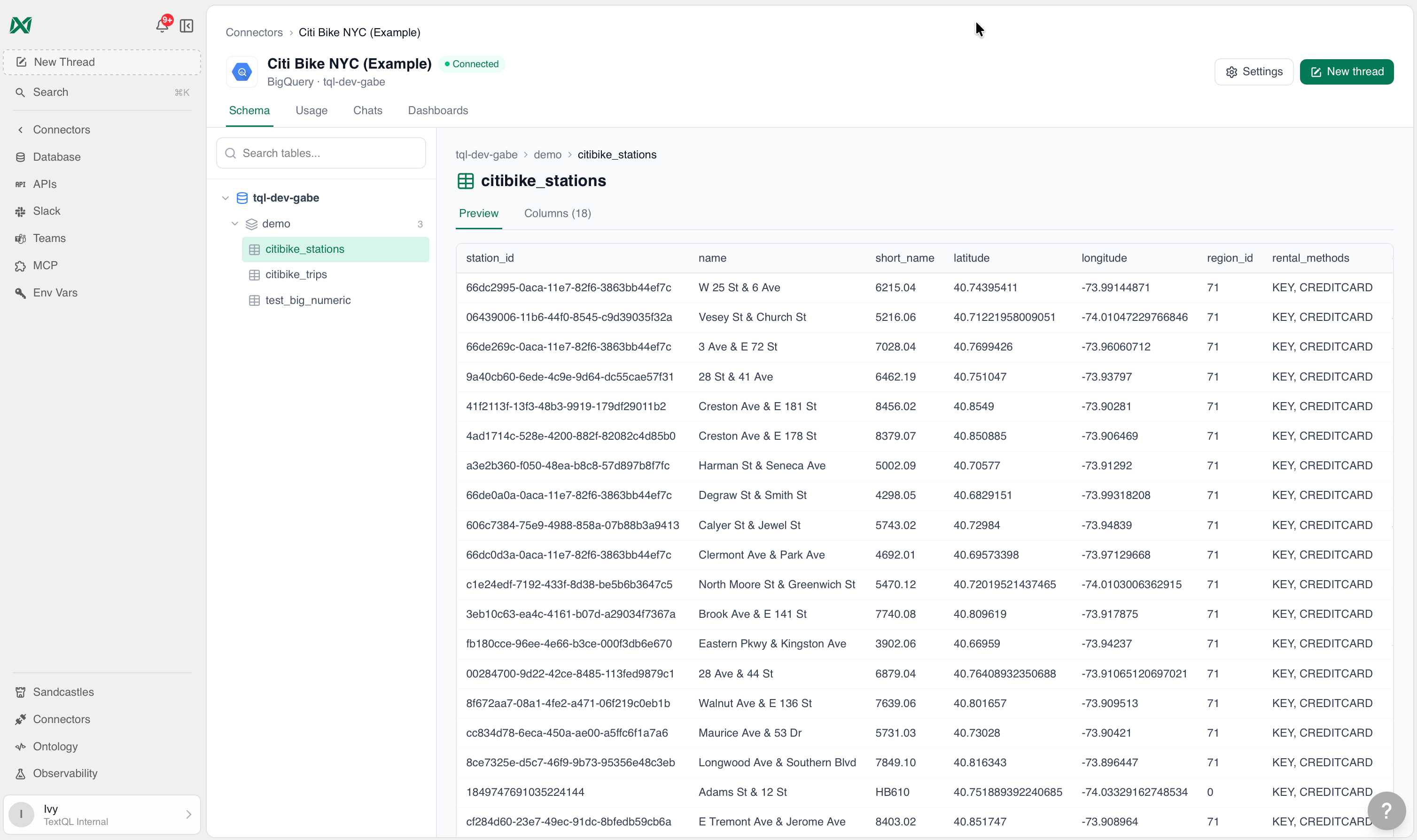
A live, searchable browser of the connector's table tree. Click any table to inspect its columns, types, primary keys, and a preview of actual rows — no external SQL client needed.
To get to the Connectors Page, click **Connectors** on the left sidebar.
## Permissions
Actions on the Connectors Page are gated by the `connector:write` permission. Users without this permission can still view and use connectors, but the following actions will be hidden or disabled:
| Action | Requires `connector:write` |
| --------------------------------- | --------------------------- |
| Create a new connector | Yes |
| Edit a connector | Yes |
| Delete a connector | Yes |
| Duplicate a connector | Yes |
| Manage Access | Yes |
| Open / Connect (per-member OAuth) | No — available to all users |
By default, members have `connector:write` on public connectors. Admins always have full access. See [Role-Based Access Control](/core/admin/rbac) for details on configuring connector permissions.
## Connector Explorer
Each connected data source has a dedicated detail page. Click any connector to open its Explorer, which answers four questions that previously required manual investigation.
A live, searchable browser of the connector's table tree. Click any table to inspect its columns, types, primary keys, and a preview of actual rows — no external SQL client needed.
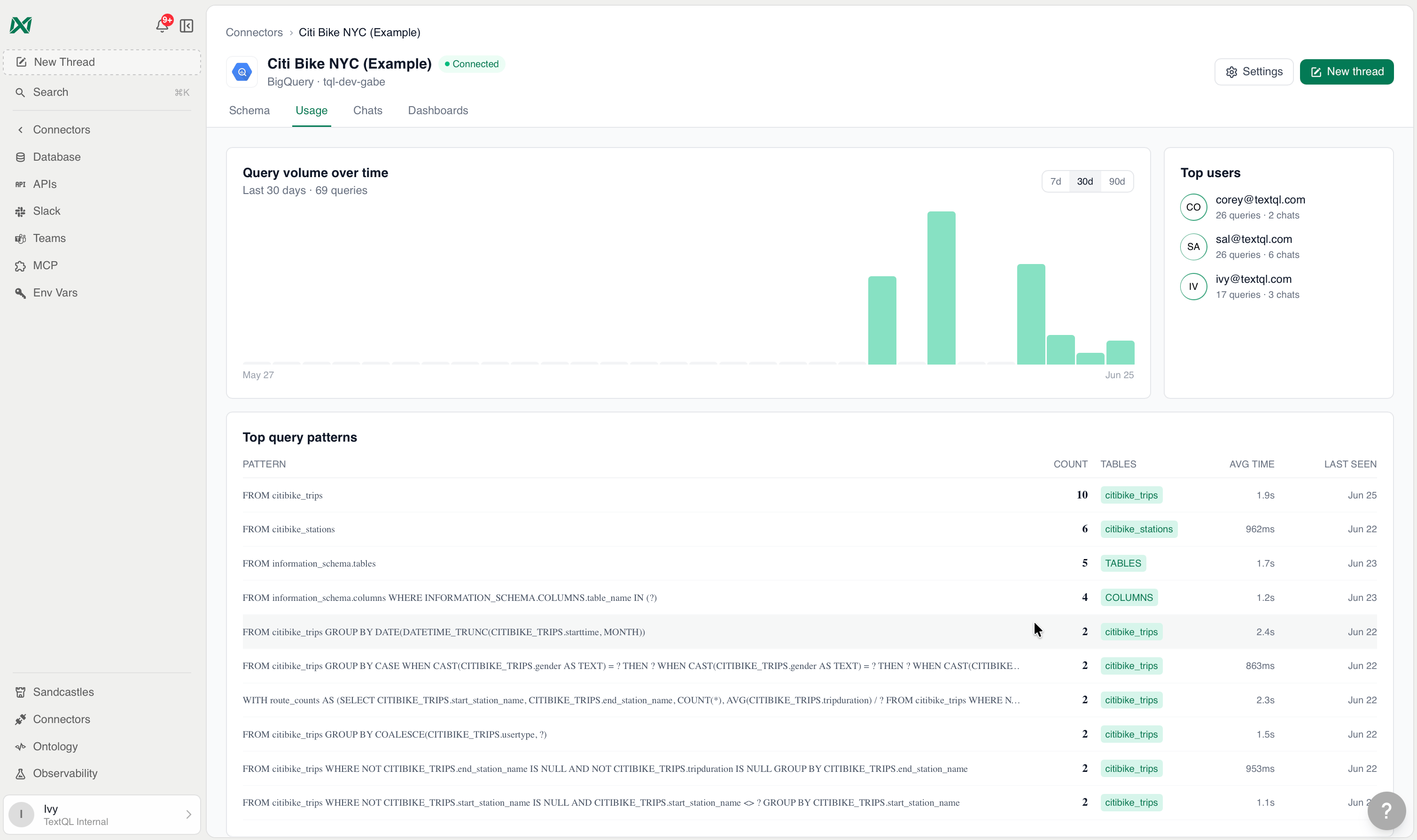
 Query volume across 7, 30, and 90-day windows. Identifies top users and groups structurally similar queries together via fingerprinting, with runtime metrics and affected tables for each pattern.
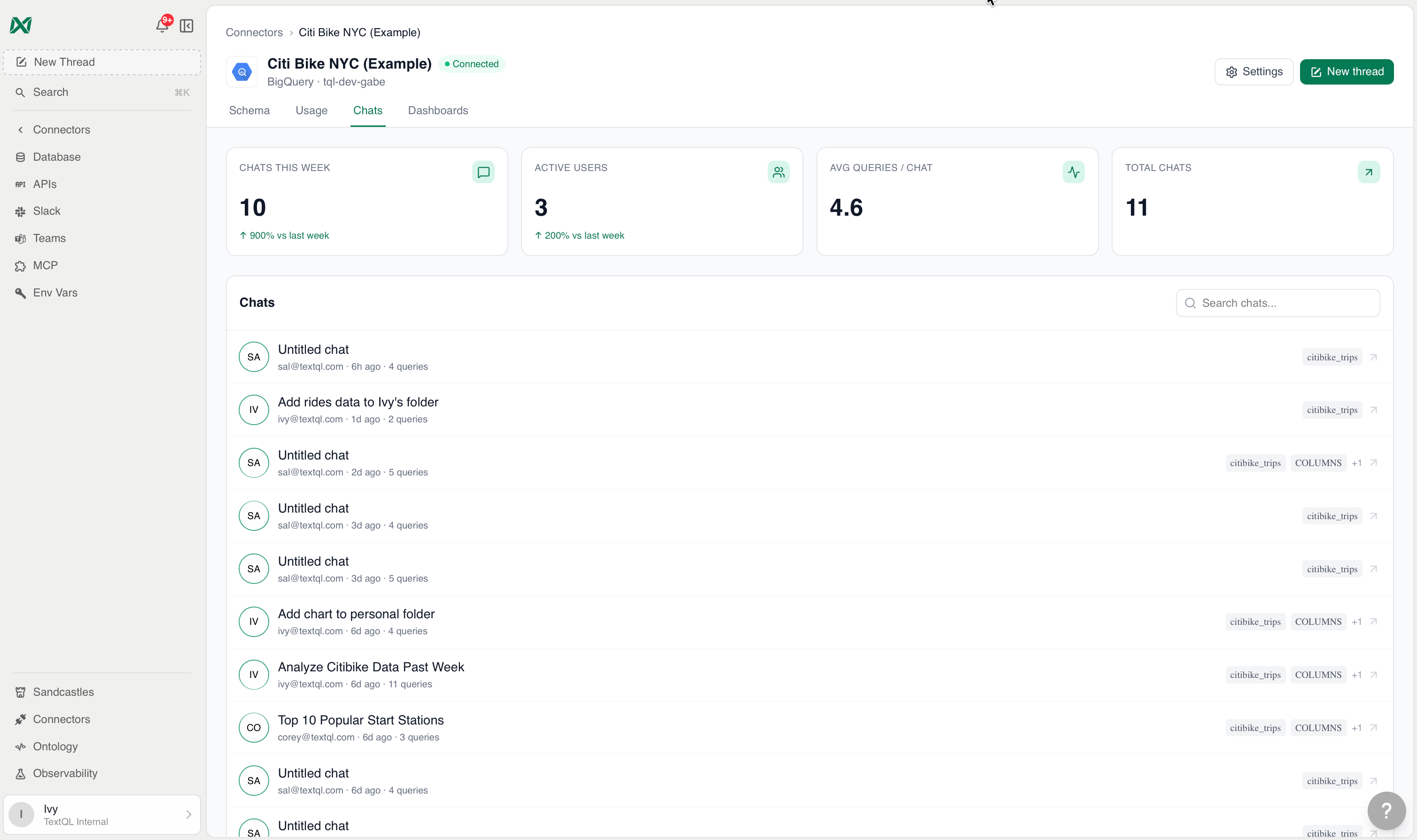
 A searchable log of every question Ana has been asked about this data source. Each entry includes a summary, query count, and the tables referenced. Visibility is controlled at the RPC level — org-wide access is available to authorized members only.
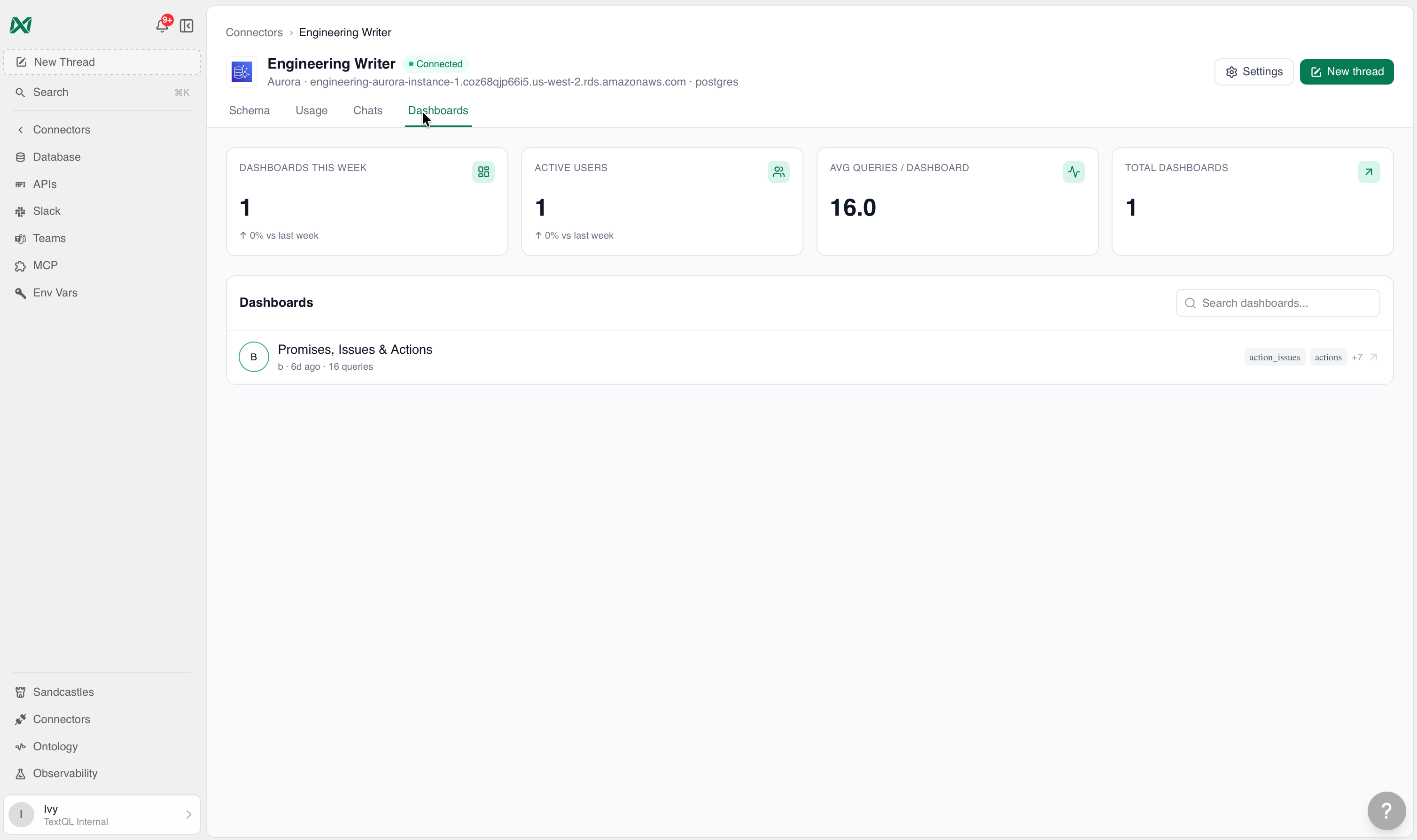
 A searchable list of all dashboards built on this connector, with creator info, last-active timestamps, query counts, and affected tables. The summary section shows weekly dashboard creation, active users, and average query load.
 ## Supported Datasources
### Data Warehouses & Databases
## Supported Datasources
### Data Warehouses & Databases
* [Snowflake](/core/datasources/databases/snowflake)
* [Databricks](/core/datasources/databases/databricks)
* [Amazon Redshift](/core/datasources/databases/redshift)
* [BigQuery](/core/datasources/databases/bigquery)
* [PostgreSQL](/core/datasources/databases/postgresql)
* [Supabase](/core/datasources/databases/supabase)
* [ClickHouse](/core/datasources/databases/clickhouse)
* [Azure Synapse](/core/datasources/databases/azure-synapse)
* [Amazon Aurora](/core/datasources/databases/aurora)
* [MySQL](/core/datasources/databases/mysql)
* [AWS Athena](/core/datasources/databases/athena)
* [SAP HANA](/core/datasources/databases/sap-hana)
* [Trino](/core/datasources/databases/trino)
* [Dremio](/core/datasources/databases/dremio)
* [Exasol](/core/datasources/databases/exasol)
* [Firebolt](/core/datasources/databases/firebolt)
* [KDB](/core/datasources/databases/kdb)
### APIs
* [Anthropic](/core/datasources/apis/anthropic)
* [Apollo](/core/datasources/apis/apollo)
* [Attio](/core/datasources/apis/attio)
* [Cloudflare](/core/datasources/apis/cloudflare)
* [ElevenLabs](/core/datasources/apis/elevenlabs)
* [Gemini](/core/datasources/apis/gemini)
* [GitHub](/core/datasources/apis/githubapi)
* [Google Cloud](/core/datasources/apis/googlecloud)
* [Grain](/core/datasources/apis/grain)
* [HubSpot](/core/datasources/apis/hubspot)
* [Jira](/core/datasources/apis/jira)
* [Linear](/core/datasources/apis/linear)
* [Mercury](/core/datasources/apis/mercury)
* [Notion](/core/datasources/apis/notion)
* [OpenAI](/core/datasources/apis/openai)
* [Oracle](/core/datasources/apis/oracle)
* [Pylon](/core/datasources/apis/pylon)
* [Ramp](/core/datasources/apis/ramp)
* [Salesforce](/core/datasources/apis/salesforce)
* [SendGrid](/core/datasources/apis/sendgrid)
* [Slack](/core/datasources/apis/slackapi)
### Business Intelligence
* [Tableau](/core/datasources/business-intel/tableau-connector)
* [Power BI](/core/datasources/business-intel/powerbi-connector)
## Adding New Connectors
Navigate to the Connectors Page and select **New Connector**, then choose your data source from the form that appears.
The **New Connector** button is only visible to users with the `connector:write` permission.
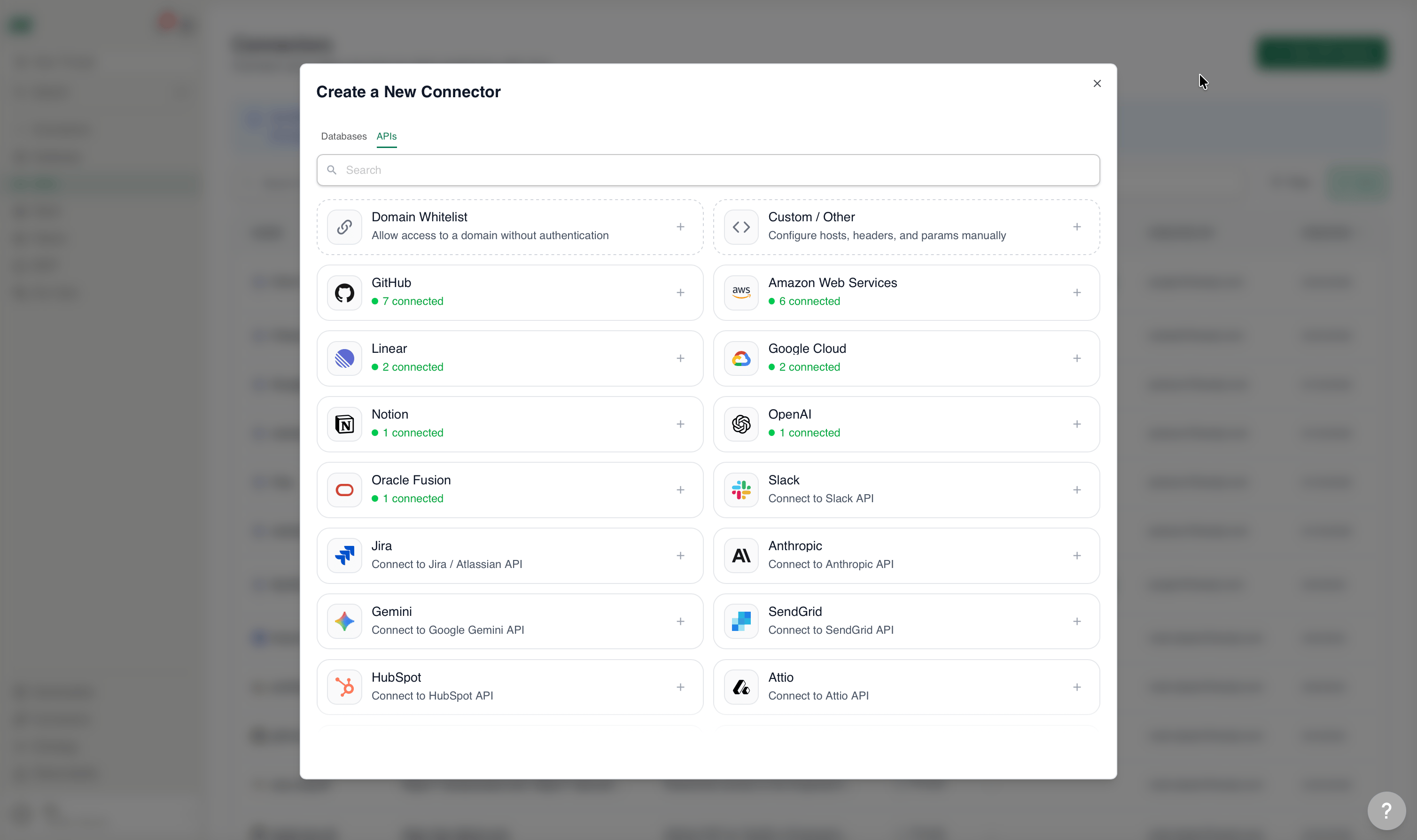 Selecting a data source opens a credentials form. For detailed setup instructions, refer to the guide for your connector:
Snowflake, BigQuery, Redshift, Databricks, PostgreSQL, and more
Salesforce, HubSpot, Slack, Linear, GitHub, and more
Tableau and Power BI
Firewall and IP allowlist setup for all database providers
## Network Configuration
Most database connectors require whitelisting TextQL's IP addresses in your firewall or security group. See the [Network Configuration Guide](/core/datasources/databases/network-configuration) for instructions covering AWS, Azure, Google Cloud, Databricks, and other providers.
**VPC and Private Deployments:** IP whitelisting does not apply to VPC, on-premises, or single-tenant deployments. Contact your TextQL representative for custom deployment network requirements.
## Questions and Troubleshooting
* Check the [Network Configuration Guide](/core/datasources/databases/network-configuration) for firewall setup
* Review the connector-specific troubleshooting section for your data source
* Contact us at [support@textql.com](mailto:support@textql.com)
Selecting a data source opens a credentials form. For detailed setup instructions, refer to the guide for your connector:
Snowflake, BigQuery, Redshift, Databricks, PostgreSQL, and more
Salesforce, HubSpot, Slack, Linear, GitHub, and more
Tableau and Power BI
Firewall and IP allowlist setup for all database providers
## Network Configuration
Most database connectors require whitelisting TextQL's IP addresses in your firewall or security group. See the [Network Configuration Guide](/core/datasources/databases/network-configuration) for instructions covering AWS, Azure, Google Cloud, Databricks, and other providers.
**VPC and Private Deployments:** IP whitelisting does not apply to VPC, on-premises, or single-tenant deployments. Contact your TextQL representative for custom deployment network requirements.
## Questions and Troubleshooting
* Check the [Network Configuration Guide](/core/datasources/databases/network-configuration) for firewall setup
* Review the connector-specific troubleshooting section for your data source
* Contact us at [support@textql.com](mailto:support@textql.com)