> ## Documentation Index
> Fetch the complete documentation index at: https://docs.textql.com/llms.txt
> Use this file to discover all available pages before exploring further.
# Citations
> Trace every answer back to its source
Ana displays inline citations alongside its answers. Hover over any key number, name, or claim to see exactly where it came from — and click through to explore further.
## Data Lineage
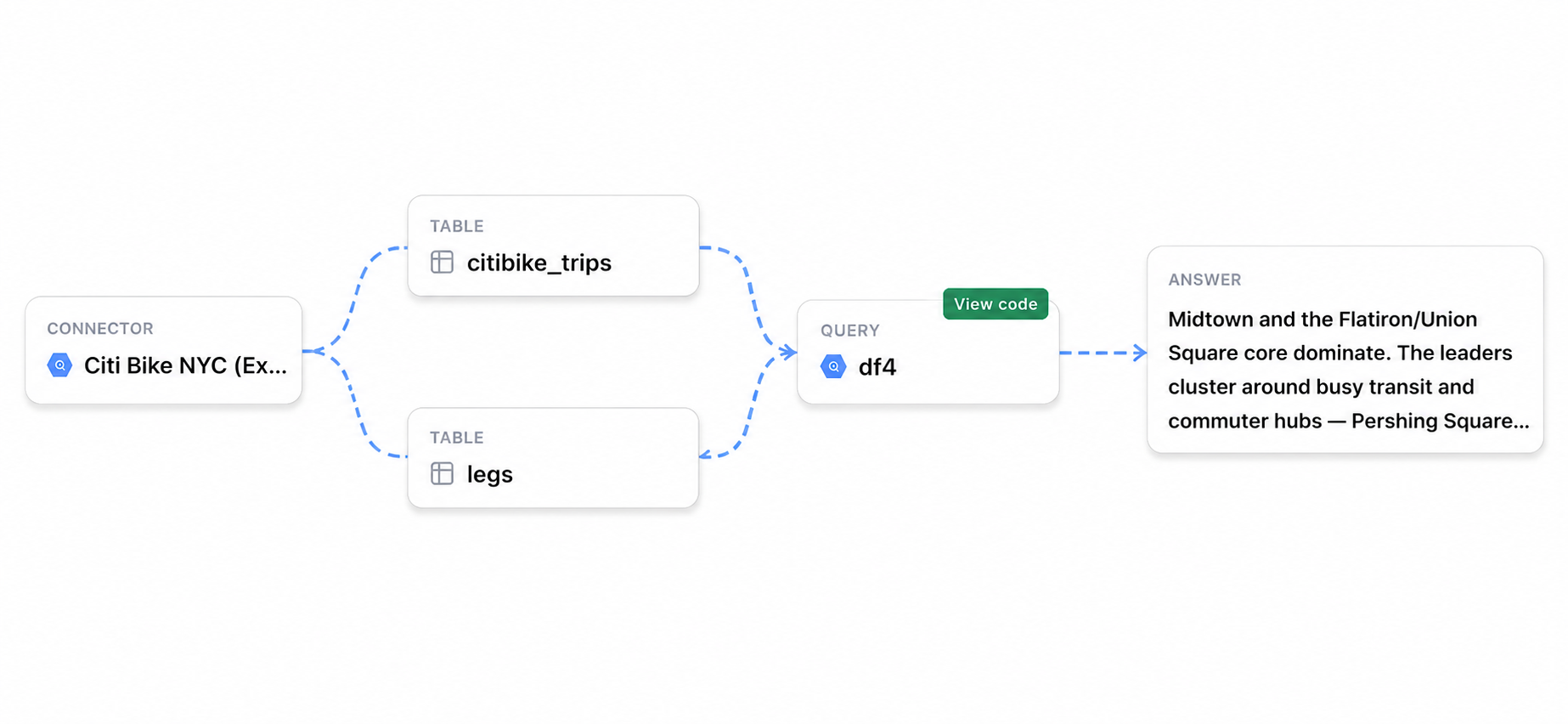
Citations don't just show a source — they show the full chain of how a result was produced:
The data source Ana pulled from.
The specific tables accessed in your warehouse.
The exact query used to retrieve and aggregate the data.
Any transformations applied after the initial query.
The final value surfaced in Ana's response.
This lineage view lets you inspect each step — so when a number needs defending or something looks off, you know exactly where to look.
## Benefits
Every number traces back to its original source in your warehouse.
See the complete derivation chain in one view without leaving the chat.
When something looks wrong, the lineage chain shows you exactly which step to investigate.
Share results with confidence — anyone can follow the citation back to the raw data.
## Enabling Citations
Enable the **Citations** toggle in **Settings** to turn on inline citations for your workspace.