> ## Documentation Index
> Fetch the complete documentation index at: https://docs.textql.com/llms.txt
> Use this file to discover all available pages before exploring further.
# Ana as an MCP Server
> Connect Ana to Cursor, Claude, ChatGPT, Copilot, and any MCP-compatible client. Ask data questions directly from your AI assistant — no context switching required.
Most AI assistants can answer questions about code, summarize documents, or help you draft an email. What they cannot do is connect to your data warehouse, reason over your actual data, and hand back a verified answer — from inside the tools you already use.
Ana's MCP server changes that. Any MCP-compatible client can now call Ana directly, get a warehouse-backed answer, and receive a link to the full TextQL thread — all without leaving the tool you're already working in.
## The Endpoint and Tools
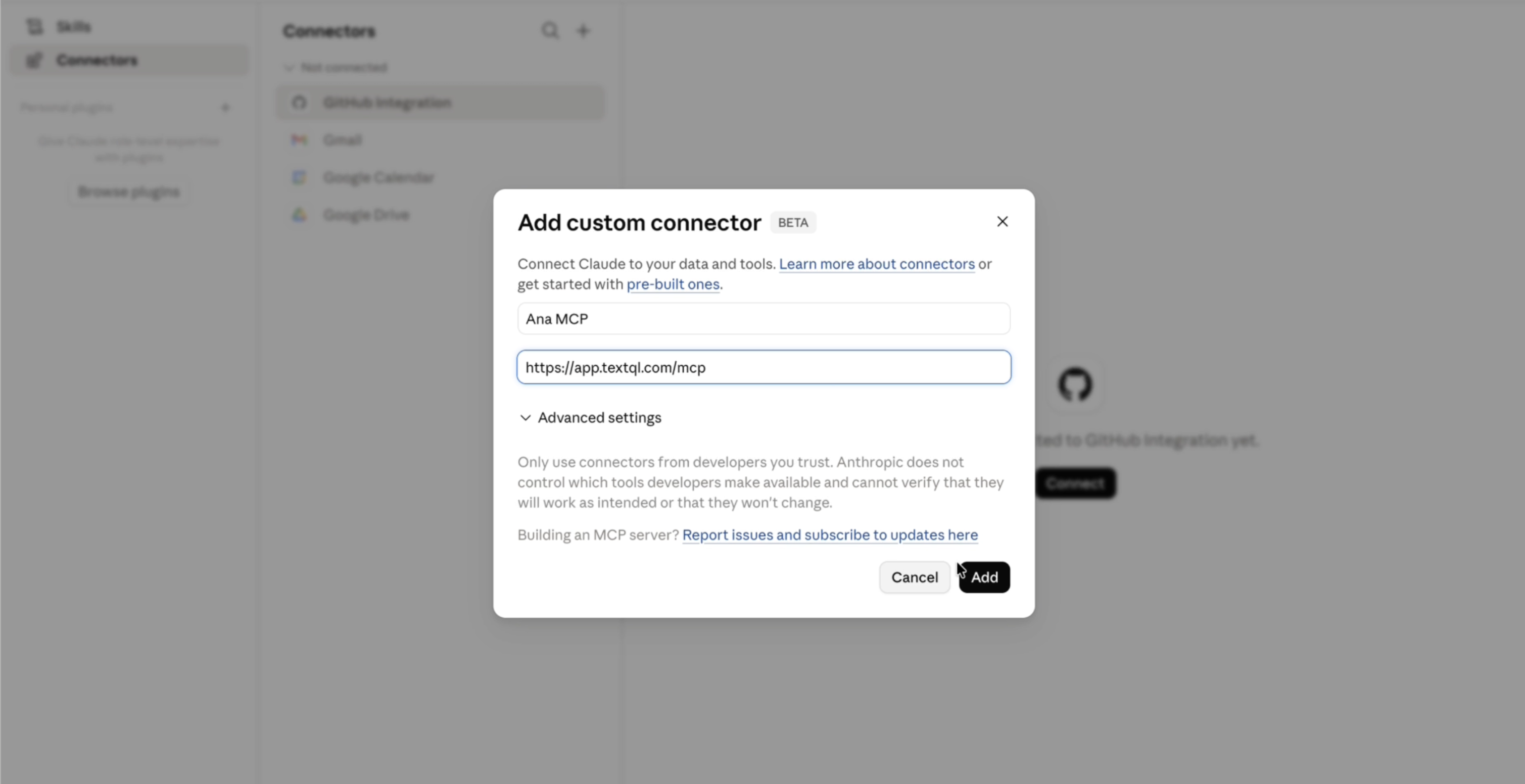
**MCP endpoint:** `https://app.textql.com/mcp`
By default Ana exposes a focused set of tools:
* **`ana`** — ask any natural-language question. Ana connects to your warehouse through your configured connectors and Ontology, runs the analysis, and returns the answer plus a link to the full chat thread in TextQL. This call is synchronous and can take up to a minute.
* **`ana_ask`** / **`ana_poll`** — the streaming version, for clients with short request timeouts. `ana_ask` starts the analysis and returns immediately; `ana_poll` streams progress, answer text, charts, and report links until the run completes.
* **`list_connectors`** — list the data connectors you can target, so you can scope a question to a specific source.
This is the same Ana that runs in TextQL — with access to your connected warehouses and your Ontology, consumable headlessly from any MCP-compatible surface. Charts, dashboards, and reports come back as resource links directly in your client.
Beyond these defaults, Ana can also expose a managed-sandbox toolset for running code and queries — see [Tool groups & modes](/core/how-it-works/mcp/tool-groups).
## What Ana Returns
When you ask Ana a question, it returns:
* **The answer** — a plain-language response grounded in your actual warehouse data
* **A thread link** — a URL to the full chat thread in TextQL, where you can explore further, share results, or dig into the SQL
* **Resource links** — charts, dashboards, and reports are returned as links directly in your client
## Next Steps
Add Ana to Claude, Cursor, Windsurf, ChatGPT, Copilot, or Claude Code, and authorize once over OAuth.
Scope which tools a connection exposes, and let your assistant load tools on demand.
Review and revoke authorized clients as a user or an org admin.
Bring tools like Notion, GitHub, or internal APIs into Ana's context.
 ## What Ana Returns
When you ask Ana a question, it returns:
* **The answer** — a plain-language response grounded in your actual warehouse data
* **A thread link** — a URL to the full chat thread in TextQL, where you can explore further, share results, or dig into the SQL
* **Resource links** — charts, dashboards, and reports are returned as links directly in your client
## Next Steps
## What Ana Returns
When you ask Ana a question, it returns:
* **The answer** — a plain-language response grounded in your actual warehouse data
* **A thread link** — a URL to the full chat thread in TextQL, where you can explore further, share results, or dig into the SQL
* **Resource links** — charts, dashboards, and reports are returned as links directly in your client
## Next Steps