> ## Documentation Index
> Fetch the complete documentation index at: https://docs.textql.com/llms.txt
> Use this file to discover all available pages before exploring further.
# Slack Integration
> Send Playbook results to Slack channels so your teammates can read along and ask follow-up questions directly in Slack
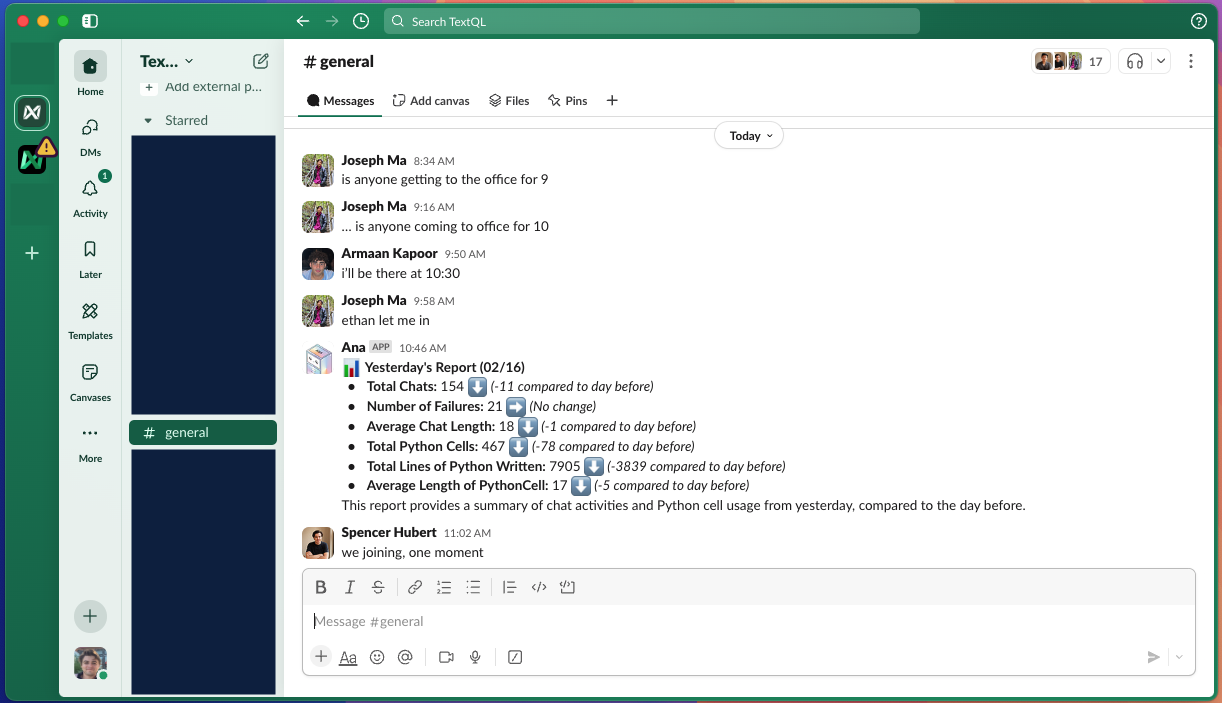
 Playbooks offer deep integration with Slack:
* **Channel Delivery** — Send results to any Slack channel where the TextQL bot is present
* **User Tagging** — Notify specific team members about important insights
* **Rich Formatting** — Results include charts, tables, and formatted text
* **Threaded Conversations** — Keep discussions organized with threaded responses
* **Set Playbooks as Channel Context** — Customize how Ana behaves in a specific Slack channel (response style, default data connected, analysis granularity) by giving her [channel context](/core/integrations/slack#slack-channel-context)
Playbooks offer deep integration with Slack:
* **Channel Delivery** — Send results to any Slack channel where the TextQL bot is present
* **User Tagging** — Notify specific team members about important insights
* **Rich Formatting** — Results include charts, tables, and formatted text
* **Threaded Conversations** — Keep discussions organized with threaded responses
* **Set Playbooks as Channel Context** — Customize how Ana behaves in a specific Slack channel (response style, default data connected, analysis granularity) by giving her [channel context](/core/integrations/slack#slack-channel-context)
 For advanced Slack features including setting up Slack channel context, see our [integration guide for Slack](/core/integrations/slack).