> ## Documentation Index
> Fetch the complete documentation index at: https://docs.textql.com/llms.txt
> Use this file to discover all available pages before exploring further.
# Module 2 · Trusting the Answer
> This is the question every business user should ask — and the reason TextQL is built the way it is. Every answer is auditable. (How your data team proves accuracy org-wide — gol… (~15 min)
This is the question every business user should ask — and the reason TextQL is built the way it is. **Every answer is auditable.** (How your data team proves accuracy org-wide — golden datasets, drift alarms — is the [**Data Quality & Validation**](/workshops/data-quality/overview) workshop; your job here is the personal verification habit.)
## 2.1 · Open the work
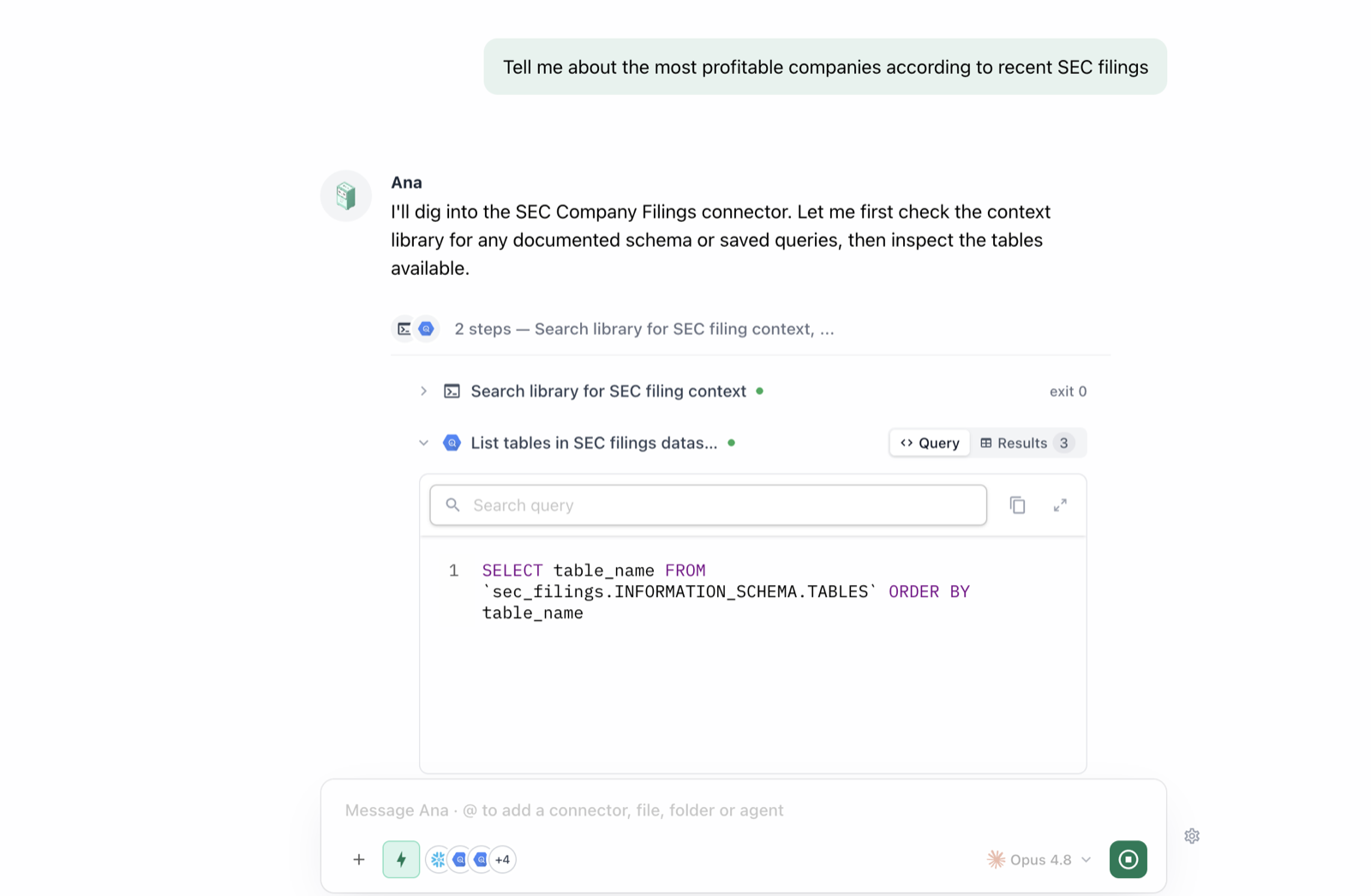
Take any answer from Module 1 and expand the collapsed tool cells above it. You'll see the exact SQL that ran, the rows that came back, and any analysis code. You don't need to read SQL — but it's there, and your data team can review it in seconds.
 ## 2.2 · Ask Ana to explain her own work
```text Prompt theme={null}
Explain in plain English exactly how you calculated that number: which table, which filters, which time window, and what you counted. What assumptions did you make?
```
**You'll see:** a step-by-step explanation a non-technical stakeholder could follow — table, filters, definitions, assumptions, caveats.
## 2.3 · Check it against a number you already know
```text Prompt theme={null}
What was [metric you already know] for [period]? I have a reference number — I want to see if we match.
```
**You'll see:** either a match (calibration confirmed) or a mismatch. A mismatch is useful — follow with *"Why might your number differ from \[reference]?"* Common causes: time zones, filters (test accounts? refunds?), definitions. You just found a definitional gap; Module 6 fixes it for everyone.
## 2.4 · Governed answers vs. ad-hoc answers
```text Prompt theme={null}
For the metrics you just gave me, which came from governed ontology definitions and which did you compute ad hoc? What's the difference in how much I should trust each?
```
**You'll see:** which numbers carry your org's stamp of approval and which are best-effort. Governed numbers are consistent for everyone who asks; ad-hoc ones are transparent but not yet standardized.
## 2.5 · The trust checklist
* **Source** — which table/connector?
* **Window** — what time range and time zone?
* **Filters** — what was included/excluded?
* **Definition** — governed, or on the fly?
* **Freshness** — when was the data last updated?
```text Prompt theme={null}
Give me a "methodology footnote" for that answer: source, time window, filters, whether the definition is governed, and data freshness.
```
**You'll see:** all five trust dimensions in one footnote you can paste under any chart in a deck.
### ✅ Checkpoint
* [ ] You expanded a tool cell and saw the actual SQL behind an answer
* [ ] Ana explained a calculation in plain English on request
* [ ] You reconciled (or explained a difference vs.) a number you already knew
* [ ] You know how to ask whether a metric is governed
## 2.2 · Ask Ana to explain her own work
```text Prompt theme={null}
Explain in plain English exactly how you calculated that number: which table, which filters, which time window, and what you counted. What assumptions did you make?
```
**You'll see:** a step-by-step explanation a non-technical stakeholder could follow — table, filters, definitions, assumptions, caveats.
## 2.3 · Check it against a number you already know
```text Prompt theme={null}
What was [metric you already know] for [period]? I have a reference number — I want to see if we match.
```
**You'll see:** either a match (calibration confirmed) or a mismatch. A mismatch is useful — follow with *"Why might your number differ from \[reference]?"* Common causes: time zones, filters (test accounts? refunds?), definitions. You just found a definitional gap; Module 6 fixes it for everyone.
## 2.4 · Governed answers vs. ad-hoc answers
```text Prompt theme={null}
For the metrics you just gave me, which came from governed ontology definitions and which did you compute ad hoc? What's the difference in how much I should trust each?
```
**You'll see:** which numbers carry your org's stamp of approval and which are best-effort. Governed numbers are consistent for everyone who asks; ad-hoc ones are transparent but not yet standardized.
## 2.5 · The trust checklist
* **Source** — which table/connector?
* **Window** — what time range and time zone?
* **Filters** — what was included/excluded?
* **Definition** — governed, or on the fly?
* **Freshness** — when was the data last updated?
```text Prompt theme={null}
Give me a "methodology footnote" for that answer: source, time window, filters, whether the definition is governed, and data freshness.
```
**You'll see:** all five trust dimensions in one footnote you can paste under any chart in a deck.
### ✅ Checkpoint
* [ ] You expanded a tool cell and saw the actual SQL behind an answer
* [ ] Ana explained a calculation in plain English on request
* [ ] You reconciled (or explained a difference vs.) a number you already knew
* [ ] You know how to ask whether a metric is governed