

4.1 · Share the thread itself
Every thread has a shareable link — your analysis, charts, and the audit trail, in one place. Open a Module 3 thread, use the share option, and send it to a teammate.Sharing > screenshotting — A shared thread keeps the context and the “show your work” trail attached to the number. A screenshot strips all of that away. When a decision rides on the number, share the thread.
4.2 · Generate a polished report
Prompt
You’ll see: a structured report assembled from the thread. Ask for a PDF or a slide deck version if you need a specific format.
4.3 · Build a live dashboard
Prompt
You’ll see: an interactive dashboard created and linked. It appears under Dashboards, viewers can use the filters, and the data refreshes from the source — no more screenshot-and-paste reporting.
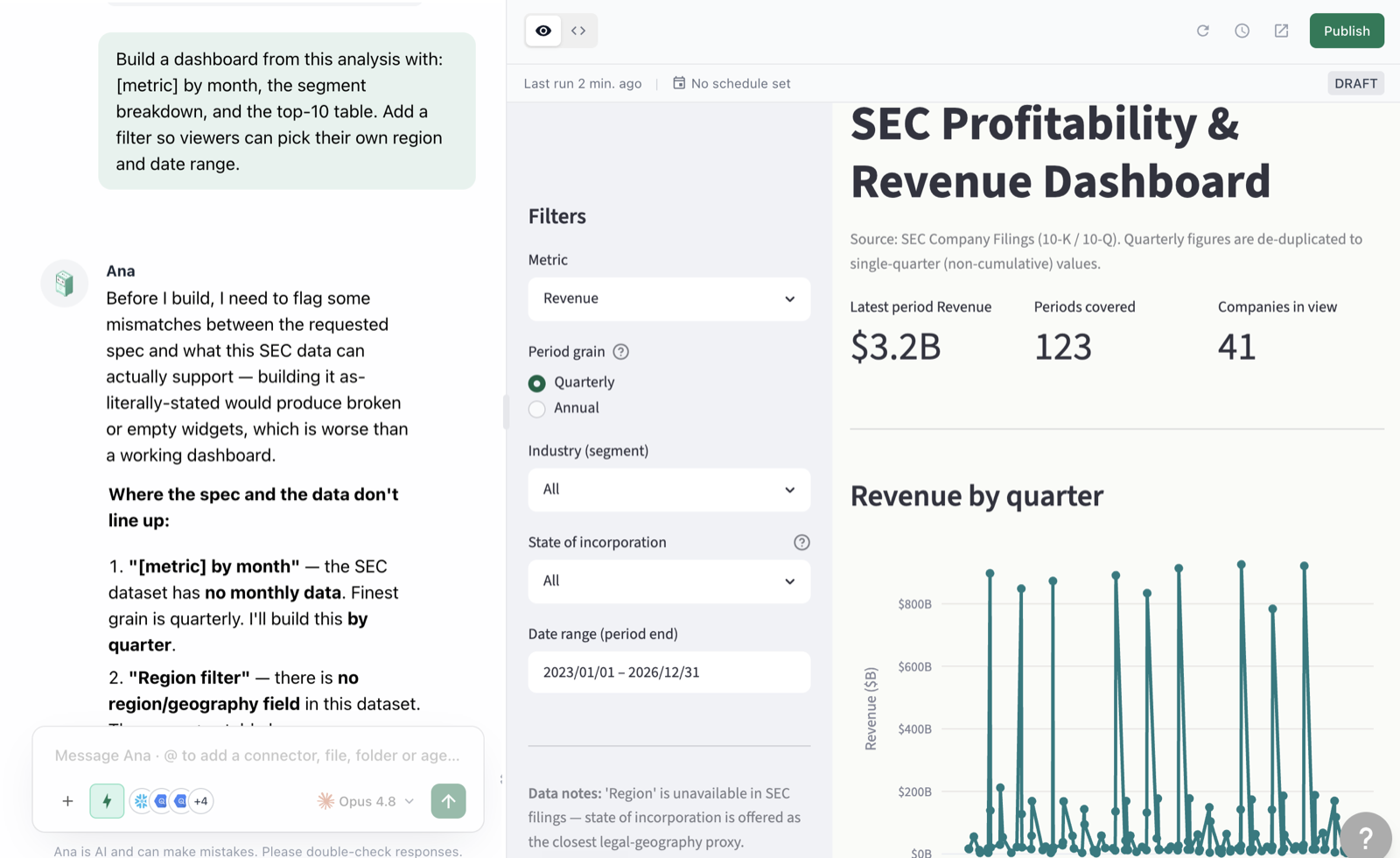
From conversation to live, filterable dashboard — in one prompt.
4.4 · Iterate on the dashboard
Prompt
You’ll see: the dashboard updated in place. Only the creator can edit; everyone else gets view + filter.
4.5 · Export the underlying data
Prompt
You’ll see: downloadable files attached to the thread — CSV for spreadsheets, images for decks.
4.6 · Which asset, when?
| You need… | Use |
|---|---|
| A teammate to see your analysis + how you got it | Share the thread |
| A point-in-time narrative for leadership | Report / PDF / deck |
| A number people check weekly | Dashboard |
| To keep working in Excel/Sheets | CSV export |
| The same question answered every Monday | Playbook — next module |
✅ Checkpoint
- You shared a thread link
- You generated a report with summary + charts + methodology
- You created a dashboard with at least one filter
- You exported a CSV