

Comparison at a Glance
Option 1: Managed Cloud (Standard)
TextQL runs on shared infrastructure in AWS us-west-2, logically separated by organization. Your databases and warehouses are reached over the public internet via a fixed egress IP that you allowlist on your firewall or security groups. Egress IP to allowlist: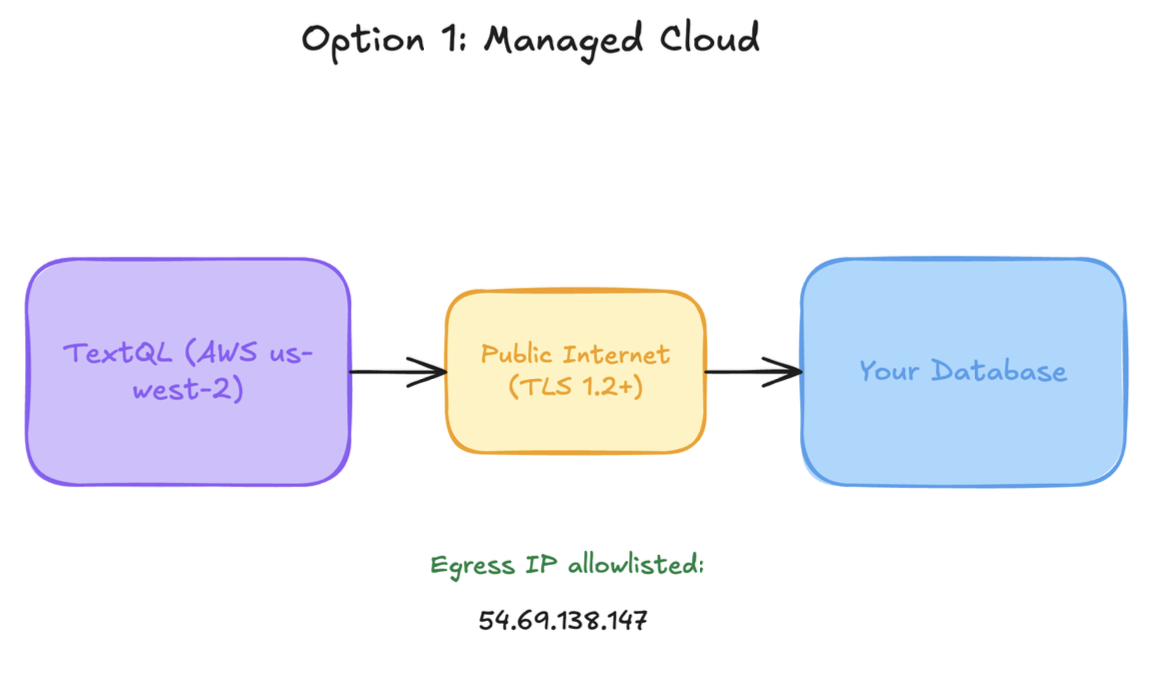
Option 2: Managed Single-Tenant with AWS PrivateLink
TextQL provisions a dedicated environment (separate compute, separate database) for your organization. Connectivity to your data sources is established via AWS PrivateLink — queries from TextQL’s compute engine to your data sources travel over the AWS backbone and never traverse the public internet.How the connection is established
Because TextQL’s compute initiates connections to your data sources, your team is the service provider and TextQL is the service consumer in PrivateLink terms. You either:- Authorize TextQL’s AWS account on your managed warehouse’s PrivateLink connector (Snowflake, Databricks, etc.), or
- Expose a VPC Endpoint Service in front of a self-managed database.
The self-managed database path requires a one-time step to authorize TextQL’s AWS account as a PrivateLink consumer.
VPC peering as an alternative
VPC peering is supported as an alternative for organizations that already operate peered networks at scale. We recommend PrivateLink unless you have an existing peering-based architecture you need to fit into. When it fits: Organizations that require private networking, dedicated infrastructure, and/or have compliance requirements around traffic egress or non-us-west-2 data residency.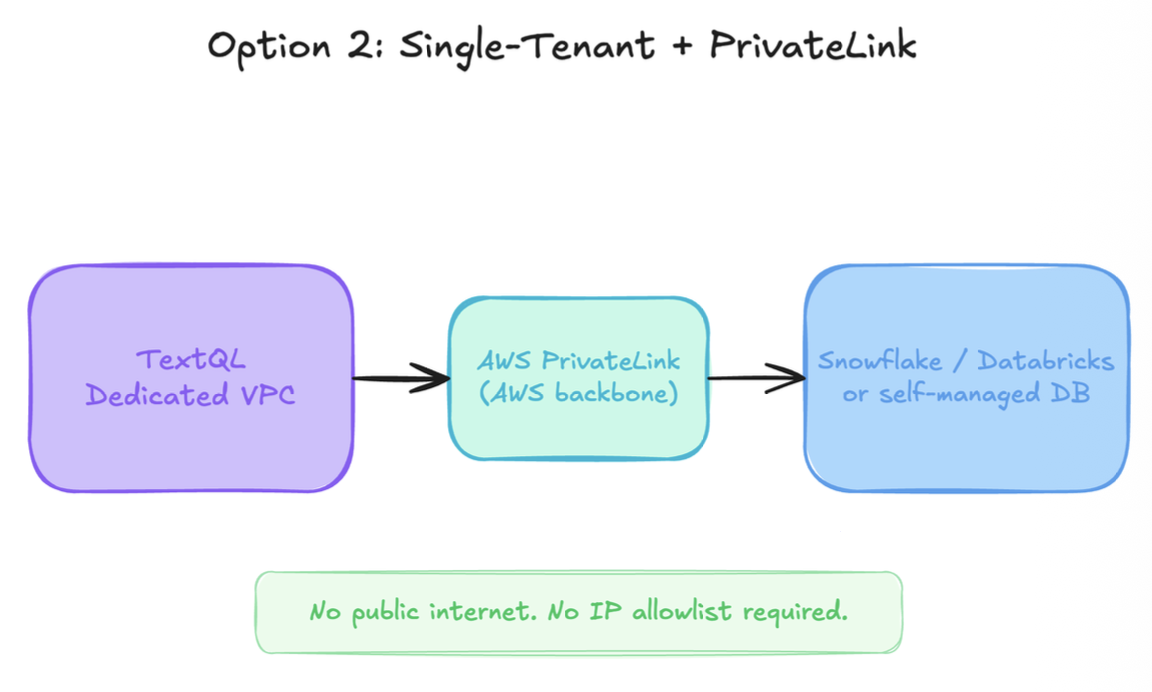
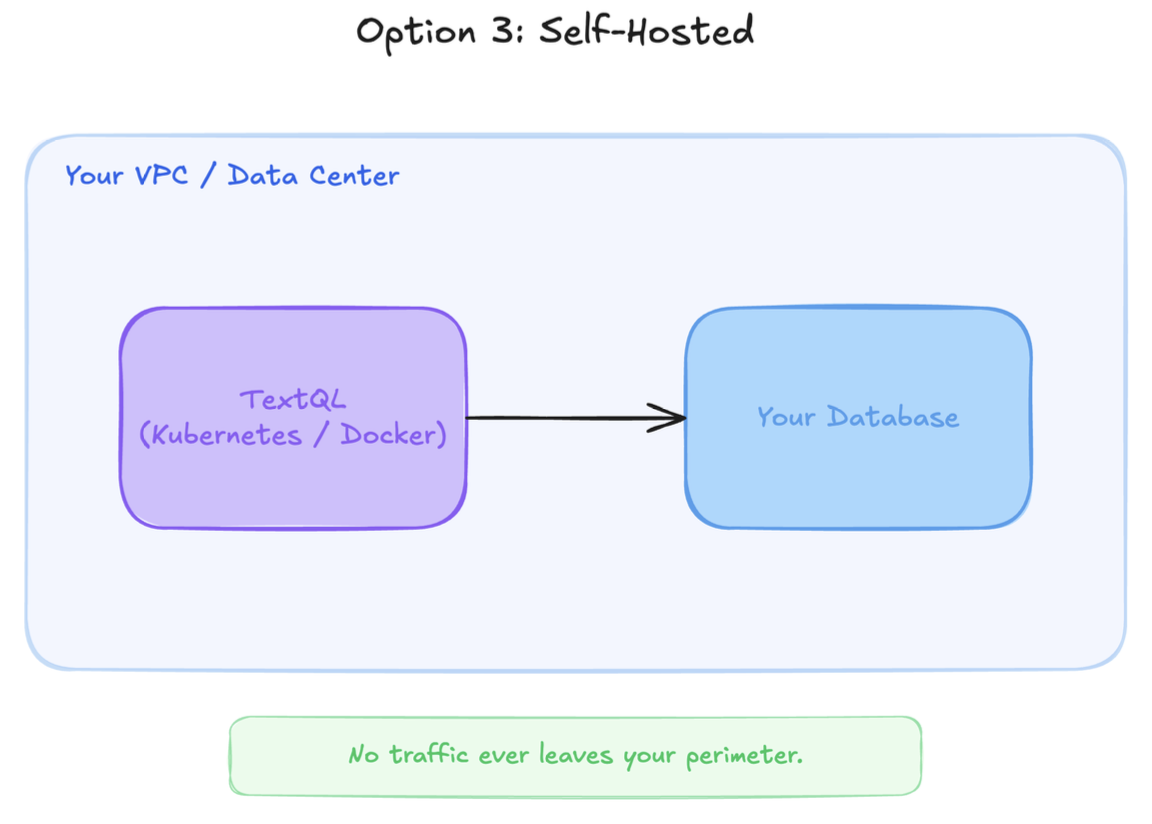
Option 3: Self-Hosted (Within Your Walls)
TextQL is fully deployable on your own infrastructure using Kubernetes (Helm chart), tested and supported on EKS. Your team controls:- Where the application runs — your VPC, your data center, or your cloud account
- How secrets are managed — AWS Secrets Manager, GCP Secret Manager, Azure Key Vault, or sealed secrets via GitOps
- Network routing — all outbound connections from TextQL’s compute engine to your databases stay entirely within your network; no traffic leaves your perimeter
Security Baseline Across All Options
For the full security overview, see the Security Whitepaper.