

Available Models
TextQL’s model catalog includes models across several providers:Anthropic (Claude)
* 1M token context window available in beta. Standard pricing applies up to 200K input tokens; tokens beyond 200K are billed at a higher rate. See Pricing for details.
† Standard pricing applies to prompts up to 100K input tokens. A prompt over 100K tokens bills every token in the request at 5× the standard rate. See Pricing for details.
OpenAI (GPT)
Google (Gemini)
Meta
DeepSeek (via Fireworks)
Moonshot (via Fireworks)
Zhipu / GLM (via Fireworks)
Qwen (via Fireworks)
For ACU pricing on each model, see the Pricing page.
Model Catalog
The Model Catalog tab is where administrators enable or disable models for the organization and set the organization-wide default.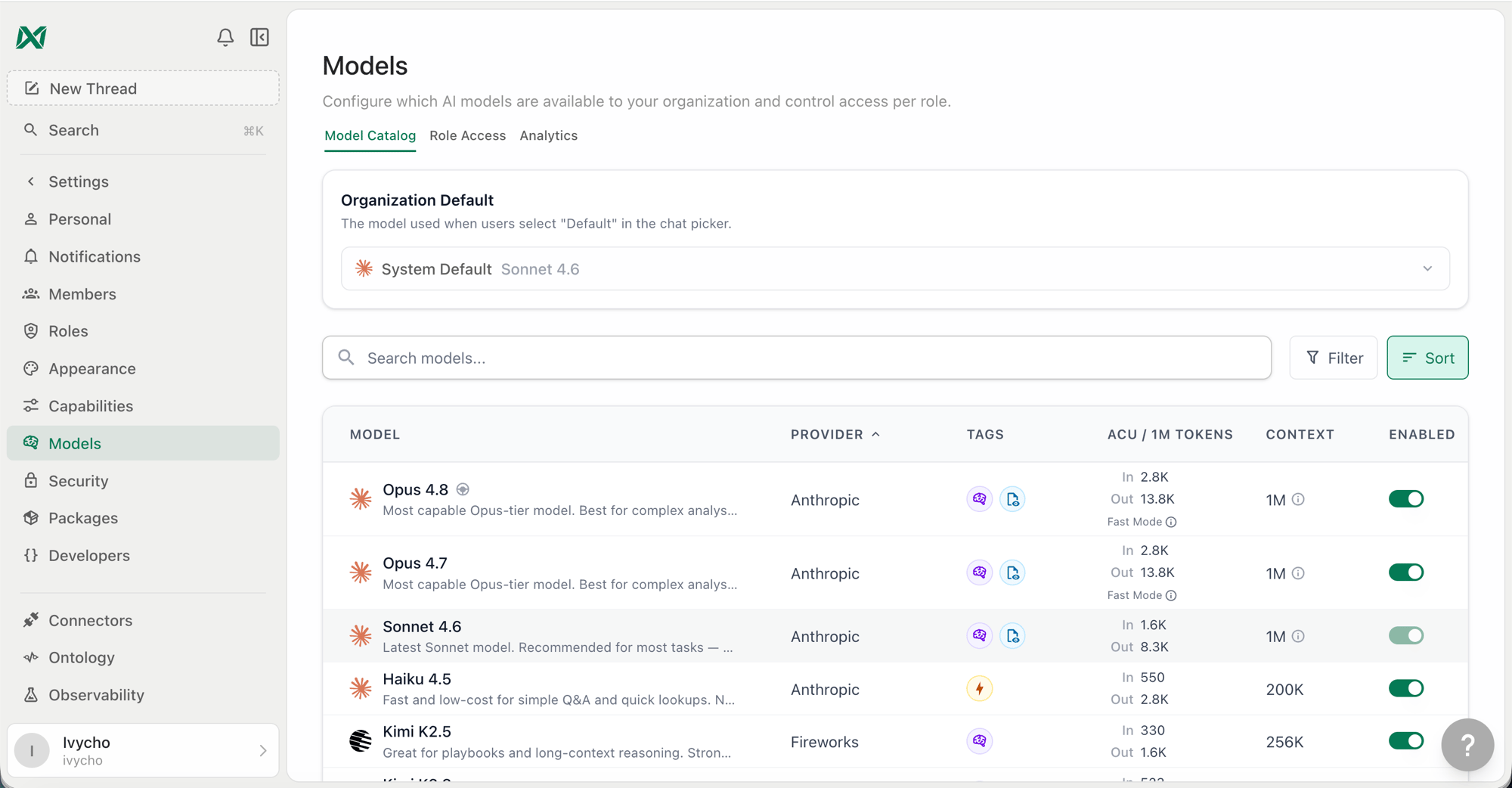
Model Catalog tab in Settings → Models
Enabling and Disabling Models
By default, all models in the catalog are available to your organization. You can disable any model to prevent it from appearing in the model picker for all users. A disabled model cannot be selected by any user regardless of their role settings. If a role has a disabled model set as its default, the system default takes over.Setting the Organization Default
The organization default is the model Ana uses when no specific model has been selected for a conversation. It appears as “Org Default” in role settings and is distinct from the System Default.- System Default — TextQL’s platform-level default, currently Claude Sonnet 5 for Anthropic organizations and GPT-5.6 Sol for OpenAI organizations. This automatically updates as the platform evolves.
- Org Default — An explicit model your organization has pinned. Overrides the System Default for all roles that inherit from the org.
Role Access
The Role Access tab gives fine-grained control over which models each role can use, what their default is, and whether users in that role can switch models mid-conversation.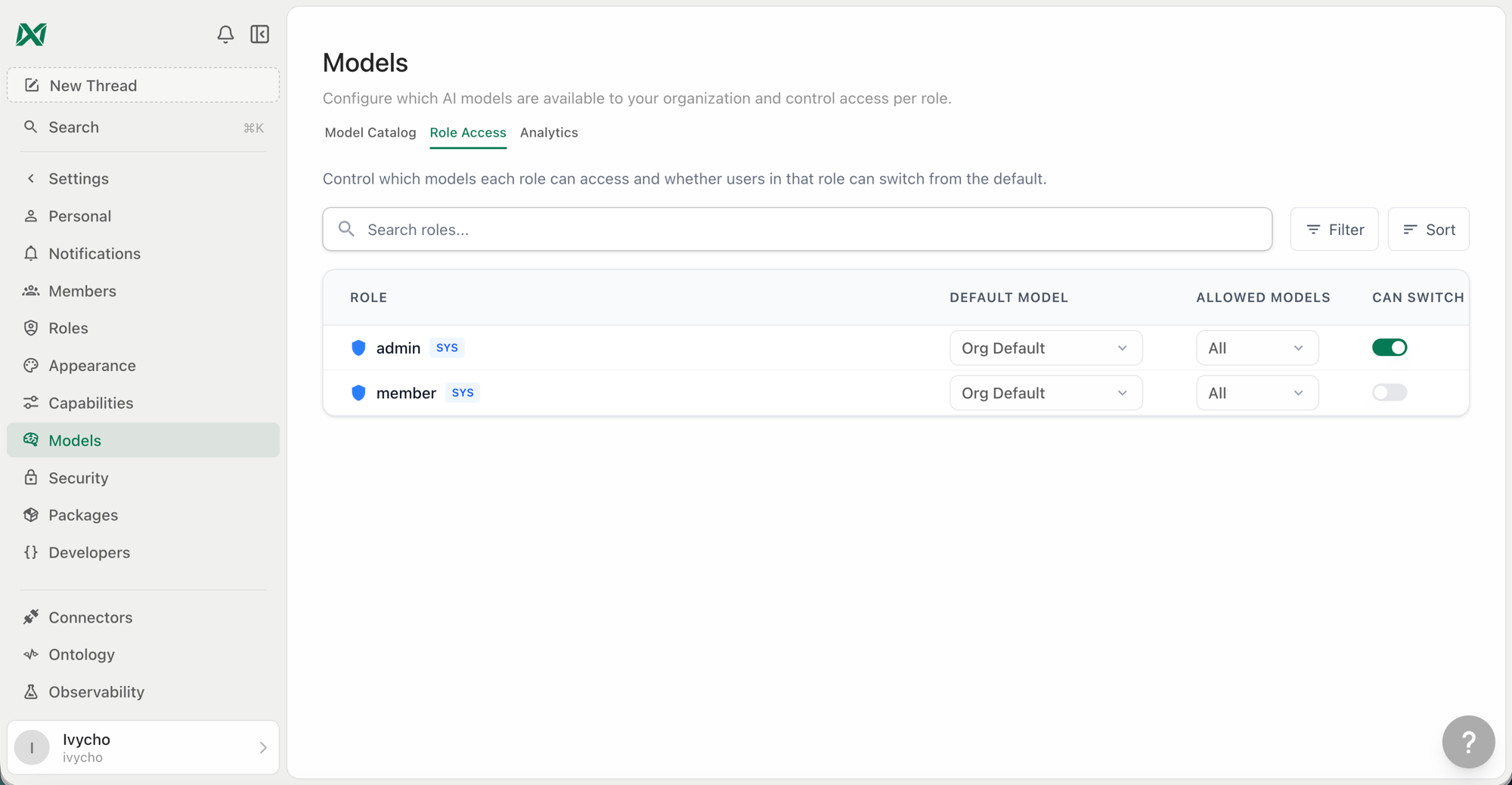
Role Access tab showing per-role model configuration
Default Model
The model Ana starts a new conversation with for users in this role. Options are:- Org Default — Inherits whatever the organization default is set to (recommended for most roles)
- System Default — Pins to TextQL’s platform default, auto-updating with the platform
- Specific model — Pins to an explicit model regardless of org or system defaults
Allowed Models
The subset of org-enabled models that users in this role can see in the model picker. Defaults to all enabled models. Restricting this is useful if you want certain roles to only access lower-cost or specific provider models.Note: A role’s default model is always included in its allowed list. You cannot remove a model from the allowed list if it is set as that role’s default — change the role default first.When the organization has an explicit default model, every role that keeps Org Default can use it even if it is not checked in the role’s allowed list, so changing the org default reaches those roles without editing each list. If the organization follows the System Default instead, the role’s allowed list still applies and users start on the first allowed model when the platform default is not in it. When a user holds several roles, the most permissive role wins: the user can switch models if any role allows it, and can use any model that any of their roles allows. A role with all models allowed grants access to every enabled model regardless of the other roles’ restrictions.
Can Switch
Controls whether users in this role see the model picker in the chat interface at all. When disabled, users in this role cannot change the model — they always use the role’s default.Configuring via API
These three settings are fields on the role, set from this tab or programmatically with the role update API (RBACService/UpdateRole). They are not RBAC permissions and cannot be granted through a role’s permission list — allow_model_switching is a UI label, not a permission string.
default_model_id and allowed_model_ids take LlmModel enum numbers. An empty allowed_model_ids is treated as “no change”; send clear_allowed_model_ids: true to reset it back to all models.
Model Picker (User-Facing)
When model switching is enabled for a role, users see a model picker in the top right of the chat interface. It shows:- Default — The system/org/role default, auto-updating with the platform
- All models the role is allowed to access, grouped with provider icons
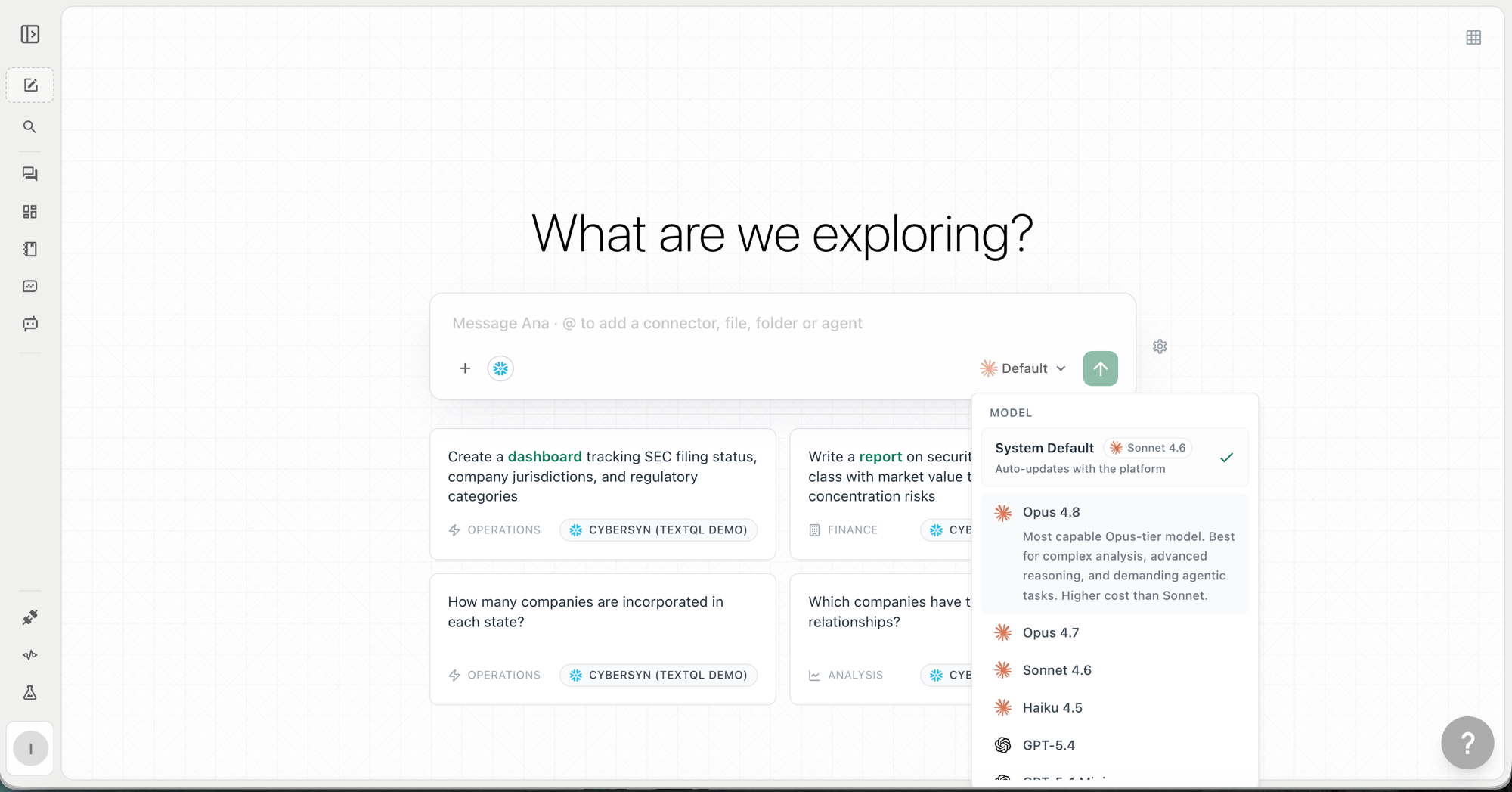
Model picker in the chat interface