Service Accounts and API Keys
TextQL has two types of identities for programmatic access: Personal API Keys and Service Accounts. Both generate API keys that authenticate against the TextQL API and embed URL, but they differ in who the key “acts as.”
Personal API Keys
A Personal API Key is tied to your own user account. It inherits your permissions, roles, and data access. These are best for development, testing, and personal scripts.
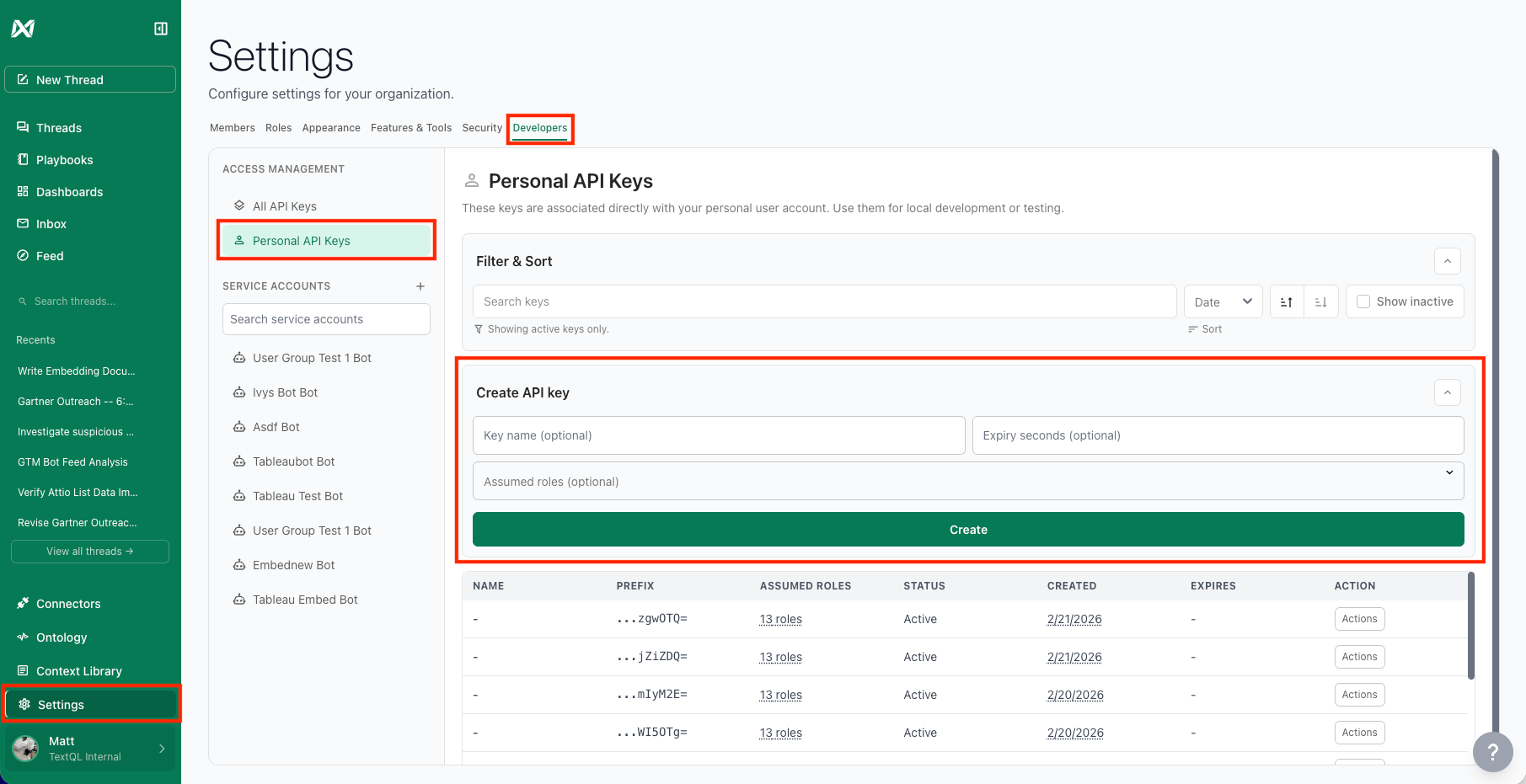
To create one, go to Settings > Developers > Personal API Keys and expand Create API key. You can optionally set:
- Key name — A label for your reference.
- Expiry seconds — Leave blank for a permanent key, or set a value (e.g.,
3600 for one hour) to create a short-lived key.
- Assumed roles — Restrict the key to a subset of your roles. If left blank, the key inherits all of them.
Copy the key immediately after creation — the full key is only shown once.
Service Accounts
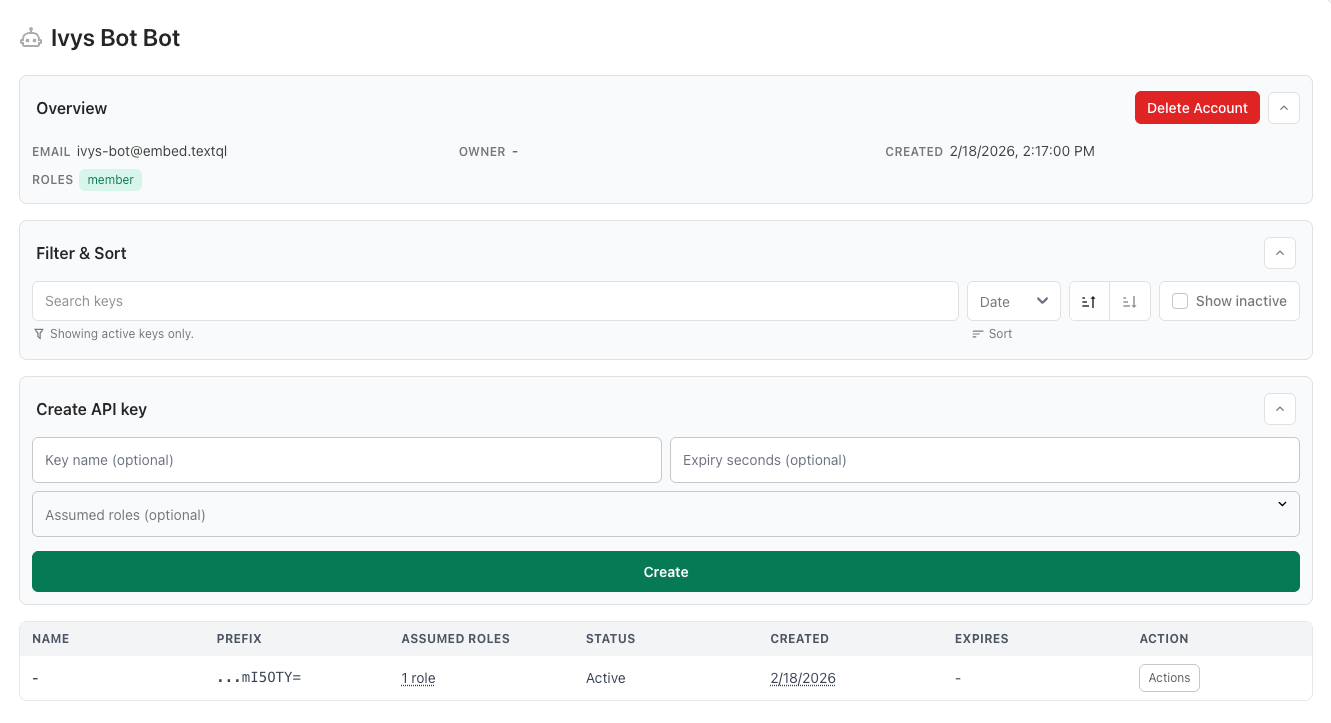
A Service Account is a dedicated bot identity for production integrations. Unlike a personal key, it does not depend on any individual’s account — it has its own name, its own email (e.g., your_service_account@embed.textql), and its own immutable roles set at creation time.
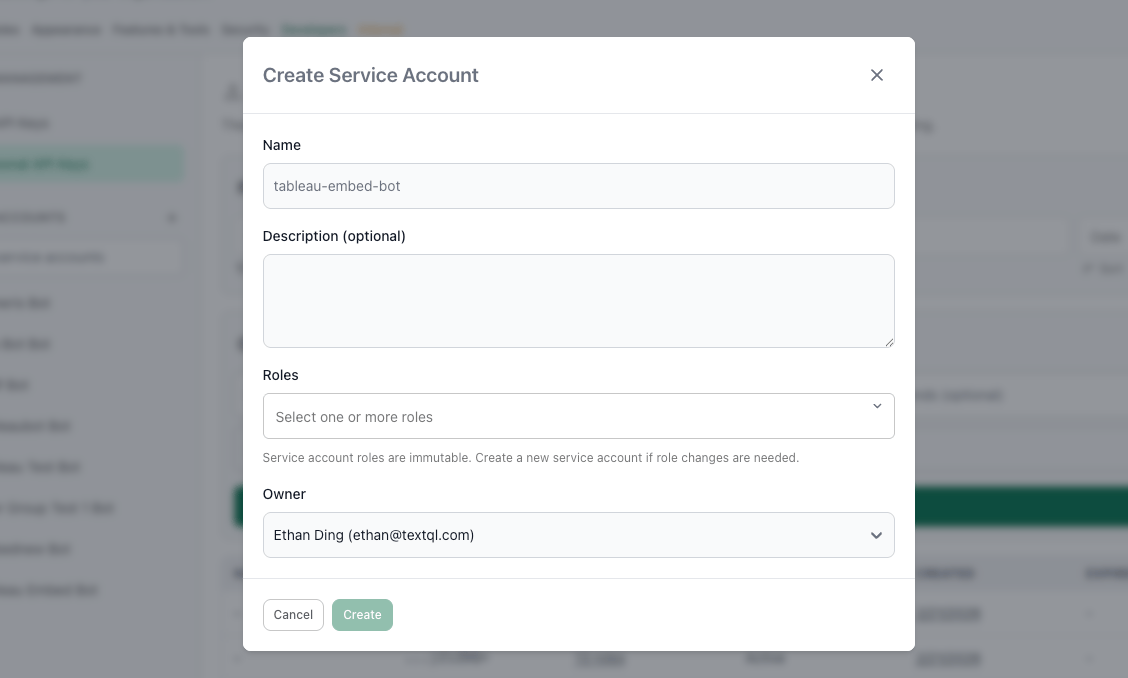
To create one, go to Settings > Developers, find the Service Accounts section in the left sidebar, and click +. Fill in:
- Name — A descriptive name (e.g.,
tableau-embed-bot).
- Description (optional) — What this account is for.
- Roles — The roles this account will operate under. These cannot be changed later. If you need different roles, create a new service account.
- Owner — The admin who manages this account.
Once created, click on the service account in the sidebar to open its detail page. From there you can create API keys for it using the same form (key name, expiry seconds, assumed roles). These keys act as the service account — not as you.
Which Should I Use?
| Personal API Key | Service Account Key |
|---|
| Acts as | You | A dedicated bot identity |
| Roles | Your roles (can change over time) | Fixed at creation (immutable) |
| Best for | Dev, testing, scripts | Production embeds, automations |
| Survives employee turnover | No | Yes |
The All API Keys View
Admins can see every key across the organization — personal and service account — under Settings > Developers > All API Keys. Use this for auditing active keys, checking expiry dates, and revoking unused keys.
Best Practices
- Use service accounts for production. They are not tied to a person, so they survive role changes and turnover.
- Use expiry seconds to create short-lived keys when possible, especially for embed URLs served to frontends (see Security Best Practices).
- Name everything descriptively.
finance-embed-prod is much more useful when auditing six months later.
- Keep service account roles minimal. Only assign what the integration actually needs.
- Revoke unused keys promptly from the All API Keys page.
Roles and Assuming Roles from the API
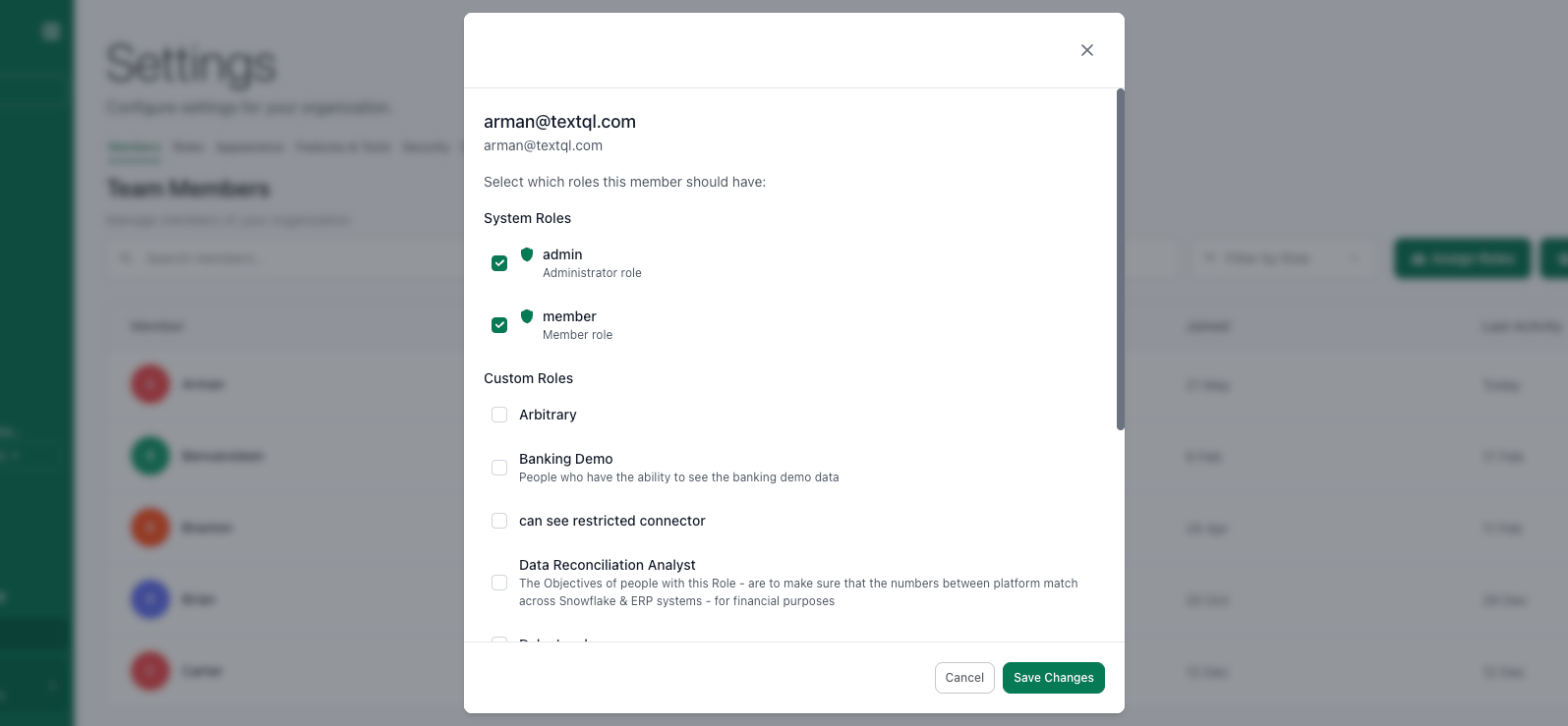
TextQL uses a role-based access model that determines what data and connectors a user (or API key) can see. Understanding roles is important when embedding, because the API key you use determines what your embedded users can access.
How Roles Work
- Every user in TextQL belongs to an organization and can be assigned one or more roles.
- Roles control which connectors (data sources) and context (business rules, definitions) are visible to the user.
- When you create an API key, the key inherits the roles of the user who created it. This means the embedded experience will show exactly the data that user has access to.
Context Scoping by Role
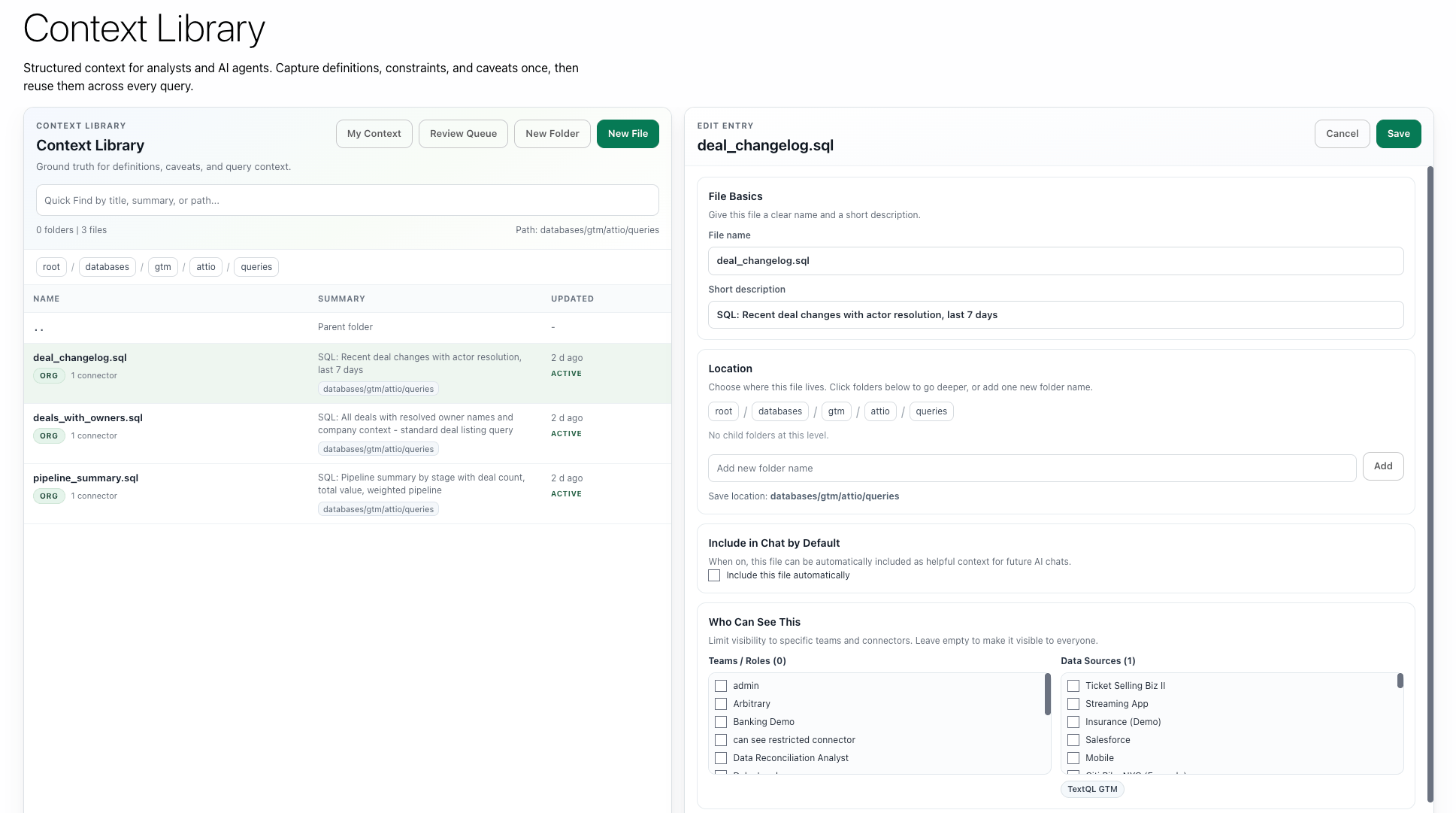
TextQL’s context system (the business rules and definitions that guide Ana) can be scoped at three levels:
| Scope | Who Sees It |
|---|
| Organization | Everyone in the org |
| Role | Only users with that specific role |
| Connector | Only when querying that specific data source |
This means you can set up role-specific context so that, for example, a “Finance” role sees financial definitions and a “Marketing” role sees marketing-specific guidance — even when both are using the same embedded interface.
Assuming a Role via the API
You can programmatically create scoped API keys that assume specific roles using the CreateApiKey RPC. This lets your backend mint a key with exactly the roles a user needs — no separate TextQL user accounts required.
Step 1: List available roles
curl 'https://app.textql.com/rpc/public/textql.rpc.public.rbac.RBACService/ListRoles' \
-H 'Content-Type: application/json' \
-H 'connect-protocol-version: 1' \
-H 'Authorization: Bearer YOUR_MASTER_API_KEY' \
--data-raw '{}'
This returns role objects with names and UUIDs. Use these UUIDs when creating scoped keys.
Step 2: Create a scoped key with specific roles
curl 'https://app.textql.com/rpc/public/textql.rpc.public.rbac.RBACService/CreateApiKey' \
-H 'Content-Type: application/json' \
-H 'connect-protocol-version: 1' \
-H 'Authorization: Bearer YOUR_MASTER_API_KEY' \
--data-raw '{
"expirySeconds": 3600,
"assumedRoles": [
"80de0196-496f-44fe-9d4c-8013b3b44082",
"42b3559f-eac2-428c-8def-c8b1847bc84d"
]
}'
| Field | Type | Purpose |
|---|
expirySeconds | integer | Key lifetime (e.g. 3600 for 1 hour) |
assumedRoles | array of role UUIDs | Determines which connectors and context the key can access |
Response:
{
"apiKey": "a1b2c3d4-...",
"apiKeyHash": "ZjBmMDY0ZTEtMTM4Zi00OThjLTk4N..."
}
apiKey — use as Bearer token for direct API calls (Chat, Stream, etc.)
apiKeyHash — use in embed URLs (?authKey=HASH)
Practical Pattern for Multi-Role Embedding
Your backend determines the user’s role at login, then mints a scoped key with only the relevant roles:
def get_embed_for_user(user):
role_map = {
"finance": ["uuid-for-finance-role"],
"marketing": ["uuid-for-marketing-role"],
"executive": ["uuid-for-finance-role", "uuid-for-marketing-role"],
}
resp = requests.post(
"https://app.textql.com/rpc/public/textql.rpc.public.rbac.RBACService/CreateApiKey",
headers={
"Content-Type": "application/json",
"connect-protocol-version": "1",
"Authorization": f"Bearer {MASTER_KEY}",
},
json={
"expirySeconds": 3600,
"assumedRoles": role_map[user.role],
},
)
key_hash = resp.json()["apiKeyHash"]
return f"https://app.textql.com/embed?authKey={key_hash}"
No need to create separate TextQL users per role. One master key, scoped child keys on demand.
You can still create dedicated user accounts per role if you prefer a simpler setup without programmatic key creation. Both approaches work.
Single Sign-On (SSO) and Role Mapping
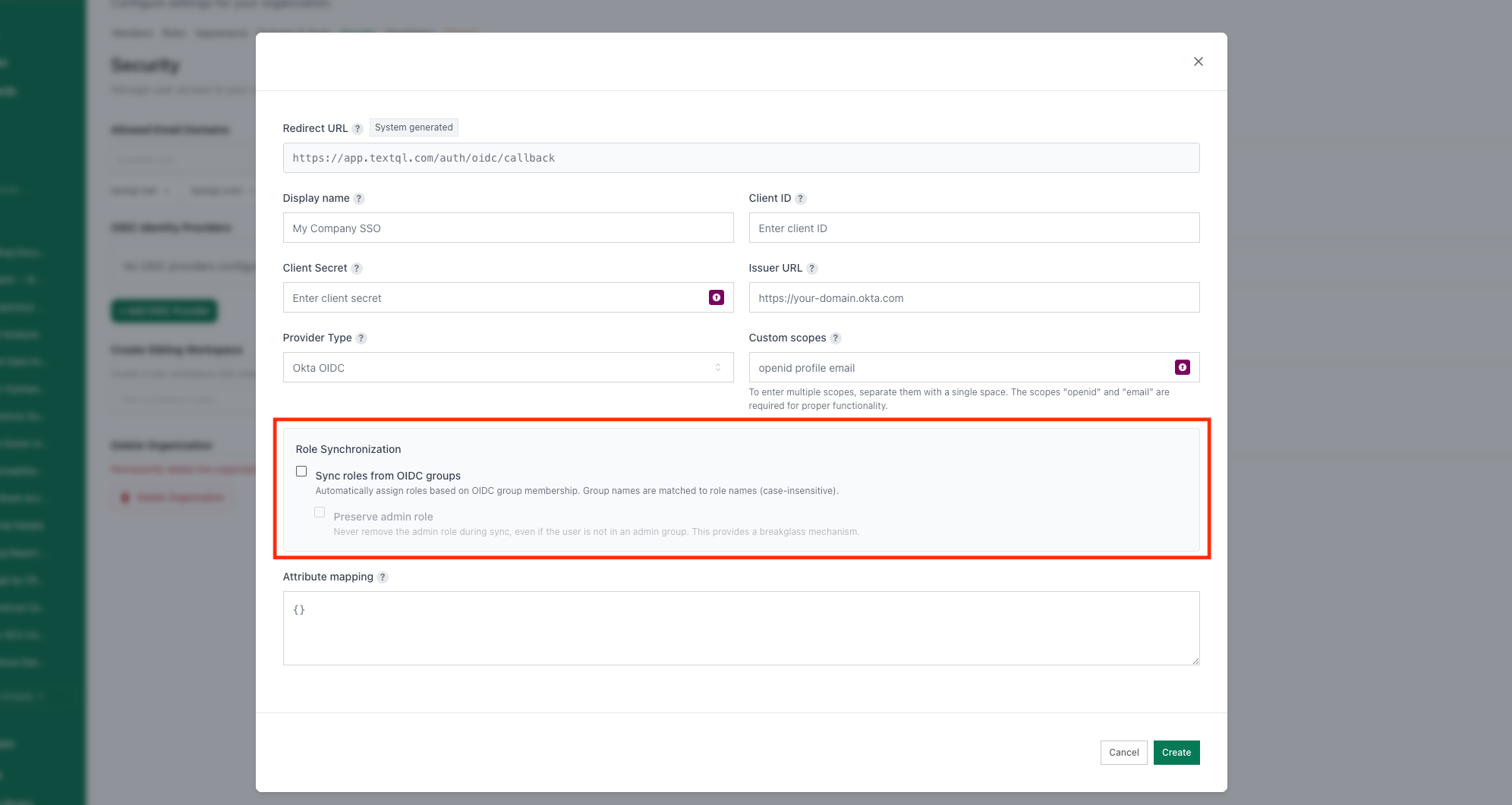
For organizations using SSO (via OIDC with Okta, Azure AD, or Ping Identity), roles can be mapped from your identity provider’s groups. This means new users who log in via SSO are automatically assigned the correct TextQL role based on their IdP group membership.
Basic API Use: One-Shot, Streaming, and More
TextQL provides a full API for programmatic access to Ana. The base URL for all API requests is:
https://app.textql.com/v1
All requests require a Bearer token (your API key) in the Authorization header.
Authentication
curl -X POST "https://app.textql.com/v1/chat" \
-H "Authorization: Bearer YOUR_API_KEY" \
-H "Content-Type: application/json" \
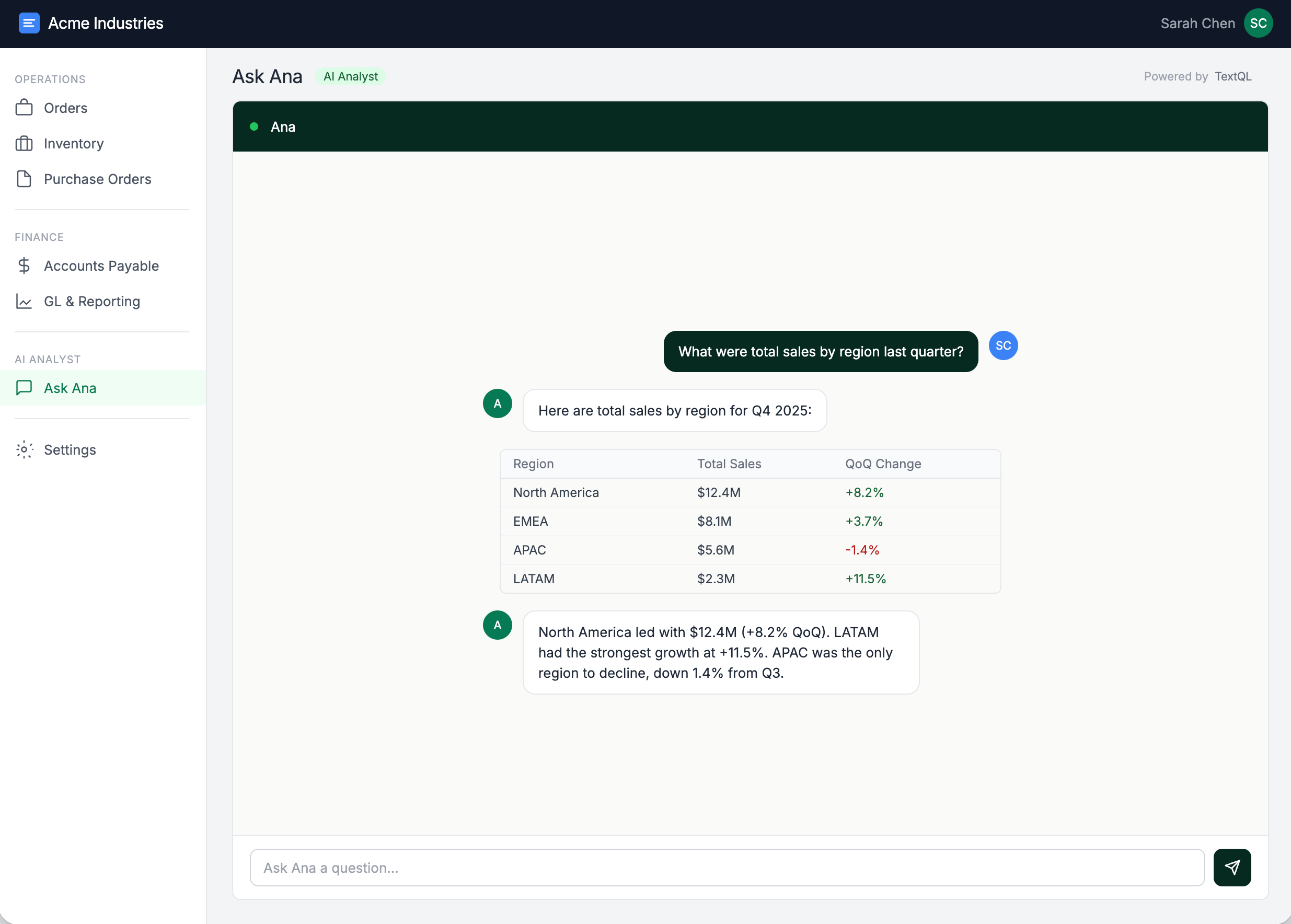
-d '{"question": "What were total sales last quarter?"}'
Available Endpoints
| Endpoint | Method | Description |
|---|
/v1/chat | POST | One-shot chat — send a question, get a complete response |
/v1/stream | POST | Streaming chat — receive response tokens in real-time |
/v1/chat/get | POST | Get chat — retrieve details of a specific chat by ID |
/v1/chat/cancel | POST | Cancel chat — cancel a running chat query |
/v1/playbooks | POST | Playbook management — list, create, update, deploy, delete playbooks |
/v1/connectors | POST | List connectors — retrieve your configured data sources |
One-Shot Chat (/v1/chat)
The one-shot endpoint sends a question and waits for the complete response. This is the simplest integration pattern — great for backend automations, scripts, or any case where you do not need to show partial results to a user.
Request:
{
"question": "What were total sales last quarter?",
"chatId": null,
"tools": {
"connectorIds": [42],
"sqlEnabled": true,
"pythonEnabled": true,
"ontologyEnabled": true,
"webSearchEnabled": false
}
}
question (required): The natural-language question for Ana.
chatId (optional): Pass an existing chat ID to continue a conversation. Omit or set to null to start a new chat.
tools (optional): Configure which tools Ana can use. If omitted, defaults are applied.
Response:
{
"id": "chat-abc123",
"createdAt": "2026-03-03T12:00:00Z",
"response": "Total sales last quarter were $4.2M, a 12% increase over the prior quarter...",
"status": "QUERY_STATUS_COMPLETE"
}
Streaming Chat (/v1/stream)
The streaming endpoint uses Connect-RPC (a protocol that works over standard HTTP/1.1 and HTTP/2) to deliver response tokens in real-time as Ana generates them. This is ideal for user-facing applications where you want to show a “typing” experience.
The streaming endpoint requires a Connect-RPC client. It cannot be tested with a simple curl command. Use the official SDKs (see below).
Stream flow:
- Initialize — Create a Connect-RPC transport with your API base URL and auth token.
- Send request — Send a
StreamRequest with your question, optional chat_id, and tools configuration.
- Receive metadata — The first response contains metadata:
chat_id, model, is_continuation, and status.
- Stream content — Subsequent responses contain incremental
text tokens, preview URLs (for charts/images), and tool_call information.
- Completion — The final response includes
status: QUERY_STATUS_COMPLETE.
Client SDKs
TextQL provides official SDKs for Python and JavaScript to simplify integration.
Python SDK
from textql import TextQLClient
client = TextQLClient(api_key="YOUR_API_KEY")
# Configure which tools Ana can use
tools = {
"connector_ids": [42],
"sql_enabled": True,
"python_enabled": True,
"ontology_enabled": True,
"web_search_enabled": False,
"tableau_enabled": False,
"powerbi_enabled": False,
"google_drive_enabled": False,
}
Streaming example (Python):
stream = client.chat.stream(
question="Show me revenue by region",
tools=tools
)
for response in stream:
if response.HasField('text'):
print(response.text, end='', flush=True)
elif response.HasField('metadata'):
print(f"Chat ID: {response.metadata.chat_id}")
elif response.HasField('preview'):
print(f"Preview image: {response.preview.url}")
One-shot example (Python):
response = client.chat.create(
question="What is our current churn rate?",
tools=tools
)
print(f"Chat ID: {response.id}")
print(f"Response: {response.response}")
When making API calls, the tools object controls what Ana can do:
| Tool | Type | Description |
|---|
connectorIds | number[] | Database connector IDs to query against |
sqlEnabled | boolean | Allow Ana to write and execute SQL queries |
pythonEnabled | boolean | Allow Ana to run Python code for analysis and visualization |
ontologyEnabled | boolean | Allow Ana to use the semantic ontology layer |
webSearchEnabled | boolean | Allow Ana to search the web |
tableauEnabled | boolean | Allow Ana to interact with Tableau |
powerbiEnabled | boolean | Allow Ana to interact with Power BI |
googleDriveEnabled | boolean | Allow Ana to access Google Drive files |
Once a chat is created with a specific tool configuration, that configuration is locked for the duration of the chat. Sending different tool configurations to an existing chatId will cause issues. Start a new chat if you need different tools.
Embedding the App via iframe
The simplest way to put Ana into your own application is to embed the full TextQL chat interface using an iframe. This gives your users the complete Ana experience — including the chat UI, visualizations, and interactive data exploration — without building a custom frontend.
Quick Start
- Create an API key (see Service Accounts and API Keys above).
- Construct the embed URL:
https://app.textql.com/embed?authKey=YOUR_API_KEY
- Test in a browser. Open the URL in an incognito window. You should see a new chat with Ana. If it loads successfully, your API key is working.
- Add the iframe to your application:
<iframe
src="https://app.textql.com/embed?authKey=YOUR_API_KEY"
width="100%"
height="600px"
frameBorder="0"
allow="clipboard-write"
></iframe>
Iframe Attributes
| Attribute | Recommended Value | Notes |
|---|
src | https://app.textql.com/embed?authKey=... | Your embed URL with API key |
width | 100% | Full width of the container |
height | 600px (or more) | Adjust to fit your layout; Ana works best with at least 500px height |
frameBorder | 0 | Clean look with no border |
allow | clipboard-write | Lets users copy content from Ana’s responses |
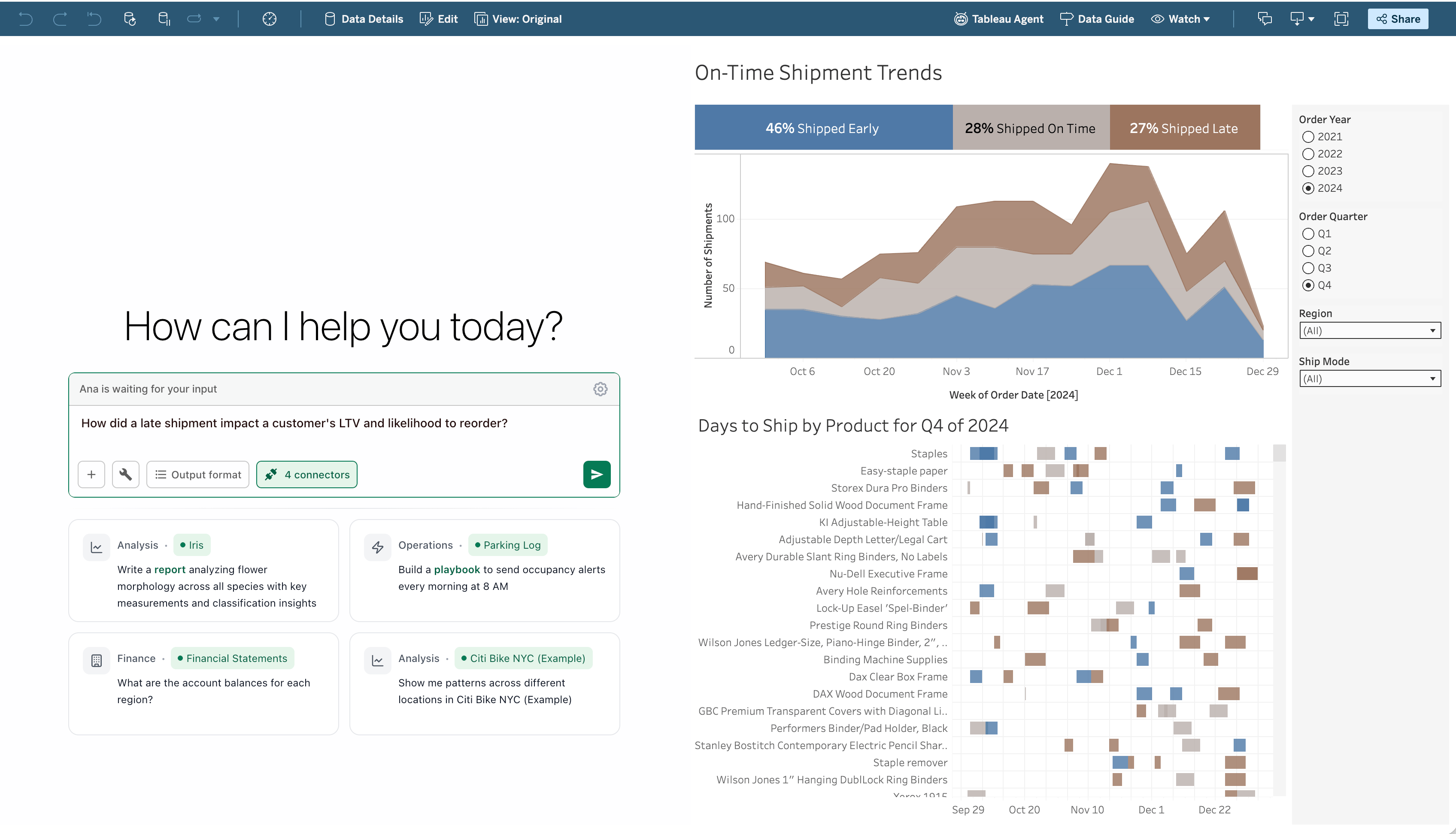
Embedding in Tableau
TextQL can also be embedded directly into Tableau dashboards:
- In Tableau, create a new workbook and add a dashboard.
- From the Objects panel, drag a Web Page object onto the dashboard.
- Enter your embed URL:
https://app.textql.com/embed?authKey=YOUR_API_KEY
- Resize the Web Page object to fit your dashboard layout.
The same iframe pattern works in any tool that supports embedded web content, including:
- Internal portals (React, Angular, Vue, etc.)
- Confluence / SharePoint (via HTML embed macros)
- Retool / Appsmith (via iframe components)
Security Best Practice: Backend Master Key with Short-Lived Frontend Keys
When embedding Ana in a user-facing application, you need to balance convenience with security. The core principle is: never expose a long-lived API key directly in frontend code.
The Problem
If you embed an API key directly in an iframe URL in your frontend HTML, anyone who inspects the page source can extract the key. That key has full access to whatever the creating user can see — potentially sensitive company data.
The Recommended Architecture
+-------------------+ +-------------------+ +-------------------+
| | | | | |
| Your Frontend | ----> | Your Backend | ----> | TextQL API |
| (Browser) | | (Server) | | |
| | | | | |
+-------------------+ +-------------------+ +-------------------+
^ |
| |
+--- short-lived key -------+
How it works:
- Store your master API key on your backend server. This is the long-lived key created in TextQL Settings. It never leaves your server.
- When a user loads your app, your frontend calls your backend to request a session or a short-lived token.
- Your backend authenticates the user (via your own auth system — SSO, session cookies, JWT, etc.) and determines what role/access level they should have.
- Your backend generates or proxies the embed URL and returns it to the frontend. The frontend then loads the iframe with the provided URL.
- Optionally, rotate or scope keys so that each embedded session uses a key with the minimum necessary permissions.
Pattern A: Backend Proxy (Most Secure)
Your frontend never sees the TextQL API key at all. Instead, your backend proxies all API calls:
Frontend --> Your Backend (authenticated) --> TextQL API (with master key)
This is the most secure pattern. Your backend adds the Authorization: Bearer header on every request, and the frontend only talks to your own server.
Pattern B: Short-Lived Scoped Keys (Recommended for Embeds)
Your backend mints a fresh, scoped API key for each user session using the CreateApiKey RPC. Keys expire automatically — no revocation needed.
@app.route('/api/get-embed-url')
@require_auth
def get_embed_url():
user_roles = get_textql_role_uuids(current_user)
resp = requests.post(
"https://app.textql.com/rpc/public/textql.rpc.public.rbac.RBACService/CreateApiKey",
headers={
"Content-Type": "application/json",
"connect-protocol-version": "1",
"Authorization": f"Bearer {MASTER_KEY}",
},
json={
"expirySeconds": 3600, # 1 hour
"assumedRoles": user_roles,
},
)
key_hash = resp.json()["apiKeyHash"]
return {"embedUrl": f"https://app.textql.com/embed?authKey={key_hash}"}
Why this is better than static keys:
- Keys are short-lived (1h recommended) — if leaked, exposure is time-limited
- Each session gets a unique key — easy to audit
- Roles are assigned per-key — no need for separate TextQL user accounts
- No key rotation needed — keys expire on their own
Pattern C: Role-Based Key Selection (Alternative)
If you have multiple user groups, create a separate TextQL user and API key for each group. Your backend selects the right key based on the authenticated user’s role:
| User Group | TextQL User | API Key | Connectors Visible |
|---|
| Finance | finance-embed@co.com | key_finance_... | Finance DB |
| Marketing | marketing-embed@co.com | key_marketing_... | Marketing DB |
| Executive | exec-embed@co.com | key_exec_... | All DBs |
Security Checklist
- API keys are stored server-side only (environment variables, secrets manager, etc.)
- Frontend never contains hardcoded API keys
- Each embed use case has its own dedicated API key
- Keys are rotated on a regular schedule
- Unused keys are revoked promptly
- If using SSO, role mappings are configured so new users get appropriate access automatically
- The iframe uses HTTPS (TextQL enforces this by default)
Quick Reference
Key URLs
| Resource | URL |
|---|
| TextQL App | https://app.textql.com |
| API Base URL | https://app.textql.com/v1 |
| Embed Base URL | https://app.textql.com/embed?authKey=... |
| Full API Docs | API Reference |
| Embedding Docs | Embedding TextQL |
| SDK Docs | Client SDKs |
| Security Whitepaper | Security |
API Endpoints Summary
| Action | Method | Endpoint |
|---|
| One-shot chat | POST | /v1/chat |
| Stream chat | POST | /v1/stream |
| Get chat by ID | POST | /v1/chat/get |
| Cancel chat | POST | /v1/chat/cancel |
| List playbooks | POST | /v1/playbooks |
| Create playbook | POST | /v1/playbooks/create |
| Update playbook | POST | /v1/playbooks/update |
| Deploy playbook | POST | /v1/playbooks/deploy |
| Delete playbook | POST | /v1/playbooks/delete |
| List connectors | POST | /v1/connectors |
Consumption Note
API usage consumes Agent Compute Units (ACUs) just like interactive usage. Each chat spins up a dedicated sandbox that remains warm for 1 hour after last activity (500 ACUs/hour), plus inference token costs based on the model used. See the Pricing page for the full rate table.