

Threads & Chat
Output formats Ana can produce
Output formats Ana can produce
Thread fails to load or shows a blank screen
Thread fails to load or shows a blank screen
- Start a new thread for your next question. Long threads are more expensive and less token-efficient.
- If you need to reference prior work, ask Ana to summarize the key findings and carry them into the new thread.
Ana is querying a column from the wrong table when similar column names exist
Ana is querying a column from the wrong table when similar column names exist
- Correct Ana in plain language mid-thread — she will adjust and pull from the right table
- For columns you always want Ana to prioritize, add a one-line instruction to the Ontology specifying the preferred table and column name
- For high-stakes or frequently queried metrics, define the exact table and column path in the Ontology to remove ambiguity entirely
A message stays pending while Ana's execution environment restarts
A message stays pending while Ana's execution environment restarts
Broken image icons appear in a report instead of charts
Broken image icons appear in a report instead of charts
Ana provides raw SQL instead of running the query and returning results 🟢
Ana provides raw SQL instead of running the query and returning results 🟢
- Click the Text-to-SQL toggle in the chat interface before sending your message.
- To enable Text-to-SQL by default for all users, go to Settings → Capabilities and turn it on there.
How to run bulk accuracy tests with multiple questions
How to run bulk accuracy tests with multiple questions
Playbooks
Inconsistent playbook output from each run
Inconsistent playbook output from each run
- Workshop with Ana in a thread to get to your desired output format, then ask Ana to build a playbook and retain necessary SQL/Python code to reproduce the desired output format.
- Add in the playbook prompt “look at previous playbook reports and follow the same output format” once you achieve a desired format.
- Break complex reports into multiple focused playbooks, each covering a single domain.
- Consider building a TextQL dashboard for the underlying metrics, then running a playbook that reads from the dashboard for the narrative summary.
Playbook results are not posting to Slack
Playbook results are not posting to Slack
- Confirm the Slack integration is working by tagging @Ana in the selected channel.
- Make sure the playbook has the correct Slack channel configured in its delivery settings and that the playbook is NOT set as “channel context”.
- Verify that the Ana Slack bot has been invited to the channel.
How to set up condition-based playbook alerts
How to set up condition-based playbook alerts
Dashboards
Dashboard cannot be reverted to previous version
Dashboard cannot be reverted to previous version
How to edit a published dashboard 🟢
How to edit a published dashboard 🟢
- On the published dashboard, click Chat with Dashboard in the header.
- Prompt Ana to make your changes (e.g., “Add a bar chart for monthly revenue”).
- Click Refresh to preview the updated dashboard.
- Click Publish to save the new version.
Ontology
Understanding when to use ontology mode versus text-to-SQL mode
Understanding when to use ontology mode versus text-to-SQL mode
- Text-to-SQL mode: Ana explores your tables and infers the right columns and logic based on schema and any context you have provided. Best for exploratory analysis and teams early in their setup.
- Ontology mode: Ana queries against a predefined object and metrics layer. Best for governed use cases — finance teams, official reporting — where specific metric definitions and table paths must be enforced.
Understanding how ontology objects map to tables
Understanding how ontology objects map to tables
Ontology joins are not auto-establishing from a JSON import
Ontology joins are not auto-establishing from a JSON import
New ontologies return data for all clients instead of the expected client 🟢
New ontologies return data for all clients instead of the expected client 🟢
- In the ontology editor, select the ontology > select an object > go to the Attributes tab.
- For each attribute that should be filtered by client (e.g.,
cid,property_id), click the filter icon on the right side of the attribute row. - Set the filter rule to restrict results to the appropriate client ID.
- Repeat for all relevant attributes across all objects in the ontology.
- Add this as a checklist step in your client onboarding — every new ontology requires filter rules before going live.
How to build an ontology programmatically
How to build an ontology programmatically
- AI-assisted: Make sure the Ontology Editor toggle is switched on before the start of the chat (optional to switch on auto-approve). Ask Ana to explore your connector’s foreign keys and create ontology objects and links based on the schema. Provide a prompt with your table list and domain context.
- Import/export: Ontologies can be exported and imported as JSON files, enabling version control via GitHub and programmatic manipulation.
- API-based: Use the TextQL API with a self-issued API key to create and manage ontology objects programmatically.
How to transfer an ontology to a new connector or environment
How to transfer an ontology to a new connector or environment
How to restore a previous version of an ontology 🟢
How to restore a previous version of an ontology 🟢
- Contact support@textql.com with your organization name, the ontology name, and the approximate date of the version you want to restore.
- The TextQL team will locate the closest available snapshot and share the JSON for your review.
- Once confirmed, the team can re-upload the JSON to revert the ontology. This will overwrite the current version — confirm before proceeding.
- Alternatively, if you have a previously exported JSON of the desired version, you can re-upload it yourself via the ontology editor.
Organization Context & Ana Behavior
Ana is not following my organization context or GitHub context repo instructions
Ana is not following my organization context or GitHub context repo instructions

-
Use explicit, firm instructions in your context file:
ALWAYS access the GitHub context repo before running any query, EVEN IF you recognize table names in the user's prompt. - Avoid contradicting instructions across different context files.
- Keep context concise. Overly long context reduces Ana’s ability to follow specific instructions. If threads are hitting the maximum length banner, context size may be a contributing factor.
- Use an ontology for critical data routing rules. Ontologies provide a more structured and reliable way to guide Ana than free-text context. See Ontology Overview.
How to use and manage the Ontology
How to use and manage the Ontology
- Admins can add and edit entries, scoped by role, by connector, or globally
- For teams managing multiple datasets or customers, use the GitHub integration to programmatically assign context at scale with full version control
- See GitHub Integration for Context and What is Context
How to set up a GitHub repo for organization context
How to set up a GitHub repo for organization context
- Create a GitHub repo for your context files.
- Generate a Personal Access Token (PAT) with read access.
- Add the PAT in the Connectors > Env Vars section.
- Add a note in your organization context telling Ana to reference the repo.
Connectors & Data Sources
Supported data sources and connectors
Supported data sources and connectors
Default guardrails and limits on runtime
Default guardrails and limits on runtime
Ana is querying an unexpected table or calculating a metric incorrectly
Ana is querying an unexpected table or calculating a metric incorrectly
- Click into any tool call step to inspect the exact SQL Ana ran and the tables she used
- Correct Ana in plain language in the thread — she will adjust
- Ask Ana to save the corrected logic to the Ontology so it applies to all future queries
Ana is querying tables it should not have access to
Ana is querying tables it should not have access to
- Restrict at the database level: Review the role/user assigned to the connector and revoke access to any schemas or tables Ana should not see.
- Use Organization Context: Add instructions in the Ontology specifying which tables Ana should or shouldn’t use for certain questions. Note that LLM behavior is non-deterministic — context instructions guide but do not strictly enforce Ana’s behavior.
- Use an ontology for deterministic access control: Only fields explicitly defined as dimensions or measures are exposed to Ana. See Ontology Overview.
Connector failing with a 403 or authentication error
Connector failing with a 403 or authentication error
Connector test passes but Ana cannot query the data
Connector test passes but Ana cannot query the data
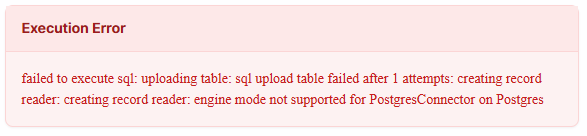
Oracle connector support
Oracle connector support
Jira / Atlassian connector support
Jira / Atlassian connector support
Custom Python package installation causes slow responses for all users 🟢
Custom Python package installation causes slow responses for all users 🟢
- If the package is not critical, remove it in Settings → Packages to restore normal response times. Response times should return to normal within minutes of removal.
- If the package is required, be aware that it will increase response times for all users. Contact support@textql.com to discuss options for minimizing the performance impact.
Connectors are not available across multiple organizations 🟢
Connectors are not available across multiple organizations 🟢
How to connect a new data source
How to connect a new data source
How to query across multiple connectors in a single thread
How to query across multiple connectors in a single thread
How to connect dbt docs or a semantic layer
How to connect dbt docs or a semantic layer
- Persist dbt docs to your data warehouse (e.g., BigQuery) and let Ana query them via an existing connector. This is the simplest path.
- Use the dbt Discovery API via a service token. Add the token in the “Env Vars” section of the Connectors page, and add a note in your organization context telling Ana when to reference it.
How to connect an in-house metrics layer via REST endpoint
How to connect an in-house metrics layer via REST endpoint
How to manage connectors or rotate credentials programmatically
How to manage connectors or rotate credentials programmatically
Roles & Permissions
TextQL role-based access control (RBAC)
TextQL role-based access control (RBAC)
Understanding 'public' and 'private' role permissions
Understanding 'public' and 'private' role permissions
- Read/Write Public: The user can view or create conversations that have been intentionally set to public. All chats are private by default.
- Read/Write Private: The user can view all conversations, including other users’ private chats. This should be reserved for admin or security roles.
- RBAC overrides: If a chat is explicitly shared with a user, they can view it regardless of their public/private permissions.
API key returns 403 or 401 for a non-admin user
API key returns 403 or 401 for a non-admin user
- Ensure the user’s role has access to the connector (via the Connectors page share settings).
- If the user was recently changed from admin to member, allow up to 15 minutes for permission changes to propagate.
- As a workaround, temporarily make the user an admin, generate the key, then revert. The key will retain the permissions it was created with.
How to restrict a role to a specific connector
How to restrict a role to a specific connector
- On the Connectors page, click … > Manage Access on the connector.
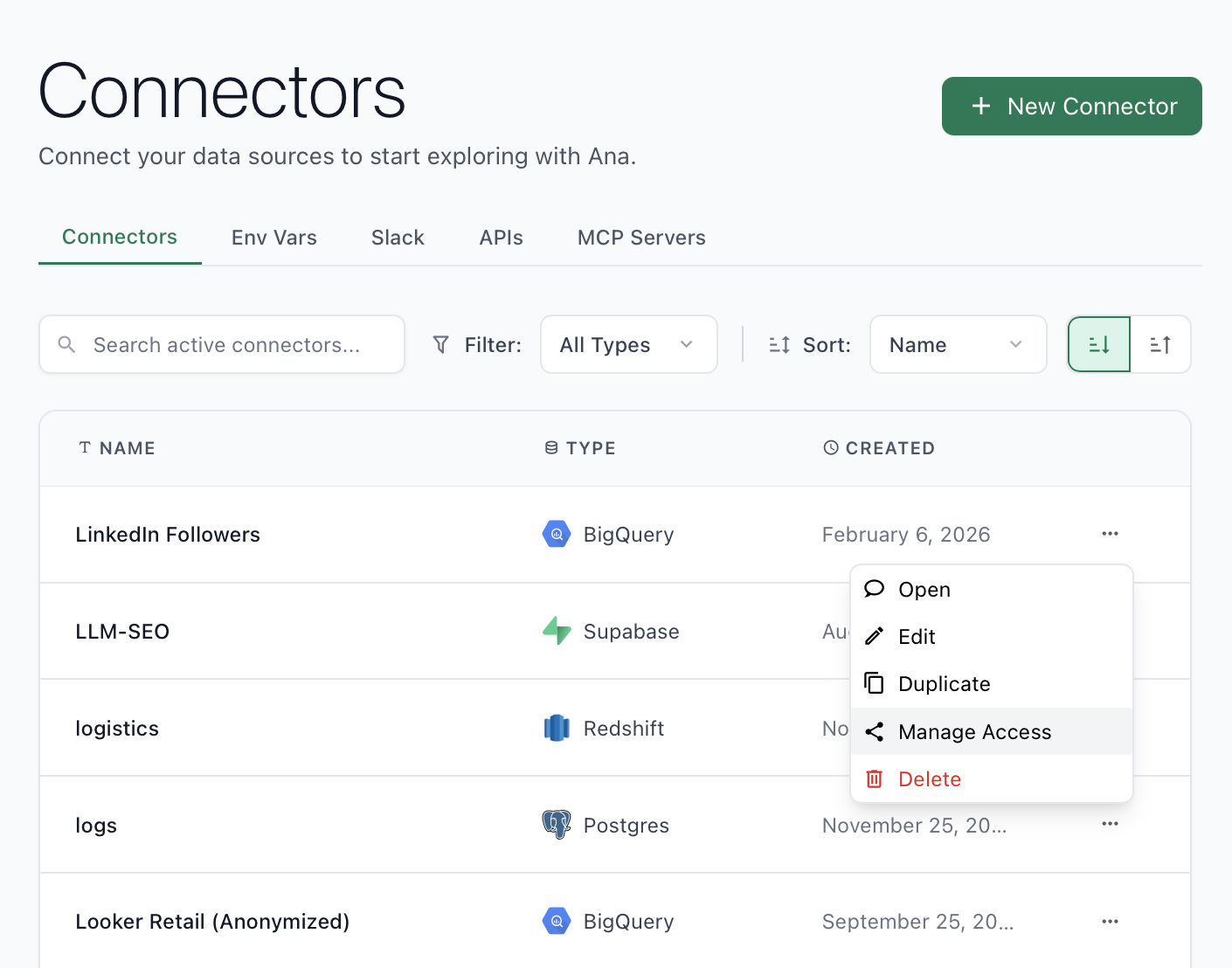
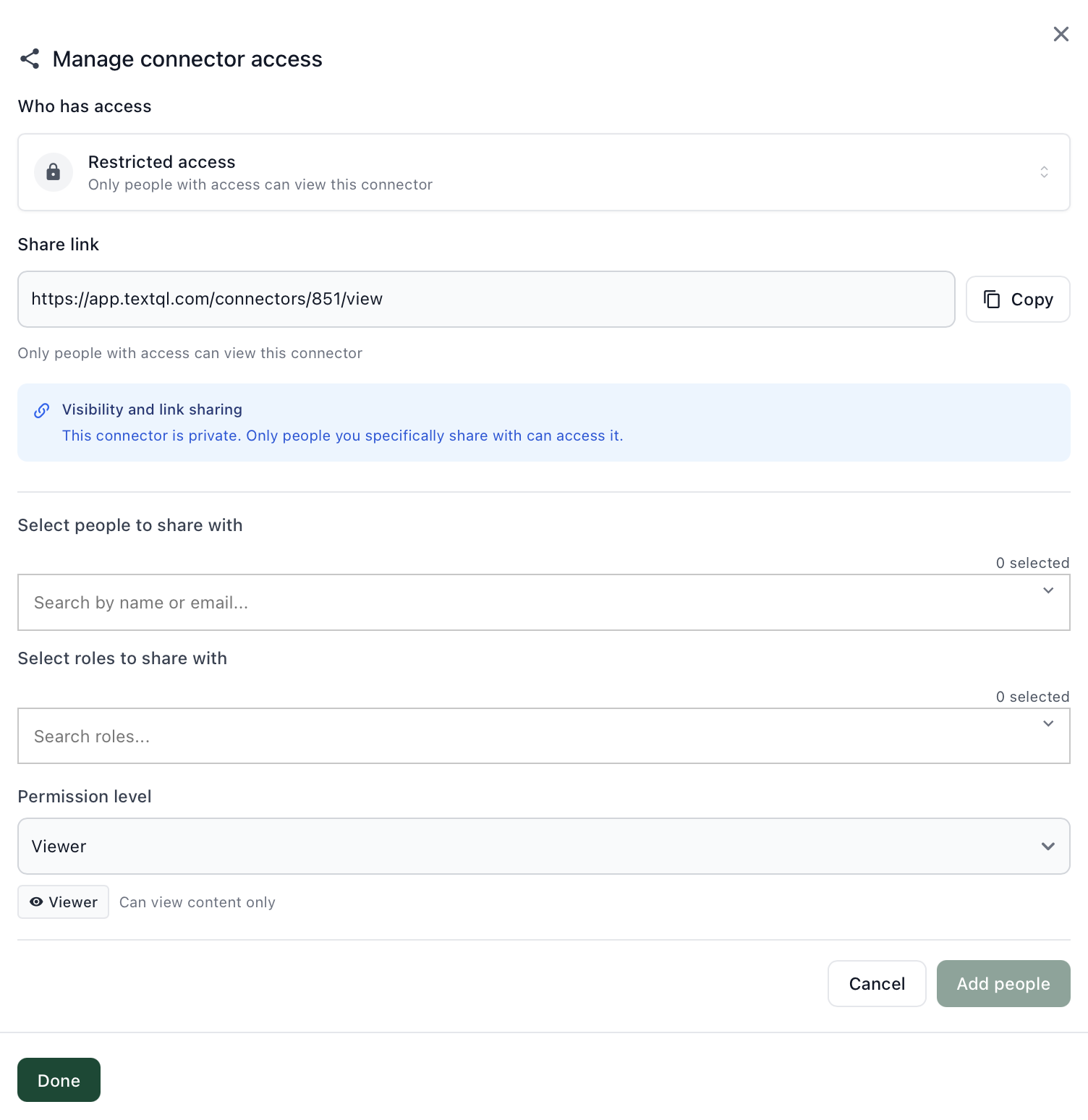
- Set to Restricted Access, then add the specific role under Select roles to share with and set the permission level to Viewer.
How to restrict which data fields Ana can access
How to restrict which data fields Ana can access
- Ontology mode: Only fields marked as dimensions or measures are exposed to Ana. Remove or don’t add sensitive fields (e.g., password, SSN) as attributes. Alternatively, define the ontology object with a custom SELECT query that excludes sensitive columns.
- Text-to-SQL mode: Restrict the connector’s database user permissions at the database level, or use database views that exclude sensitive columns.
How to generate an API key for a non-admin user
How to generate an API key for a non-admin user
How to access audit logs for admin changes 🟢
How to access audit logs for admin changes 🟢
- Go to Settings in the TextQL console.
- Click the Audit Log tab.
How to access audit logs for admin changes 🟢
How to access audit logs for admin changes 🟢
- Go to Settings in the TextQL console.
- Click the Audit Log tab.
Sharing & Collaboration
How to make a playbook view-only for certain users
How to make a playbook view-only for certain users
- Set the playbook to Restricted Access.
- Add specific users or roles with Viewer access.
How to export a user list
How to export a user list
Authentication & SSO
Google Sign-In fails with 'Authentication failed'
Google Sign-In fails with 'Authentication failed'
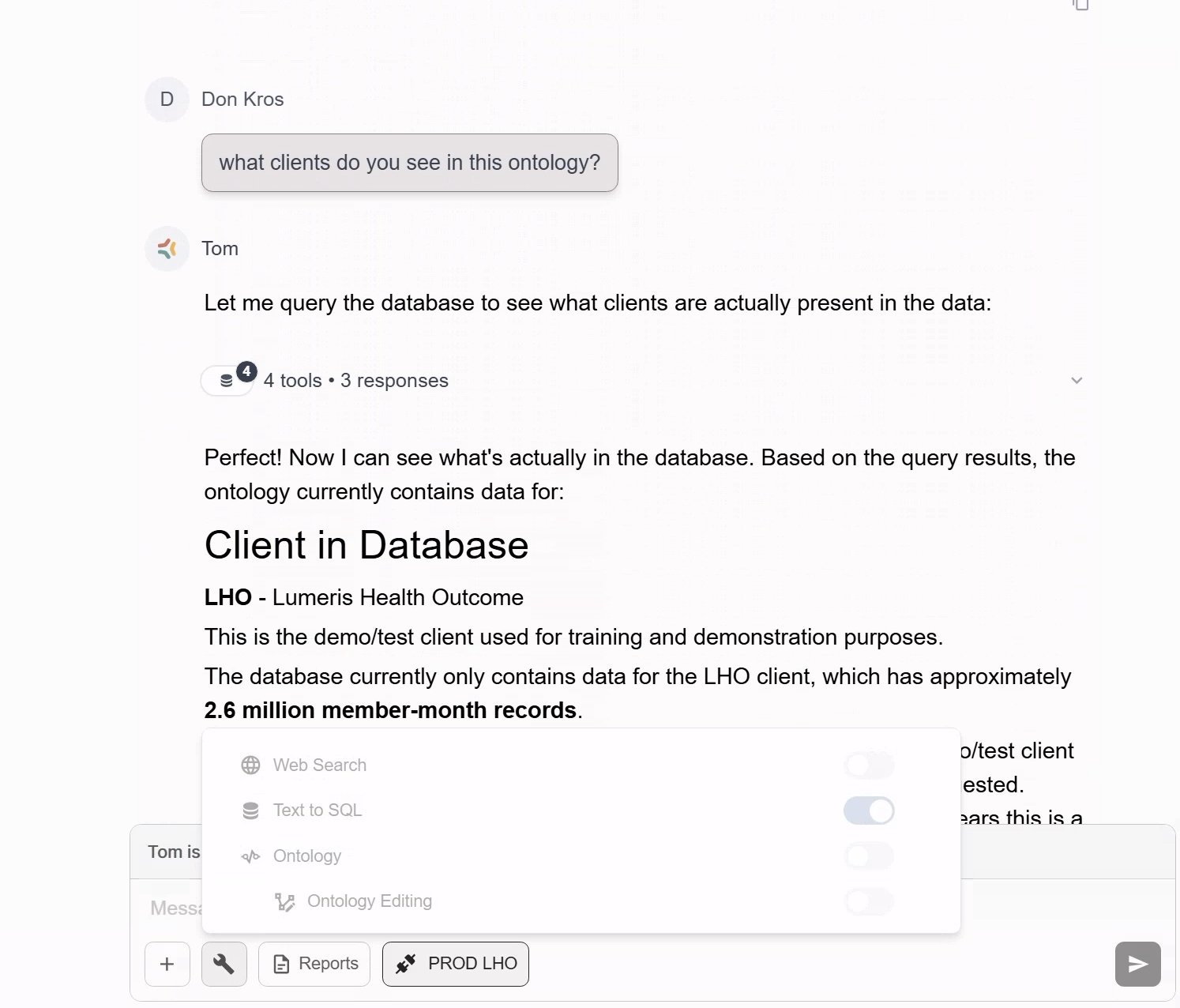
- The account was originally created with one email and later switched to a different one.
- Google auth was never linked during initial setup.
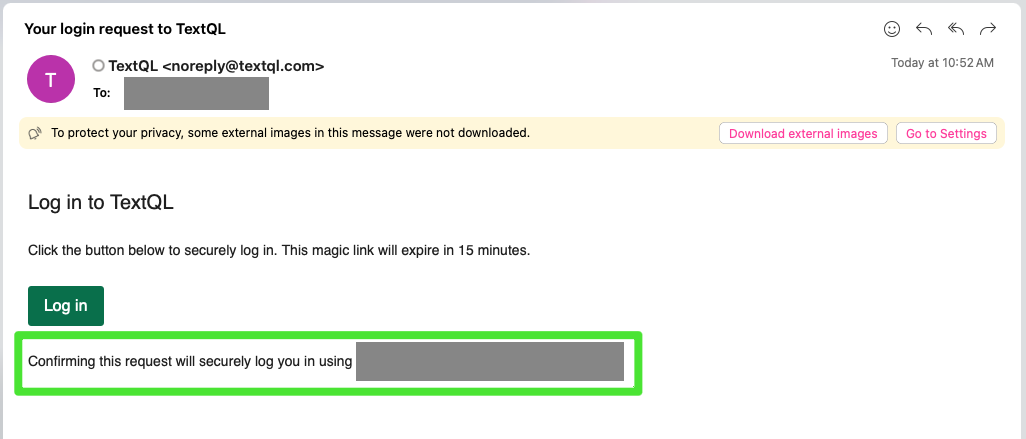
Login redirects to console.textql.com/onboarding instead of the app
Login redirects to console.textql.com/onboarding instead of the app
SCIM setup returns 404 or authentication fails 🟢
SCIM setup returns 404 or authentication fails 🟢
- Wrong base URL: The correct path is
/v2/scim, not/scim/v2. Using the wrong path returns a 404. - Missing ‘Bearer’ prefix: Identity providers require the Authorization header to be
Bearer <token>, not the token alone.
- Set the SCIM base URL to
https://app.textql.com/v2/scim. - In your identity provider, set the Authorization header to
Bearer <your_token>— include the wordBearerfollowed by a space, then the token. - Ensure at least one user has been provisioned in the TextQL admin console before testing the endpoint.
- See SCIM Provisioning for full setup guidance.
SCIM does not remove existing users when first enabled 🟢
SCIM does not remove existing users when first enabled 🟢
- After enabling SCIM, manually audit your member list in Settings → Members and remove any users who should not have access.
- Going forward, SCIM will handle provisioning and deprovisioning automatically.
- To test deprovisioning: remove a test user from the identity provider group assigned to the TextQL SCIM app, trigger a sync, and verify the user loses access in TextQL.
How to set up SSO with Okta
How to set up SSO with Okta
OIDC
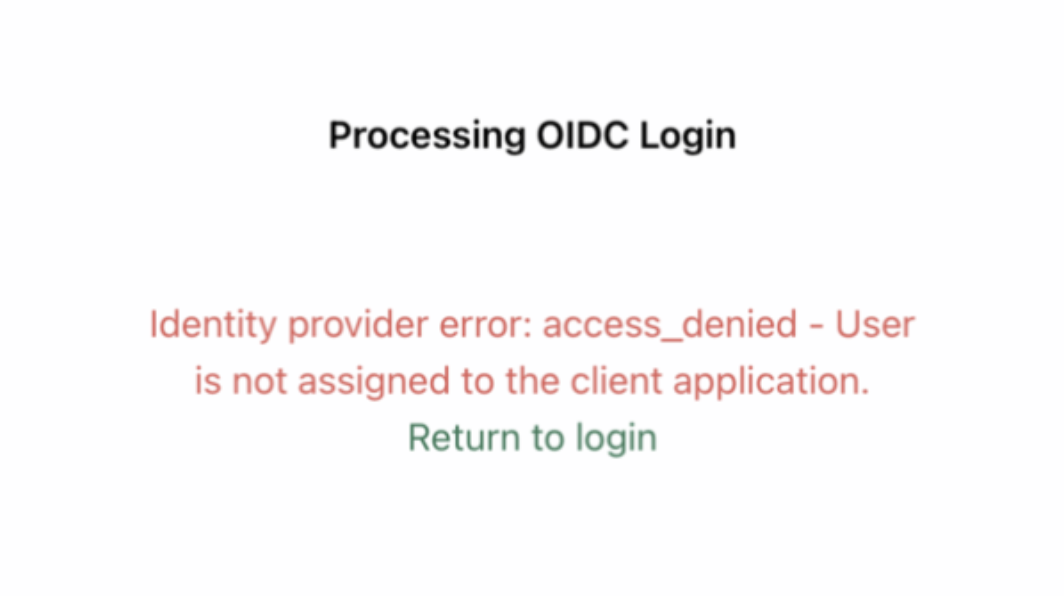
Identity provider error: access_denied - User is not assigned to the client application
Identity provider error: access_denied - User is not assigned to the client application
Pricing & ACU Consumption
Estimating ACU costs before starting a proof of concept
Estimating ACU costs before starting a proof of concept
Proof of concept timeline
Proof of concept timeline
ACU costs vary by LLM model
ACU costs vary by LLM model
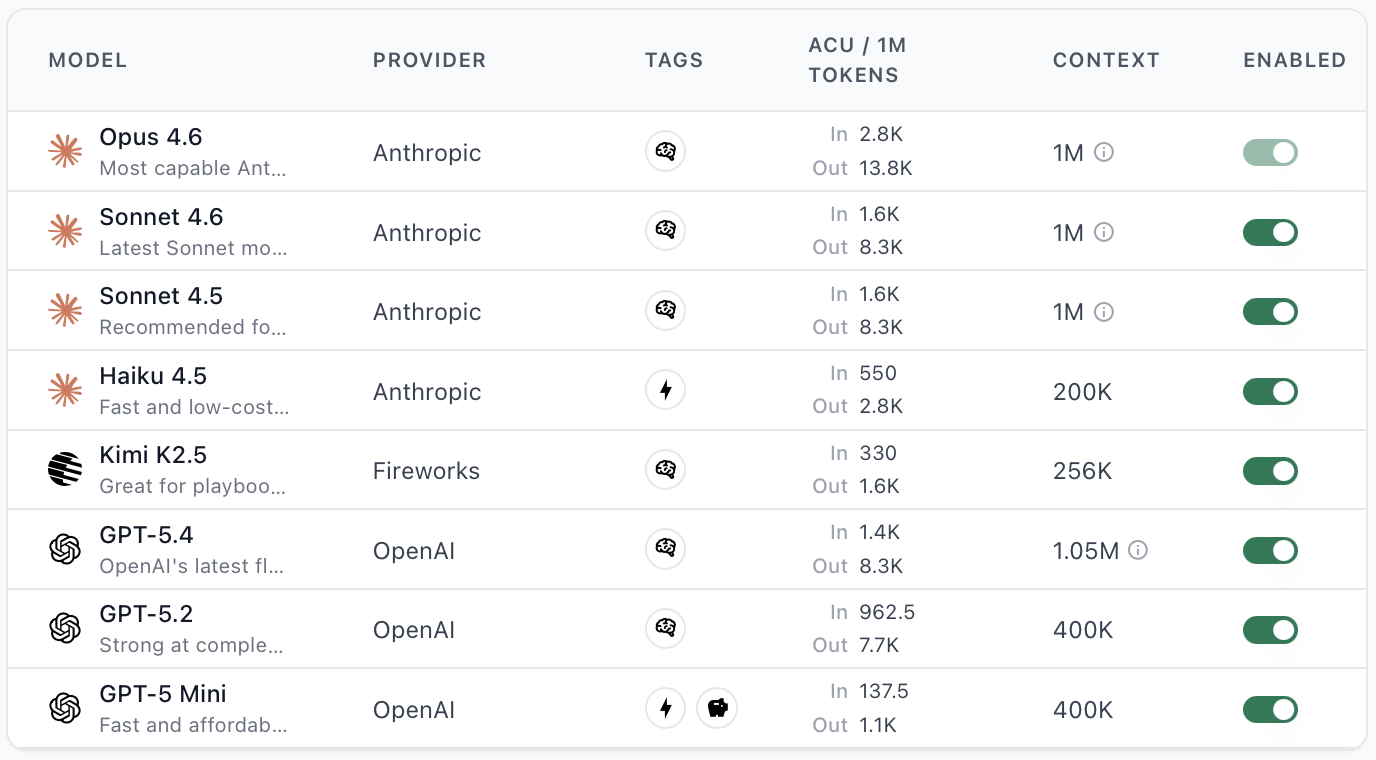
- More powerful models tend to generate more tool calls per completion, which increases total tokens consumed and therefore cost per thread.
- The default model (Sonnet 5) is the most cost-efficient for most use cases.
- When testing a new model, start with shorter threads to gauge cost before committing to long analyses.
Off-topic questions consuming ACUs
Off-topic questions consuming ACUs
My organization is suspended due to insufficient credits
My organization is suspended due to insufficient credits
Does Slack usage count toward ACU consumption? 🟢
Does Slack usage count toward ACU consumption? 🟢
How to get a usage and spend report
How to get a usage and spend report
API & Documentation
API calls return 401 after updating from 'ApiKey' to 'Bearer' auth header
API calls return 401 after updating from 'ApiKey' to 'Bearer' auth header
Authorization: ApiKey <key> to Authorization: Bearer <key>.Solution: Update all API calls to use the Bearer prefix instead of ApiKey. No changes to the key itself are needed.CORS error when calling the TextQL API directly from a browser 🟢
CORS error when calling the TextQL API directly from a browser 🟢
Error 202: 'Failed to restore compute environment' when sending messages via API 🟢
Error 202: 'Failed to restore compute environment' when sending messages via API 🟢
POST /v1/chat instead of reusing the old chat ID. If you need to continue a prior conversation, copy the relevant context into the new chat. See the API Reference for details.How to run queries or retrieve SQL outputs via the API
How to run queries or retrieve SQL outputs via the API
How to find documentation for tenant-specific API endpoints
How to find documentation for tenant-specific API endpoints
/CreateApiKey, /ListRoles, /UpdateApiKey) are provisioned per organization and not listed in the public docs. Contact your TextQL account manager or email support@textql.com. The public API reference is at docs.textql.com/api-reference.How to retrieve role UUIDs for the /CreateApiKey endpoint
How to retrieve role UUIDs for the /CreateApiKey endpoint
ListRoles endpoint:{} with your API key in the Authorization: Bearer <key> header. The response will include all roles with their UUIDs.Data Storage & Security
Compliance with regulated or sensitive data
Compliance with regulated or sensitive data
Customer data storage and retention policy
Customer data storage and retention policy
Snowflake role handling in TextQL
Snowflake role handling in TextQL
USE ROLE switching within a single connection.Solution: Use Snowflake OAuth (user-level authentication via popup) for deployments where each user has their own Snowflake role. This allows per-user access control without creating a connector per role.VPC / Self-Hosted Deployments
DB migration pod is failing without logs
DB migration pod is failing without logs
Docker ImagePullBackOff errors causing TextQL downtime
Docker ImagePullBackOff errors causing TextQL downtime
ImagePullBackOff, the Docker credentials used to pull TextQL images may have expired.Solution: Contact TextQL support at support@textql.com for updated Docker credentials or the latest Helm chart. Apply the updated credentials and restart the affected pods.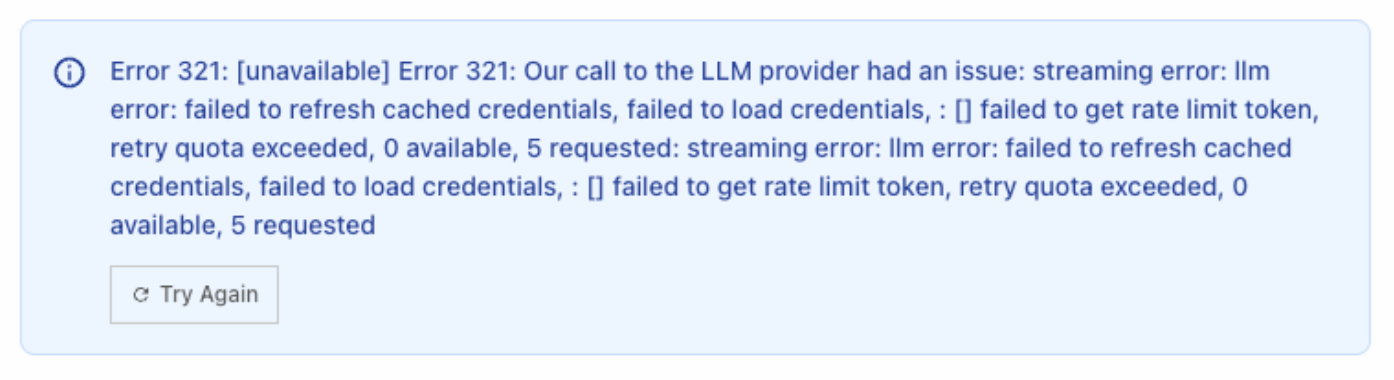
tql-eks-node-role or tql-eks-cluster-role) and verify:- The role has valid Bedrock permissions.
- Credentials have not expired.
- Rate limit / quota on the IAM role has not been exceeded.
How to configure domain allowlists for VPC network firewalls
How to configure domain allowlists for VPC network firewalls
- Docker Hub — for pulling container images
- console.textql.com — for usage data reporting
- Any domains allowlisted in the TextQL proxy (e.g., codecommit for sandbox operations)
How to configure custom Anthropic/OpenAI endpoints in a VPC deployment
How to configure custom Anthropic/OpenAI endpoints in a VPC deployment
How to whitelist multiple email domains for OIDC login
How to whitelist multiple email domains for OIDC login
How to pseudonymize user identifiers in telemetry
How to pseudonymize user identifiers in telemetry
member_id and identity_id UUIDs in the hosted Postgres database, which serve as pseudonymous identifiers. Contact TextQL support to discuss rewiring the console to display UUIDs instead of email addresses, and to review what telemetry data is sent from your deployment. Not applicable to cloud-hosted customers.How to schedule sandbox worker pods on tainted nodes (Kubernetes tolerations)
How to schedule sandbox worker pods on tainted nodes (Kubernetes tolerations)
values.yaml, add a tolerations list under the sandbox key:key, operator, value, and effect. If operator is omitted it defaults to Equal. If the list is empty or the key is absent, no tolerations are applied.This setting is only relevant for VPC/EKS deployments. Not applicable to cloud-hosted customers.