

Step 1: Log In
Go to app.textql.com/login and sign in with Google Authentication or a magic link sent to your email.Step 2: Start a New Thread
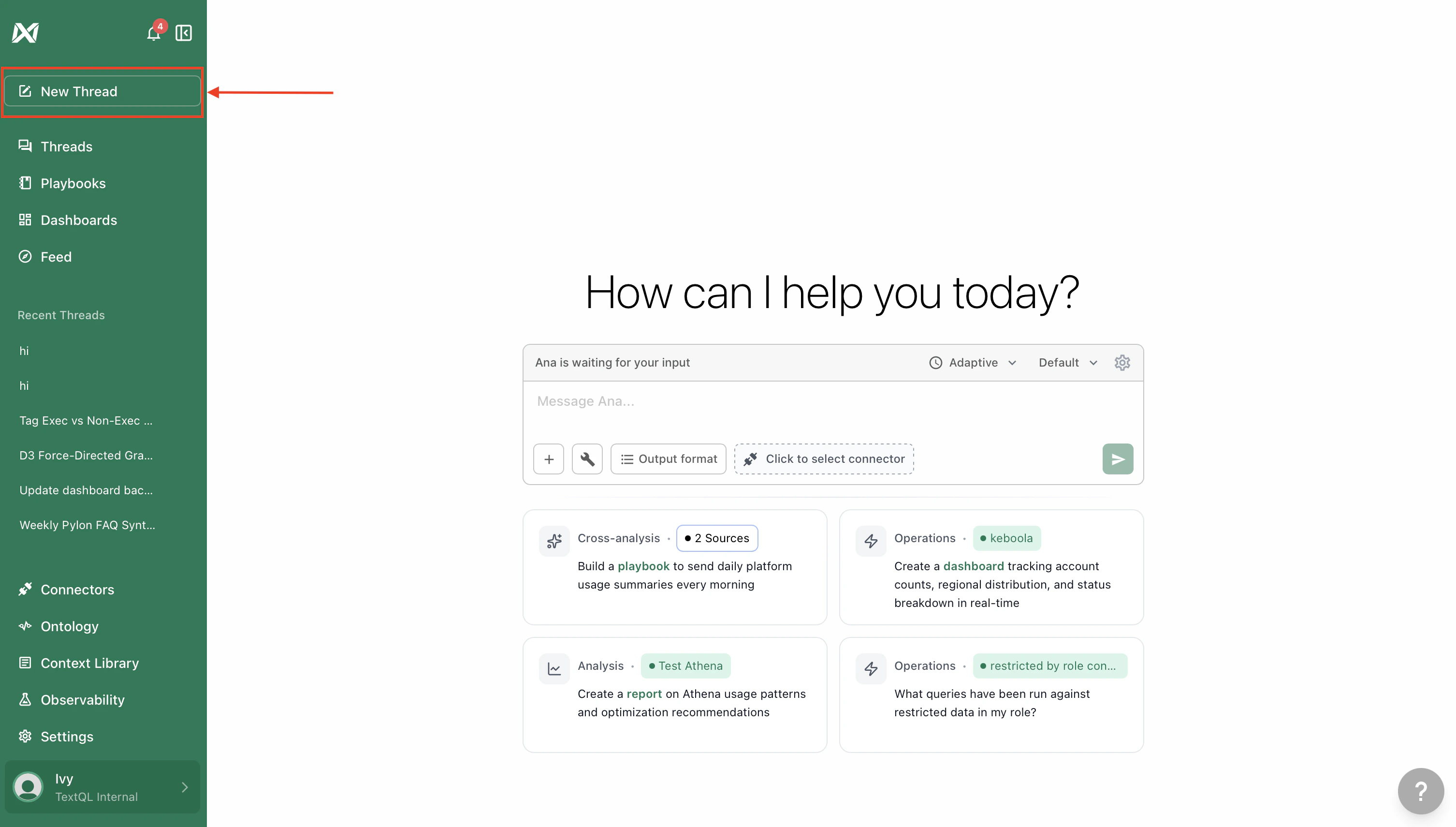
Step 3: Connect Your Data
You need at least one data source for Ana to work with:- Connect your warehouse — For live access to Snowflake, BigQuery, Redshift, and more, head to the Connectors page
- Upload a file — Attach a CSV file in a new thread to start chatting instantly. No setup needed
- Web Search — Ana can also pull in public data and current events on her own, no configuration required
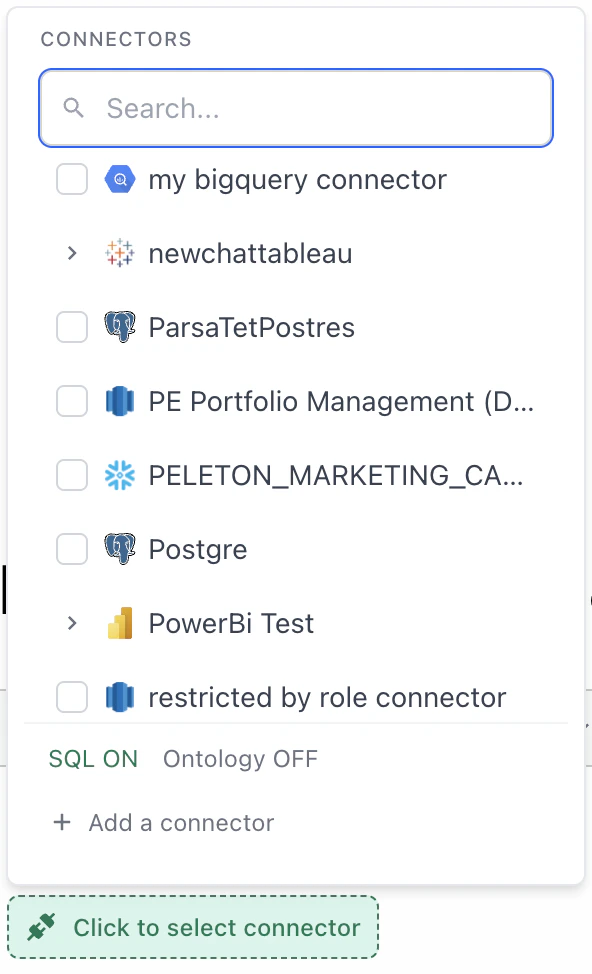
Step 4: Select Tools
Make sure Ana has the right tools turned on for your use case:- Text-to-SQL — Ana writes SQL to query your data warehouse directly
- Ontology — Ana uses your semantic layer for more accurate answers. Enable Ontology Editing too if you want Ana to help build or edit the ontology
- Web Search — Ana searches the web to enrich answers with public data and news
- Python — Always on. Ana writes Python for calculations, visualizations, and file outputs (CSV, PDF, charts)
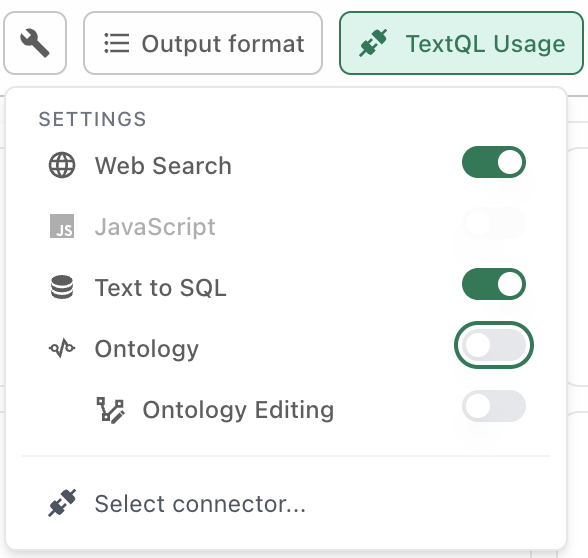
Step 5: Ask Your Question
Start a thread and type your question. You can be as specific or as exploratory as you want:- Specific: “What was our revenue last year?”
- Exploratory: “Can you analyze the ROI of each marketing campaign given the data available?”
- Ask follow-ups to drill deeper
- Request a specific visualization or output format (chart, table, PDF, etc.)
- Try a complex analysis — multi-table joins, segmentation, cohort comparisons
Take It Further
Run analyses on a schedule
Set up Playbooks to automatically run recurring analyses and deliver results to Slack or email.
Monitor metrics day by day
Build dashboards to track and visualize your key metrics over time.
Tips for Better Results
- Treat Ana like a coworker — Have a back-and-forth. Clarify, refine, redirect
- Break complex asks into steps — One question at a time gets better results than a wall of instructions
- Ask follow-up questions — This is how you get deeper insights and catch misunderstandings early
- Request charts and visualizations — They’re the fastest way to verify Ana’s assumptions
- If something’s off, rephrase or add detail — Ana may interpret ambiguous questions differently than you intended
- Start a new thread if things go sideways — Long threads can get noisy — a fresh start often works better