

Overview
To better understand the content of this page, be sure to read Pricing first. To summarize, a sandbox bills 500 ACUs per hour while warm. “Warm” means within the time-to-live of the last activity: 1 hour for chat and playbook sandboxes, 24 hours for dashboards. The usage chart in the console provides context into ACU usage and ties each ACU to an initiating member and a label. This doc discusses the Cost Center and Member segments of the usage chart in detail.Labels
Labels follow a two part format, for example:playbook:message or dashboard:manual_refresh.
The first part, the base, describes what consumed the compute. The second part, the action, describes what triggered or extended the usage of compute. A base with no action is a system level touch.
Bases
Actions
How Costs Work
Whenever a sandbox is provisioned, it is tied to a base. The amount of consumption during the sandbox’s lifetime (before release) is credited to that base. Each action is credited for the marginal warm time that is added because of it. As a result, segments never overlap and total the sandbox’s total warm time regardless of concurrent users. For example, if a dashboard is created at 12:00 AM (dashboard:preview) and the very first action following is a view at 3:00AM (dashboard:view), dashboard:preview
is credited for 24hrs (the initial warm window) and dashboard:view is credited for 3hrs. A dashboard:manual_refresh at 5AM
would be credited for 2 hrs. The logic above also applies to members.
LLM token usage works differently as there are no segments. Each completion is billed directly to the member and label it ran under.
Reading It in the Usage Chart
- Grouped / Granular toggle: collapse to bases or show full
base:actionlabels.
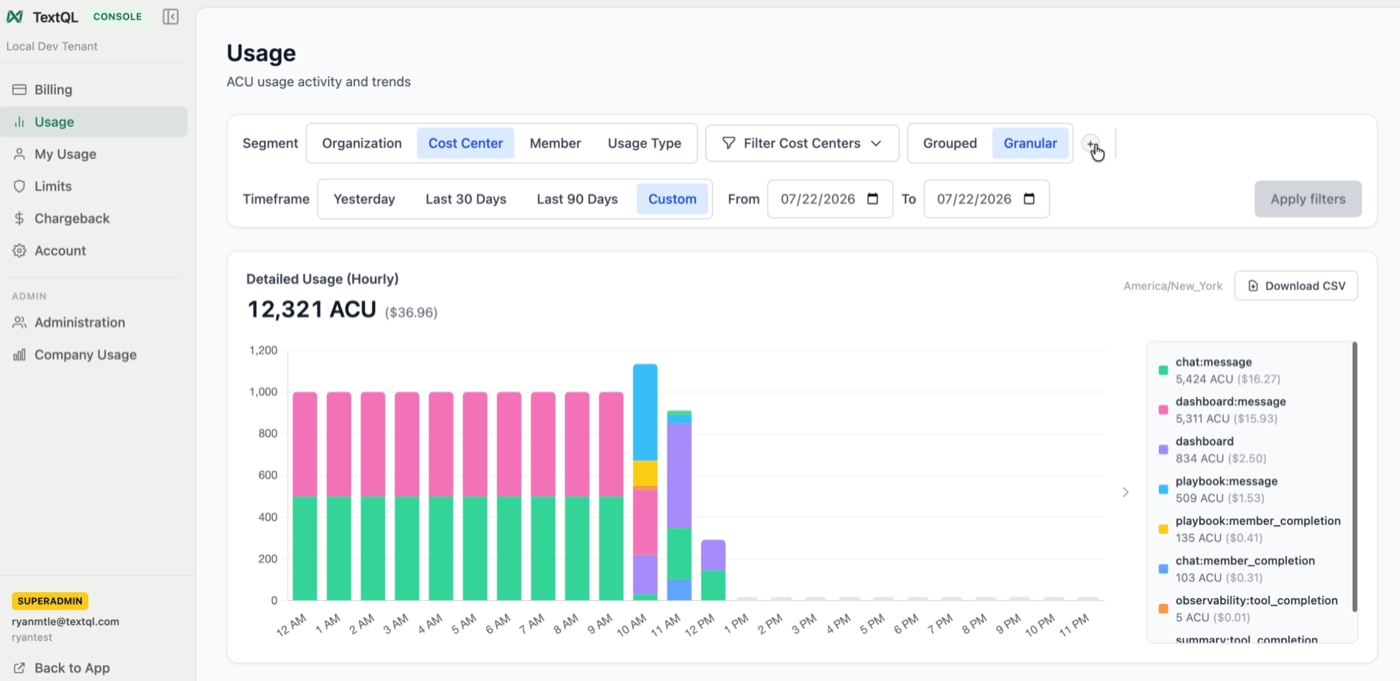
Granular view: usage stacked by full base:action labels
- Stack by member and cost center: see who drove usage within each category.
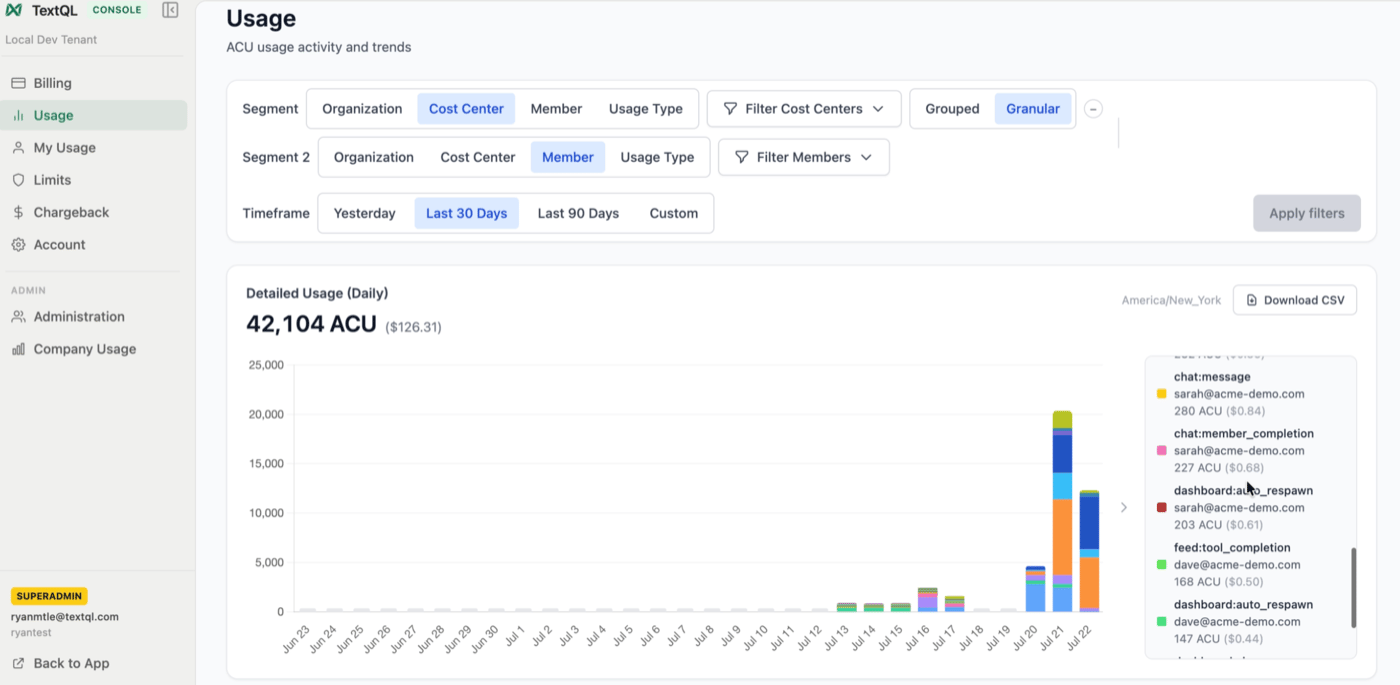
Cost center × member: each slice is one label for one member
Additional notes
non-attributedis usage with no recorded member or label- This document was written with the current setup of 1hr lease and extension for chats and sandboxes, 24hr lease and extension for dashboards. Should the lease and extension ever be able to differ (e.g. you can set 1hr lease, 30 minute extension), the amount of warm time would be the latest of the current time + extension and the current expired time. For example, if the current time is 3AM and the sandbox is set to expire at 4AM, an extension of 30 minutes following a
chat:messagewould not change the release time as 3:30AM is earlier than 4AM.