Prompt Ana in chat and get a working, interactive application back
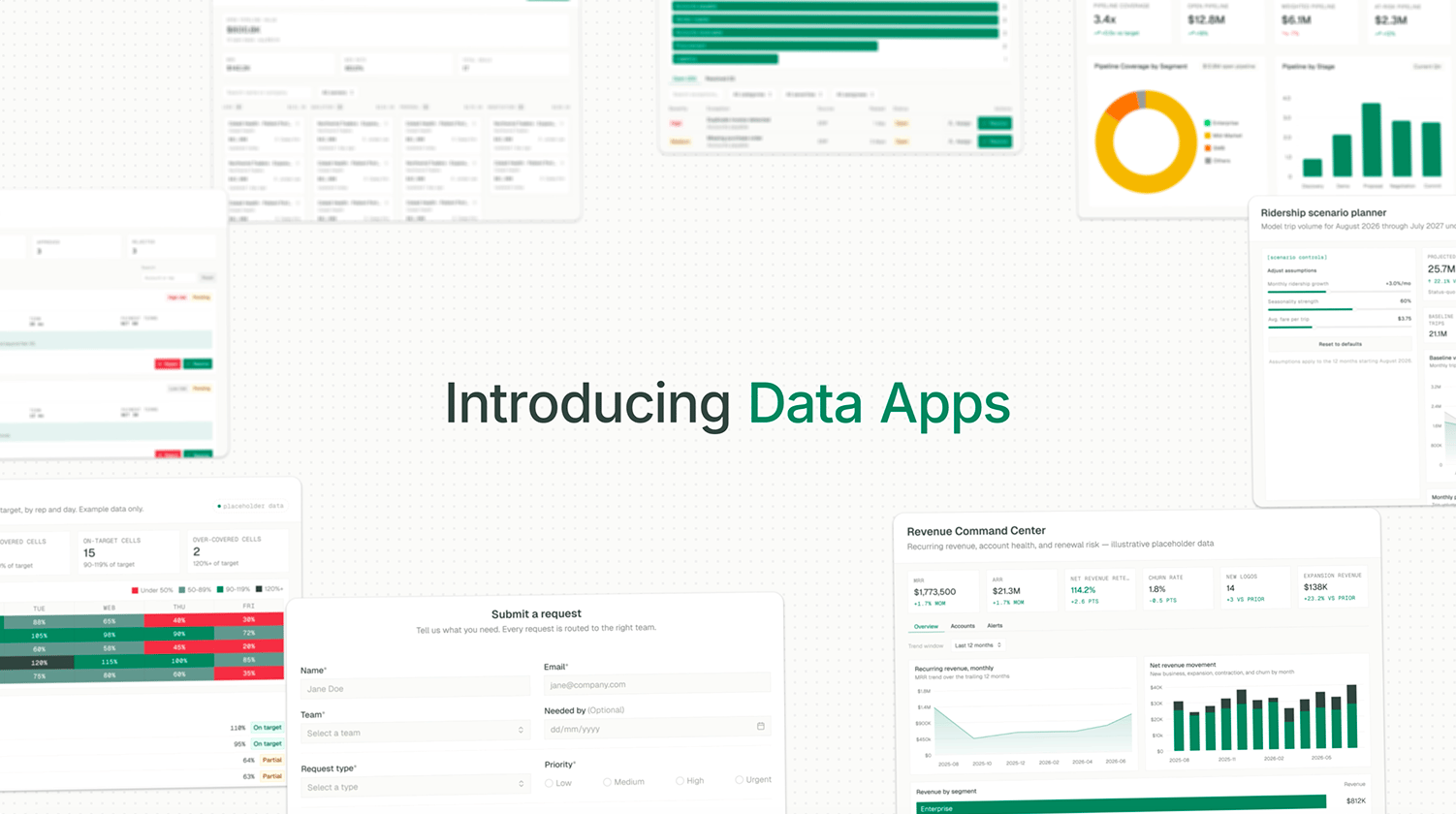
TextQL Data Apps let you describe an application in plain English and get a real, working app back — built by Ana, connected to your data, and ready to share.
A Data App is a small, self-contained application: a multi-file front end written in React and JavaScript that Ana writes and assembles, backed by data sources and server-side compute functions you describe in chat. Unlike a one-off chart or a chat response, a Data App is a persistent artifact with its own URL — you can return to it, share it, iterate on it, and roll it back to an earlier version.A Data App lives as a file in your Ontology’s git-backed file tree, alongside the data, definitions, and workflows it depends on — the same versioned repo covered in Ontology, not a separate system. That’s what makes an app discoverable: anyone (or Ana) can see what it relies on without reconstructing that context from scratch, and changes to it are versioned the same way as any other ontology change.The core loop is simple: prompt it in chat, and you have your app.
“Build me a data app where I can search customers and see their order history”
“Build me a data app where my team can log which leads they’ve followed up on”
“Build me a data app where people can claim open shifts”
Ana builds the app, wires up the data it needs, and shows you a live preview you can immediately click around in.
A Data App is made of four parts. Ana creates and wires up all four when it builds the app — you don’t configure these directly, but knowing what they are makes it easier to describe what you want.
The UI Ana writes: an entry document, JavaScript modules using React (no build step required), stylesheets, and any images, icons, or static copy the app needs.
Server-side logic that runs live, at view time, instead of being pre-baked into the app. This is what makes write-back, live filters, and anything that needs fresh data or a persisted change possible. Compute functions can be written as SQL, Python, or TQL (ontology queries), depending on what the app needs to do.
Every Data App has its own private, persistent database, powered by DuckDB — embedded in the app, with nothing to configure in your org:
No setup — Ana provisions it automatically as part of the build; no connector, no credentials, nothing running on your infrastructure
Scoped to the app — separate from your warehouse, shared live by every viewer, persists across edits and sandbox recycles
Accessed only via compute functions — reads and writes go through declared compute functions: a single statement runs as a sql function, anything with branching logic runs as a python function, and it’s reachable from tql functions as well
Create — Prompt Ana in a chat. Ana writes the app’s code, connects any data sources and compute functions it needs, builds it, and takes a screenshot to self-check before showing it to you.
Iterate — Keep talking to Ana to change what the app does or looks like (“add a filter for region,” “make the submit button save to the orders table”). Ana edits the specific files and lines that need to change rather than rewriting the whole app.
Edit directly(optional) — If you or someone on your team wants to touch the code by hand instead of going through Ana, you can. The app’s code talks to the platform through a small built-in SDK, documented in The ana.* Functions.
Share — There’s no separate publish or hosting step. A Data App is shared the same way as a Thread or a Playbook — access is governed by the same role-based permissions as everything else in TextQL. Share it with specific people, your whole team, or keep it personal. There is no draft state: every save is live for everyone the app is shared with.
Refresh: Snapshot data sources are re-fetched when anyone clicks Refresh All Data in the app, or automatically on a schedule that a user with edit access sets from the app’s Refresh menu (times are stored in UTC). A refresh updates the app in place for every viewer, so there is nothing to publish afterward. The Refresh menu shows when the data was last refreshed, and the app’s creator is notified in-app and by email if a scheduled refresh fails.
Version history — Every save is a checkpoint you can return to. If a change goes wrong, restore a previous version.
A Data App is only as good as the prompt that built it. A few habits make a real difference:
Point Ana at your ontology first. If the metrics or entities the app needs are already modeled — “active customer,” “churned deal,” “on-time shipment” — say so and Ana builds against those governed definitions (an ontology_sql data source) instead of writing new SQL from scratch. Same logic, same numbers as the rest of your ontology, not a second definition to drift out of sync.
Name the data source, not just the outcome. “Connect this to our Postgres orders table” gets a more reliable app than “show me my orders” — Ana still has to guess where the data lives in the second case.
Say whether the app needs to remember anything. If someone will submit a form, resolve an item, or update a status, say so explicitly (“let people mark a row as done”) — that’s the cue Ana needs to wire up a real write, not just a read.
Describe the interaction, not just the layout. “A board where people drag a card between columns” tells Ana what to build; “make it look like Trello” only tells it what to imitate visually.
Iterate in small asks. Get the core view working first, then layer on filters, actions, and polish one at a time — Ana edits the specific pieces that need to change rather than rebuilding the whole app, so small asks stay fast and precise.
Say if more than one person will use it at once. An app meant for a team behaves differently from one meant for just you — mention it up front so Ana adds the shared-awareness pieces (who’s viewing, who did what) instead of building a single-player view.
Some capabilities only show up if you ask for them by name:
“connect this to [connector/table]” → A real, named data source wired into the app
“let people save / submit / mark as done / resolve / update” → Write-back — the phrase that tells Ana the app needs a write-enabled database connector, not just a read. Without one, there’s nowhere for a save action to persist to.
“show who’s viewing this” / “keep a log of who did what” → Multi-user awareness — presence and an activity feed
“let me bookmark this exact view / filter / record” → Deep links — the app’s URL updates as someone navigates
“link from here to my [other app]” → Cross-app navigation — a click sends the viewer into another Data App, optionally landing on a specific record inside it. Available to signed-in viewers on the app’s own page; Ana hides the link where it can’t work, such as public share links and embeds
“add a [bar/line/donut/area] chart of X” → A specific chart type from the built-in toolkit, instead of a generic visual
“use [a named library]” → An external JavaScript library pulled in for something outside the built-in toolkit (a specialized chart type, a date picker, etc.)
“make it feel more alive” / “animate in as I scroll” / “count up to the total” → Tasteful motion — hover states, scroll-reveal, count-up numbers
“build this as a dashboard” / “make me a Streamlit dashboard” → A Dashboard (Streamlit-based) instead of the default Data App
If a prompt doesn’t mention one of these, Ana will make a reasonable default choice — but calling it out explicitly is the difference between “close to what I wanted” and “exactly what I wanted” on the first try.
Data Apps must be enabled for your workspace before you can create one.
Navigate to Settings → Capabilities
Toggle Enable Data Apps to on
Enabling Data Apps doesn’t take anything away from Dashboards — dashboards you’ve already built stay fully usable. Any user with admin permissions in your organization can enable this. If you do not see the toggle, contact your organization administrator or reach out to support@textql.com.
Data Apps follow your organization’s role-based access control:
The creator can share an app with specific people as an editor (can edit) or viewer (can use, not edit)
Apps can be shared with your whole team or kept personal
Admins can view and manage apps across the organization
Viewer access is not source confidentiality. The viewer and editor split governs who can change an app, not who can read how it works. Anyone you share an app with can retrieve its source — the front-end code, the SQL behind its data sources, and its compute functions. Treat an app’s code as visible to everyone it is shared with, and keep credentials out of it: reference a connector or a stored secret instead of pasting a key into app code.
When the people you share an app with are entitled to different rows, enforce it in governed .tql files that read the viewer’s identity. Each live query then renders as the person viewing, and that data never enters the app’s shared snapshot. See Row-Level Security for the pattern and a worked example.
A Data App can be embedded directly in your own product — not just shared inside TextQL — and supports per-user Row-Level Security (RLS), so each embedded viewer sees only the rows they’re entitled to. See Embedding Data Apps for prerequisites, setup, and the full walkthrough.
{"docsConfig":{"theme":"mint","$schema":"https://mintlify.com/docs.json","name":"TextQL Docs","colors":{"primary":"#0D9373","light":"#07C983","dark":"#0D9373"},"logo":{"light":"https://mintcdn.com/textql/9RDmZW4lVU96oHnJ/logo-textql/light.svg?fit=max\u0026auto=format\u0026n=9RDmZW4lVU96oHnJ\u0026q=85\u0026s=069d276e4ee2f256e061f8e2db9860a3","dark":"https://mintcdn.com/textql/9RDmZW4lVU96oHnJ/logo-textql/dark.svg?fit=max\u0026auto=format\u0026n=9RDmZW4lVU96oHnJ\u0026q=85\u0026s=1a728bc3acfd6eda203c49a45eac0355"},"favicon":"https://mintcdn.com/textql/jK3bTwZd_T-GaQ4j/favicon.svg?fit=max\u0026auto=format\u0026n=jK3bTwZd_T-GaQ4j\u0026q=85\u0026s=4f7feffa45a51a795a1b929f05a772bf","api":{"openapi":["api-reference/platform/chat.openapi.yaml","api-reference/platform/playbooks.openapi.yaml","api-reference/platform/agents.openapi.yaml","api-reference/platform/connectors.openapi.yaml","api-reference/platform/api_access_key.openapi.yaml","api-reference/platform/sandbox.openapi.yaml","api-reference/platform/v2.openapi.yaml","api-reference/speakeasy/textql-api-with-code-samples.yaml"],"mdx":{"auth":{"method":"bearer"},"server":"https://app.textql.com"}},"appearance":{"default":"light","strict":false},"navbar":{"links":[{"href":"mailto:support@textql.com","label":"Support"}],"primary":{"type":"button","label":"Dashboard","href":"https://app.textql.com"}},"footer":{"socials":{"x":"https://x.com/TextQL","github":"https://github.com/textqllabs","linkedin":"https://www.linkedin.com/company/textql"}},"styling":{"latex":true},"navigation":{"pages":[]}},"deployment":{"deploymentMetadataValue":{"subdomain":"textql","hasAudioNarration":false,"actualSubdomain":"textql","customDomains":["docs.textql.com"],"gitSource":{"type":"github","owner":"textqllabs","repo":"demo2","deployBranch":"main","contentDirectory":"docs/public","isPrivate":true,"mountPath":"","label":""},"chroma":{"liveDeploymentHistoryId":"6ae3e4dcf8da85f5c6895958","collectionId":"07de264e-ea37-44e7-ab2d-dbb1a5b13ed1","schemaVersion":"v3","latestBuiltDeploymentHistoryId":"6ae3e4dcf8da85f5c6895958"},"entitlements":{},"buildId":"6ae3e4dcf8da85f5c6895958","clientVersion":"0.0.4021","searchFilterCounts":[{"language":"default","tag":"v3 API (SDK)","count":454},{"language":"default","tag":"Workshops","count":202},{"language":"default","tag":"Documentation","count":159},{"language":"default","tag":"Ontology Management Service","count":70},{"language":"default","tag":"v2 API","count":56},{"language":"default","tag":"Set Up Your Data","count":55},{"language":"default","tag":"RBAC Service","count":41},{"language":"default","tag":"Chat Service","count":39},{"language":"default","tag":"Playbook Service","count":39},{"language":"default","tag":"APIs","count":31}]},"assistantConfig":{},"basePath":"","hasChatPermissions":false,"hasWebMcpPermissions":false,"toggles":[{"name":"kill-isr","enabled":true,"variant":{"name":"disabled","enabled":false,"feature_enabled":true},"impressionData":false},{"name":"agent-mintlify-slack","enabled":true,"variant":{"name":"disabled","enabled":false,"feature_enabled":true},"impressionData":false},{"name":"agent-integrations-settings","enabled":true,"variant":{"name":"disabled","enabled":false,"feature_enabled":true},"impressionData":false},{"name":"automations-pr-grouping","enabled":true,"variant":{"name":"disabled","enabled":false,"feature_enabled":true},"impressionData":false},{"name":"custom-prefix","enabled":true,"variant":{"name":"disabled","enabled":false,"feature_enabled":true},"impressionData":false},{"name":"analytics-v7","enabled":true,"variant":{"name":"disabled","enabled":false,"feature_enabled":true},"impressionData":false},{"name":"user-flows-analytics","enabled":true,"variant":{"name":"disabled","enabled":false,"feature_enabled":true},"impressionData":false},{"name":"no-publish-flow","enabled":true,"variant":{"name":"disabled","enabled":false,"feature_enabled":true},"impressionData":false},{"name":"workos-onboarding","enabled":true,"variant":{"name":"disabled","enabled":false,"feature_enabled":true},"impressionData":false},{"name":"llms-txt-v2","enabled":true,"variant":{"name":"disabled","enabled":false,"feature_enabled":true},"impressionData":false},{"name":"snapshot-serving-live","enabled":true,"variant":{"name":"disabled","enabled":false,"feature_enabled":true},"impressionData":false},{"name":"stripTemperatureMiddleware","enabled":true,"variant":{"name":"disabled","enabled":false,"feature_enabled":true},"impressionData":false},{"name":"support-platform-pylon-zendesk","enabled":true,"variant":{"name":"disabled","enabled":false,"feature_enabled":true},"impressionData":false},{"name":"snapshot-serving","enabled":true,"variant":{"name":"disabled","enabled":false,"feature_enabled":true},"impressionData":false},{"name":"instant-rollback","enabled":true,"variant":{"name":"disabled","enabled":false,"feature_enabled":true},"impressionData":false},{"name":"granular-notifications-server","enabled":true,"variant":{"name":"disabled","enabled":false,"feature_enabled":true},"impressionData":false},{"name":"granular-notifications","enabled":true,"variant":{"name":"disabled","enabled":false,"feature_enabled":true},"impressionData":false},{"name":"automations-fable","enabled":true,"variant":{"name":"disabled","enabled":false,"feature_enabled":true},"impressionData":false},{"name":"fixed-ai-action-pricing","enabled":true,"variant":{"name":"disabled","enabled":false,"feature_enabled":true},"impressionData":false},{"name":"automation-resolve-merge-conflict","enabled":true,"variant":{"name":"disabled","enabled":false,"feature_enabled":true},"impressionData":false},{"name":"scoped-publishing","enabled":true,"variant":{"name":"disabled","enabled":false,"feature_enabled":true},"impressionData":false},{"name":"mintql","enabled":true,"variant":{"name":"disabled","enabled":false,"feature_enabled":true},"impressionData":false},{"name":"page-level-analytics","enabled":true,"variant":{"name":"disabled","enabled":false,"feature_enabled":true},"impressionData":false},{"name":"editor-version-history-v2","enabled":true,"variant":{"name":"disabled","enabled":false,"feature_enabled":true},"impressionData":false},{"name":"billing-page-v2","enabled":true,"variant":{"name":"disabled","enabled":false,"feature_enabled":true},"impressionData":false},{"name":"workspace-projects","enabled":true,"variant":{"name":"disabled","enabled":false,"feature_enabled":true},"impressionData":false},{"name":"assistant-v5","enabled":true,"variant":{"name":"disabled","enabled":false,"feature_enabled":true},"impressionData":false},{"name":"byok-sep-25","enabled":true,"variant":{"name":"disabled","enabled":false,"feature_enabled":true},"impressionData":false},{"name":"fork-pr-previews","enabled":true,"variant":{"name":"disabled","enabled":false,"feature_enabled":true},"impressionData":false},{"name":"revalidation-jwt","enabled":true,"variant":{"name":"disabled","enabled":false,"feature_enabled":true},"impressionData":false},{"name":"vite-origin","enabled":true,"variant":{"name":"disabled","enabled":false,"feature_enabled":true},"impressionData":false},{"name":"billing-updated-9-15","enabled":true,"variant":{"name":"disabled","enabled":false,"feature_enabled":true},"impressionData":false},{"name":"workos-sso-scim","enabled":true,"variant":{"name":"disabled","enabled":false,"feature_enabled":true},"impressionData":false},{"name":"hobby-abuse-scan","enabled":true,"variant":{"name":"disabled","enabled":false,"feature_enabled":true},"impressionData":false},{"name":"dashboard-inbox","enabled":true,"variant":{"name":"disabled","enabled":false,"feature_enabled":true},"impressionData":false},{"name":"workos-signup","enabled":true,"variant":{"name":"disabled","enabled":false,"feature_enabled":true},"impressionData":false},{"name":"workos-enabled","enabled":true,"variant":{"name":"disabled","enabled":false,"feature_enabled":true},"impressionData":false}],"googleFontsInlined":false},"customCss":[{"filePath":"style.css","content":"table{width:100%;border-collapse:collapse;margin:1rem 0}td,th{border:1px solid #e5e7eb;padding:.6rem .85rem;text-align:left;vertical-align:top;line-height:1.45}th{background:#f9fafb;font-weight:600}td:first-child,th:first-child{white-space:nowrap}.dark td,.dark th{border-color:#2b2b2b}.dark th{background:#18181b}"}],"page":{"pagePath":"core/how-it-works/data-apps","slug":"/core/how-it-works/data-apps","pageMetadata":{"title":"Data Apps","description":"Prompt Ana in chat and get a working, interactive application back","icon":"window-restore","href":"/core/how-it-works/data-apps"},"description":{"compiledSource":"\"use strict\";\nconst {jsx: _jsx} = arguments[0];\nconst {useMDXComponents: _provideComponents} = arguments[0];\nfunction _createMdxContent(props) {\n const _components = {\n p: \"p\",\n ..._provideComponents(),\n ...props.components\n };\n return _jsx(_components.p, {\n children: \"Prompt Ana in chat and get a working, interactive application back\"\n });\n}\nfunction MDXContent(props = {}) {\n const {wrapper: MDXLayout} = {\n ..._provideComponents(),\n ...props.components\n };\n return MDXLayout ? _jsx(MDXLayout, {\n ...props,\n children: _jsx(_createMdxContent, {\n ...props\n })\n }) : _createMdxContent(props);\n}\nreturn {\n default: MDXContent\n};\n","frontmatter":{},"scope":{}},"pageType":"default","mdx":{"mdxSource":{"compiledSource":"\"use strict\";const{Fragment:_Fragment,jsx:_jsx,jsxs:_jsxs}=arguments[0];const{useMDXComponents:_provideComponents}=arguments[0];function _createMdxContent(props){const _components={a:`a`,code:`code`,em:`em`,li:`li`,ol:`ol`,p:`p`,strong:`strong`,tbody:`tbody`,td:`td`,th:`th`,thead:`thead`,tr:`tr`,ul:`ul`,..._provideComponents(),...props.components},{Frame,Heading,OptimizedImage,Table,Tip,Warning}=_components;if(!Frame)_missingMdxReference(`Frame`,true);if(!Heading)_missingMdxReference(`Heading`,true);if(!OptimizedImage)_missingMdxReference(`OptimizedImage`,true);if(!Table)_missingMdxReference(`Table`,true);if(!Tip)_missingMdxReference(`Tip`,true);if(!Warning)_missingMdxReference(`Warning`,true);return _jsxs(_Fragment,{children:[_jsxs(_components.p,{children:[`TextQL `,_jsx(_components.strong,{children:`Data Apps`}),` let you describe an application in plain English and get a real, working app back — built by Ana, connected to your data, and ready to share.`]}),`\n`,_jsx(Frame,{children:_jsx(OptimizedImage,{className:`mint-block`,src:`https://mintcdn.com/textql/K_vWEMT-n3Rm3dMW/images/how-it-works/Dapps/blissful.png?fit=max\u0026auto=format\u0026n=K_vWEMT-n3Rm3dMW\u0026q=85\u0026s=6479ba038cbb07127d68399542adfe75`,alt:`A Data App built through conversation with Ana`,\"data-og-width\":`1502`,width:`1502`,\"data-og-height\":`840`,height:`840`,\"data-path\":`images/how-it-works/Dapps/blissful.png`,\"data-optimize\":`true`,\"data-opv\":`3`,srcset:`https://mintcdn.com/textql/K_vWEMT-n3Rm3dMW/images/how-it-works/Dapps/blissful.png?w=280\u0026fit=max\u0026auto=format\u0026n=K_vWEMT-n3Rm3dMW\u0026q=85\u0026s=af845a324a4e8b41b0f56e6574f764a3 280w, https://mintcdn.com/textql/K_vWEMT-n3Rm3dMW/images/how-it-works/Dapps/blissful.png?w=560\u0026fit=max\u0026auto=format\u0026n=K_vWEMT-n3Rm3dMW\u0026q=85\u0026s=cd663edd083308460ec3950e780a9023 560w, https://mintcdn.com/textql/K_vWEMT-n3Rm3dMW/images/how-it-works/Dapps/blissful.png?w=840\u0026fit=max\u0026auto=format\u0026n=K_vWEMT-n3Rm3dMW\u0026q=85\u0026s=80d7963324a028190f2b509010f1a3dc 840w, https://mintcdn.com/textql/K_vWEMT-n3Rm3dMW/images/how-it-works/Dapps/blissful.png?w=1100\u0026fit=max\u0026auto=format\u0026n=K_vWEMT-n3Rm3dMW\u0026q=85\u0026s=26f94e060080d8302002510051767a76 1100w, https://mintcdn.com/textql/K_vWEMT-n3Rm3dMW/images/how-it-works/Dapps/blissful.png?w=1650\u0026fit=max\u0026auto=format\u0026n=K_vWEMT-n3Rm3dMW\u0026q=85\u0026s=9cedcab393d27b6e4f63a9ac246f6f12 1650w, https://mintcdn.com/textql/K_vWEMT-n3Rm3dMW/images/how-it-works/Dapps/blissful.png?w=2500\u0026fit=max\u0026auto=format\u0026n=K_vWEMT-n3Rm3dMW\u0026q=85\u0026s=bfda4926b153b07a432bd0b60bf8b474 2500w`})}),`\n`,_jsx(Heading,{level:`2`,id:`overview`,children:`Overview`}),`\n`,_jsx(_components.p,{children:`A Data App is a small, self-contained application: a multi-file front end written in React and JavaScript that Ana writes and assembles, backed by data sources and server-side compute functions you describe in chat. Unlike a one-off chart or a chat response, a Data App is a persistent artifact with its own URL — you can return to it, share it, iterate on it, and roll it back to an earlier version.`}),`\n`,_jsxs(_components.p,{children:[`A Data App lives as a file in your `,_jsx(_components.a,{href:`/core/ontology/overview`,children:`Ontology`}),`’s git-backed file tree, alongside the data, definitions, and workflows it depends on — the same versioned repo covered in Ontology, not a separate system. That’s what makes an app discoverable: anyone (or Ana) can see what it relies on without reconstructing that context from scratch, and changes to it are versioned the same way as any other ontology change.`]}),`\n`,_jsxs(_components.p,{children:[`The core loop is simple: `,_jsx(_components.strong,{children:`prompt it in chat, and you have your app.`})]}),`\n`,_jsxs(_components.ul,{children:[`\n`,_jsx(_components.li,{children:`“Build me a data app where I can search customers and see their order history”`}),`\n`,_jsx(_components.li,{children:`“Build me a data app where my team can log which leads they’ve followed up on”`}),`\n`,_jsx(_components.li,{children:`“Build me a data app where people can claim open shifts”`}),`\n`]}),`\n`,_jsx(_components.p,{children:`Ana builds the app, wires up the data it needs, and shows you a live preview you can immediately click around in.`}),`\n`,_jsx(Heading,{level:`2`,id:`what’s-inside-a-data-app`,children:`What’s Inside a Data App`}),`\n`,_jsx(_components.p,{children:`A Data App is made of four parts. Ana creates and wires up all four when it builds the app — you don’t configure these directly, but knowing what they are makes it easier to describe what you want.`}),`\n`,_jsx(Heading,{level:`3`,id:`front-end`,children:`Front End`}),`\n`,_jsx(_components.p,{children:`The UI Ana writes: an entry document, JavaScript modules using React (no build step required), stylesheets, and any images, icons, or static copy the app needs.`}),`\n`,_jsx(Heading,{level:`3`,id:`data-sources`,children:`Data Sources`}),`\n`,_jsxs(_components.p,{children:[`Named, reusable connections the app reads from — the same kind of `,_jsx(_components.a,{href:`/core/how-it-works/dashboards#data-sources`,children:`Data Sources`}),` that power Dashboards:`]}),`\n`,_jsxs(Table,{children:[_jsx(_components.thead,{children:_jsxs(_components.tr,{children:[_jsx(_components.th,{children:`Type`}),_jsx(_components.th,{children:`Description`})]})}),_jsxs(_components.tbody,{children:[_jsxs(_components.tr,{children:[_jsx(_components.td,{children:_jsx(_components.code,{children:`sql_query`})}),_jsx(_components.td,{children:`A SQL statement run against one of your connected database connectors`})]}),_jsxs(_components.tr,{children:[_jsx(_components.td,{children:_jsx(_components.code,{children:`ontology_sql`})}),_jsx(_components.td,{children:`An ontology metrics query against your governed definitions, so the app uses the same numbers as the rest of your ontology`})]}),_jsxs(_components.tr,{children:[_jsx(_components.td,{children:_jsx(_components.code,{children:`library_tql`})}),_jsxs(_components.td,{children:[`A reference to an existing `,_jsx(_components.code,{children:`.tql`}),` file from your Ontology Library`]})]}),_jsxs(_components.tr,{children:[_jsx(_components.td,{children:_jsx(_components.code,{children:`file`})}),_jsx(_components.td,{children:`An uploaded dataset file (CSV, Excel, etc.)`})]}),_jsxs(_components.tr,{children:[_jsx(_components.td,{children:_jsx(_components.code,{children:`python_code`})}),_jsx(_components.td,{children:`Python that produces the source’s data, computed once and baked in when the app is saved`})]})]})]}),`\n`,_jsx(Heading,{level:`3`,id:`compute-functions`,children:`Compute Functions`}),`\n`,_jsx(_components.p,{children:`Server-side logic that runs live, at view time, instead of being pre-baked into the app. This is what makes write-back, live filters, and anything that needs fresh data or a persisted change possible. Compute functions can be written as SQL, Python, or TQL (ontology queries), depending on what the app needs to do.`}),`\n`,_jsx(Heading,{level:`3`,id:`app-database`,children:`App Database`}),`\n`,_jsx(_components.p,{children:`Every Data App has its own private, persistent database, powered by DuckDB — embedded in the app, with nothing to configure in your org:`}),`\n`,_jsxs(_components.ul,{children:[`\n`,_jsxs(_components.li,{children:[_jsx(_components.strong,{children:`No setup`}),` — Ana provisions it automatically as part of the build; no connector, no credentials, nothing running on your infrastructure`]}),`\n`,_jsxs(_components.li,{children:[_jsx(_components.strong,{children:`Scoped to the app`}),` — separate from your warehouse, shared live by every viewer, persists across edits and sandbox recycles`]}),`\n`,_jsxs(_components.li,{children:[_jsx(_components.strong,{children:`Accessed only via compute functions`}),` — reads and writes go through declared compute functions: a single statement runs as a `,_jsx(_components.code,{children:`sql`}),` function, anything with branching logic runs as a `,_jsx(_components.code,{children:`python`}),` function, and it’s reachable from `,_jsx(_components.code,{children:`tql`}),` functions as well`]}),`\n`]}),`\n`,_jsx(Heading,{level:`2`,id:`lifecycle`,children:`Lifecycle`}),`\n`,_jsxs(_components.ol,{children:[`\n`,_jsxs(_components.li,{children:[_jsx(_components.strong,{children:`Create`}),` — Prompt Ana in a chat. Ana writes the app’s code, connects any data sources and compute functions it needs, builds it, and takes a screenshot to self-check before showing it to you.`]}),`\n`,_jsxs(_components.li,{children:[_jsx(_components.strong,{children:`Iterate`}),` — Keep talking to Ana to change what the app does or looks like (“add a filter for region,” “make the submit button save to the orders table”). Ana edits the specific files and lines that need to change rather than rewriting the whole app.`]}),`\n`,_jsxs(_components.li,{children:[_jsx(_components.strong,{children:`Edit directly`}),` `,_jsx(_components.em,{children:`(optional)`}),` — If you or someone on your team wants to touch the code by hand instead of going through Ana, you can. The app’s code talks to the platform through a small built-in SDK, documented in `,_jsx(_components.a,{href:`/core/how-it-works/data-apps/ana-functions`,children:`The ana.* Functions`}),`.`]}),`\n`,_jsxs(_components.li,{children:[_jsx(_components.strong,{children:`Share`}),` — There’s no separate publish or hosting step. A Data App is shared the same way as a Thread or a Playbook — access is governed by the same role-based permissions as everything else in TextQL. Share it with specific people, your whole team, or keep it personal. There is no draft state: every save is live for everyone the app is shared with.`]}),`\n`,_jsxs(_components.li,{children:[_jsx(_components.strong,{children:`Refresh`}),`: Snapshot data sources are re-fetched when anyone clicks `,_jsx(_components.strong,{children:`Refresh All Data`}),` in the app, or automatically on a schedule that a user with edit access sets from the app’s Refresh menu (times are stored in UTC). A refresh updates the app in place for every viewer, so there is nothing to publish afterward. The Refresh menu shows when the data was last refreshed, and the app’s creator is notified in-app and by email if a scheduled refresh fails.`]}),`\n`,_jsxs(_components.li,{children:[_jsx(_components.strong,{children:`Version history`}),` — Every save is a checkpoint you can return to. If a change goes wrong, restore a previous version.`]}),`\n`]}),`\n`,_jsx(Heading,{level:`2`,id:`best-practices`,children:`Best Practices`}),`\n`,_jsx(_components.p,{children:`A Data App is only as good as the prompt that built it. A few habits make a real difference:`}),`\n`,_jsxs(_components.ul,{children:[`\n`,_jsxs(_components.li,{children:[_jsx(_components.strong,{children:`Point Ana at your ontology first.`}),` If the metrics or entities the app needs are already modeled — “active customer,” “churned deal,” “on-time shipment” — say so and Ana builds against those governed definitions (an `,_jsx(_components.code,{children:`ontology_sql`}),` data source) instead of writing new SQL from scratch. Same logic, same numbers as the rest of your ontology, not a second definition to drift out of sync.`]}),`\n`,_jsxs(_components.li,{children:[_jsx(_components.strong,{children:`Name the data source, not just the outcome.`}),` “Connect this to our Postgres orders table” gets a more reliable app than “show me my orders” — Ana still has to guess `,_jsx(_components.em,{children:`where`}),` the data lives in the second case.`]}),`\n`,_jsxs(_components.li,{children:[_jsx(_components.strong,{children:`Say whether the app needs to remember anything.`}),` If someone will submit a form, resolve an item, or update a status, say so explicitly (“let people mark a row as done”) — that’s the cue Ana needs to wire up a real write, not just a read.`]}),`\n`,_jsxs(_components.li,{children:[_jsx(_components.strong,{children:`Describe the interaction, not just the layout.`}),` “A board where people drag a card between columns” tells Ana what to build; “make it look like Trello” only tells it what to imitate visually.`]}),`\n`,_jsxs(_components.li,{children:[_jsx(_components.strong,{children:`Iterate in small asks.`}),` Get the core view working first, then layer on filters, actions, and polish one at a time — Ana edits the specific pieces that need to change rather than rebuilding the whole app, so small asks stay fast and precise.`]}),`\n`,_jsxs(_components.li,{children:[_jsx(_components.strong,{children:`Say if more than one person will use it at once.`}),` An app meant for a team behaves differently from one meant for just you — mention it up front so Ana adds the shared-awareness pieces (who’s viewing, who did what) instead of building a single-player view.`]}),`\n`]}),`\n`,_jsx(Heading,{level:`2`,id:`prompt-language-that-invokes-specific-features`,children:`Prompt Language That Invokes Specific Features`}),`\n`,_jsx(_components.p,{children:`Some capabilities only show up if you ask for them by name:`}),`\n`,_jsxs(_components.ul,{children:[`\n`,_jsxs(_components.li,{children:[_jsx(_components.strong,{children:`“connect this to [connector/table]”`}),` → A real, named data source wired into the app`]}),`\n`,_jsxs(_components.li,{children:[_jsx(_components.strong,{children:`“let people save / submit / mark as done / resolve / update”`}),` → Write-back — the phrase that tells Ana the app needs a `,_jsx(_components.strong,{children:`write-enabled database connector`}),`, not just a read. Without one, there’s nowhere for a save action to persist to.`]}),`\n`,_jsxs(_components.li,{children:[_jsx(_components.strong,{children:`“show who’s viewing this” / “keep a log of who did what”`}),` → Multi-user awareness — presence and an activity feed`]}),`\n`,_jsxs(_components.li,{children:[_jsx(_components.strong,{children:`“let me bookmark this exact view / filter / record”`}),` → Deep links — the app’s URL updates as someone navigates`]}),`\n`,_jsxs(_components.li,{children:[_jsx(_components.strong,{children:`“link from here to my [other app]”`}),` → `,_jsx(_components.a,{href:`/core/how-it-works/data-apps/ana-functions#in-the-front-end`,children:`Cross-app navigation`}),` — a click sends the viewer into another Data App, optionally landing on a specific record inside it. Available to signed-in viewers on the app’s own page; Ana hides the link where it can’t work, such as public share links and embeds`]}),`\n`,_jsxs(_components.li,{children:[_jsx(_components.strong,{children:`“add a [bar/line/donut/area] chart of X”`}),` → A specific chart type from the built-in toolkit, instead of a generic visual`]}),`\n`,_jsxs(_components.li,{children:[_jsx(_components.strong,{children:`“use [a named library]”`}),` → An external JavaScript library pulled in for something outside the built-in toolkit (a specialized chart type, a date picker, etc.)`]}),`\n`,_jsxs(_components.li,{children:[_jsx(_components.strong,{children:`“make it feel more alive” / “animate in as I scroll” / “count up to the total”`}),` → Tasteful motion — hover states, scroll-reveal, count-up numbers`]}),`\n`,_jsxs(_components.li,{children:[_jsx(_components.strong,{children:`“build this as a dashboard” / “make me a Streamlit dashboard”`}),` → A `,_jsx(_components.a,{href:`/core/how-it-works/dashboards`,children:`Dashboard`}),` (Streamlit-based) instead of the default Data App`]}),`\n`]}),`\n`,_jsx(_components.p,{children:`If a prompt doesn’t mention one of these, Ana will make a reasonable default choice — but calling it out explicitly is the difference between “close to what I wanted” and “exactly what I wanted” on the first try.`}),`\n`,_jsx(Heading,{level:`2`,id:`example-categories`,children:`Example Categories`}),`\n`,_jsx(_components.p,{children:`Data Apps work well anywhere a small internal tool would help — a lot of what teams pay for in point SaaS products can be prompted directly instead.`}),`\n`,_jsxs(Table,{children:[_jsx(_components.thead,{children:_jsxs(_components.tr,{children:[_jsx(_components.th,{children:`Category`}),_jsx(_components.th,{children:`Example`}),_jsx(_components.th,{children:`Description`})]})}),_jsxs(_components.tbody,{children:[_jsxs(_components.tr,{children:[_jsx(_components.td,{children:`Project management`}),_jsx(_components.td,{children:`Ticketing tool`}),_jsx(_components.td,{children:`Linear/Jira-style board showing open issues, cycle burndown, and DRI workload (connected to GitHub / bug reports)`})]}),_jsxs(_components.tr,{children:[_jsx(_components.td,{children:`HR / Ops`}),_jsx(_components.td,{children:`Centralized People \u0026 Spend Hub`}),_jsx(_components.td,{children:`One place showing headcount, roles, org structure, and corporate spend by department/vendor (connected to Ramp)`})]}),_jsxs(_components.tr,{children:[_jsx(_components.td,{children:`Talent`}),_jsx(_components.td,{children:`Hiring Portal`}),_jsx(_components.td,{children:`Pipeline of candidates by stage, resume/LinkedIn links, and interview notes`})]}),_jsxs(_components.tr,{children:[_jsx(_components.td,{children:`Sales`}),_jsx(_components.td,{children:`Deal Pipeline \u0026 Forecast Tool`}),_jsx(_components.td,{children:`Live opportunity board with stage probabilities, forecast rollups, and stale-deal alerts`})]}),_jsxs(_components.tr,{children:[_jsx(_components.td,{children:`Finance`}),_jsx(_components.td,{children:`Revenue and usage dashboard`}),_jsx(_components.td,{children:`MRR, invoice status, run-rate by account`})]}),_jsxs(_components.tr,{children:[_jsx(_components.td,{children:`Marketing`}),_jsx(_components.td,{children:`Campaign analytics`}),_jsx(_components.td,{children:`Email campaign performance, signup funnels, lead source attribution`})]}),_jsxs(_components.tr,{children:[_jsx(_components.td,{children:`Operations`}),_jsx(_components.td,{children:`CSV Import \u0026 Validation Tool`}),_jsx(_components.td,{children:`Map any CSV’s columns to your own fields, validate every row inline against custom rules, and export a clean CSV or PDF`})]})]})]}),`\n`,_jsx(Heading,{level:`2`,id:`enabling-data-apps`,children:`Enabling Data Apps`}),`\n`,_jsx(_components.p,{children:`Data Apps must be enabled for your workspace before you can create one.`}),`\n`,_jsxs(_components.ol,{children:[`\n`,_jsxs(_components.li,{children:[`Navigate to `,_jsx(_components.strong,{children:`Settings → Capabilities`})]}),`\n`,_jsxs(_components.li,{children:[`Toggle `,_jsx(_components.strong,{children:`Enable Data Apps`}),` to on`]}),`\n`]}),`\n`,_jsx(Tip,{children:_jsxs(_components.p,{children:[`Enabling Data Apps doesn’t take anything away from Dashboards — dashboards you’ve already built stay fully usable. Any user with admin permissions in your organization can enable this. If you do not see the toggle, contact your organization administrator or reach out to `,_jsx(_components.a,{href:`mailto:support@textql.com`,children:`support@textql.com`}),`.`]})}),`\n`,_jsx(Heading,{level:`2`,id:`sharing-and-permissions`,children:`Sharing and Permissions`}),`\n`,_jsx(_components.p,{children:`Data Apps follow your organization’s role-based access control:`}),`\n`,_jsxs(_components.ul,{children:[`\n`,_jsx(_components.li,{children:`The creator can share an app with specific people as an editor (can edit) or viewer (can use, not edit)`}),`\n`,_jsx(_components.li,{children:`Apps can be shared with your whole team or kept personal`}),`\n`,_jsx(_components.li,{children:`Admins can view and manage apps across the organization`}),`\n`]}),`\n`,_jsx(Warning,{children:_jsxs(_components.p,{children:[_jsx(_components.strong,{children:`Viewer access is not source confidentiality.`}),` The viewer and editor split governs who can `,_jsx(_components.em,{children:`change`}),` an app, not who can read how it works. Anyone you share an app with can retrieve its source — the front-end code, the SQL behind its data sources, and its compute functions. Treat an app’s code as visible to everyone it is shared with, and keep credentials out of it: reference a connector or a stored secret instead of pasting a key into app code.`]})}),`\n`,_jsx(Heading,{level:`2`,id:`row-level-security`,children:`Row-level security`}),`\n`,_jsxs(_components.p,{children:[`When the people you share an app with are entitled to different rows, enforce it in governed `,_jsx(_components.code,{children:`.tql`}),` files that read the viewer’s identity. Each live query then renders as the person viewing, and that data never enters the app’s shared snapshot. See `,_jsx(_components.a,{href:`/core/how-it-works/data-apps/row-level-security`,children:`Row-Level Security`}),` for the pattern and a worked example.`]}),`\n`,_jsx(Heading,{level:`2`,id:`embedding-data-apps-externally`,children:`Embedding Data Apps Externally`}),`\n`,_jsxs(_components.p,{children:[`A Data App can be embedded directly in your own product — not just shared inside TextQL — and supports per-user Row-Level Security (RLS), so each embedded viewer sees only the rows they’re entitled to. See `,_jsx(_components.a,{href:`/core/guides/embedding-data-apps`,children:`Embedding Data Apps`}),` for prerequisites, setup, and the full walkthrough.`]}),`\n`,_jsx(Heading,{level:`2`,id:`getting-support`,children:`Getting Support`}),`\n`,_jsxs(_components.p,{children:[`If you have questions about Data Apps or run into issues, reach out to `,_jsx(_components.a,{href:`mailto:support@textql.com`,children:`support@textql.com`}),` or visit the `,_jsx(_components.a,{href:`/core/get-started/customer-support`,children:`customer support page`}),`.`]})]})}function MDXContent(props={}){const{wrapper:MDXLayout}={..._provideComponents(),...props.components};return MDXLayout?_jsx(MDXLayout,{...props,children:_jsx(_createMdxContent,{...props})}):_createMdxContent(props)}return{default:MDXContent};function _missingMdxReference(id,component){throw new Error(`Expected `+(component?`component`:`object`)+\" `\"+id+\"` to be defined: you likely forgot to import, pass, or provide it.\")}","frontmatter":{},"scope":{"config":{},"pageMetadata":{"title":"Data Apps","description":"Prompt Ana in chat and get a working, interactive application back","icon":"window-restore","href":"/core/how-it-works/data-apps"}}},"mdxSourceWithNoJs":null},"mdxExtracts":{"tableOfContents":[{"title":"Overview","slug":"overview","depth":2,"children":[]},{"title":"What’s Inside a Data App","slug":"what’s-inside-a-data-app","depth":2,"children":[{"title":"Front End","slug":"front-end","depth":3,"children":[]},{"title":"Data Sources","slug":"data-sources","depth":3,"children":[]},{"title":"Compute Functions","slug":"compute-functions","depth":3,"children":[]},{"title":"App Database","slug":"app-database","depth":3,"children":[]}]},{"title":"Lifecycle","slug":"lifecycle","depth":2,"children":[]},{"title":"Best Practices","slug":"best-practices","depth":2,"children":[]},{"title":"Prompt Language That Invokes Specific Features","slug":"prompt-language-that-invokes-specific-features","depth":2,"children":[]},{"title":"Example Categories","slug":"example-categories","depth":2,"children":[]},{"title":"Enabling Data Apps","slug":"enabling-data-apps","depth":2,"children":[]},{"title":"Sharing and Permissions","slug":"sharing-and-permissions","depth":2,"children":[]},{"title":"Row-level security","slug":"row-level-security","depth":2,"children":[]},{"title":"Embedding Data Apps Externally","slug":"embedding-data-apps-externally","depth":2,"children":[]},{"title":"Getting Support","slug":"getting-support","depth":2,"children":[]}],"codeExamples":{}},"jsLinks":[],"dynamicCss":".mint-block {\n display: block\n}","subdomain":"textql","siteName":"TextQL Docs","title":"Data Apps - TextQL Docs","navMaps":{"firstHrefInVersion":{},"firstHrefInLanguage":{}},"lastModified":"2026-10-01T21:54:04.128Z","originalFileLocation":"core/how-it-works/data-apps.mdx"},"headHtml":"\u003cscript data-mint-head>(function(){var d=document.documentElement,p=null;if(!p){try{p=localStorage.getItem(\"isDarkMode\")}catch(e){}if(p==='true')p='dark';else if(p==='false')p='light';if(p!=='light'\u0026\u0026p!=='dark'\u0026\u0026p!=='system')p=\"light\"}var r=p==='system'?(matchMedia(\"(prefers-color-scheme: dark)\").matches?'dark':'light'):p;d.classList.remove(r==='dark'?'light':'dark');d.classList.add(r);d.setAttribute(\"data-theme-preference\",p)})();\u003c/script>\u003cmeta data-mint-head name=\"description\" content=\"Prompt Ana in chat and get a working, interactive application back\">\u003cmeta data-mint-head name=\"application-name\" content=\"TextQL Docs\">\u003cmeta data-mint-head name=\"generator\" content=\"Mintlify\">\u003clink data-mint-head rel=\"icon\" type=\"image/png\" sizes=\"192x192\" href=\"/mintlify-assets/_mintlify/favicons/textql/UPDKEixAE9_oDjsV/_generated/favicon/android-chrome-192x192.png\" media=\"(prefers-color-scheme: light)\">\u003clink data-mint-head rel=\"apple-touch-icon\" type=\"image/png\" sizes=\"180x180\" href=\"/mintlify-assets/_mintlify/favicons/textql/UPDKEixAE9_oDjsV/_generated/favicon/apple-touch-icon.png\">\u003clink data-mint-head rel=\"icon\" type=\"image/png\" sizes=\"16x16\" href=\"/mintlify-assets/_mintlify/favicons/textql/UPDKEixAE9_oDjsV/_generated/favicon/favicon-16x16.png\" media=\"(prefers-color-scheme: light)\">\u003clink data-mint-head rel=\"icon\" type=\"image/png\" sizes=\"32x32\" href=\"/mintlify-assets/_mintlify/favicons/textql/UPDKEixAE9_oDjsV/_generated/favicon/favicon-32x32.png\" media=\"(prefers-color-scheme: light)\">\u003clink data-mint-head rel=\"shortcut icon\" type=\"image/x-icon\" href=\"/mintlify-assets/_mintlify/favicons/textql/UPDKEixAE9_oDjsV/_generated/favicon/favicon.ico\" media=\"(prefers-color-scheme: light)\">\u003clink data-mint-head rel=\"icon\" type=\"image/png\" sizes=\"192x192\" href=\"/mintlify-assets/_mintlify/favicons/textql/UPDKEixAE9_oDjsV/_generated/favicon-dark/android-chrome-192x192.png\" media=\"(prefers-color-scheme: dark)\">\u003clink data-mint-head rel=\"icon\" type=\"image/png\" sizes=\"16x16\" href=\"/mintlify-assets/_mintlify/favicons/textql/UPDKEixAE9_oDjsV/_generated/favicon-dark/favicon-16x16.png\" media=\"(prefers-color-scheme: dark)\">\u003clink data-mint-head rel=\"icon\" type=\"image/png\" sizes=\"32x32\" href=\"/mintlify-assets/_mintlify/favicons/textql/UPDKEixAE9_oDjsV/_generated/favicon-dark/favicon-32x32.png\" media=\"(prefers-color-scheme: dark)\">\u003clink data-mint-head rel=\"shortcut icon\" type=\"image/x-icon\" href=\"/mintlify-assets/_mintlify/favicons/textql/UPDKEixAE9_oDjsV/_generated/favicon-dark/favicon.ico\" media=\"(prefers-color-scheme: dark)\">\u003cmeta data-mint-head property=\"og:title\" content=\"Data Apps - TextQL Docs\">\u003cmeta data-mint-head property=\"og:description\" content=\"Prompt Ana in chat and get a working, interactive application back\">\u003cmeta data-mint-head property=\"og:site_name\" content=\"TextQL Docs\">\u003cmeta data-mint-head property=\"og:url\" content=\"https://docs.textql.com/core/how-it-works/data-apps\">\u003cmeta data-mint-head property=\"og:type\" content=\"website\">\u003cmeta data-mint-head property=\"og:image\" content=\"https://textql.mintlify.app/_mintlify/api/og/v2?division=Data+Apps\u0026amp;title=Data+Apps\u0026amp;description=Prompt+Ana+in+chat+and+get+a+working%2C+interactive+application+back\u0026amp;theme=a75e06317ec6b7e82a309c26\u0026amp;signature=8dd9fcbd8f492077c3b03344d87590feda11820bdcfb4c2b47abcdc8feeac531\">\u003cmeta data-mint-head property=\"og:image:width\" content=\"1200\">\u003cmeta data-mint-head property=\"og:image:height\" content=\"630\">\u003cmeta data-mint-head name=\"twitter:card\" content=\"summary_large_image\">\u003cmeta data-mint-head name=\"twitter:title\" content=\"Data Apps - TextQL Docs\">\u003cmeta data-mint-head name=\"twitter:description\" content=\"Prompt Ana in chat and get a working, interactive application back\">\u003cmeta data-mint-head name=\"twitter:image\" content=\"https://textql.mintlify.app/_mintlify/api/og/v2?division=Data+Apps\u0026amp;title=Data+Apps\u0026amp;description=Prompt+Ana+in+chat+and+get+a+working%2C+interactive+application+back\u0026amp;theme=a75e06317ec6b7e82a309c26\u0026amp;signature=8dd9fcbd8f492077c3b03344d87590feda11820bdcfb4c2b47abcdc8feeac531\">\u003cmeta data-mint-head name=\"twitter:image:width\" content=\"1200\">\u003cmeta data-mint-head name=\"twitter:image:height\" content=\"630\">\u003cmeta data-mint-head name=\"msapplication-config\" content=\"/mintlify-assets/_mintlify/favicons/textql/UPDKEixAE9_oDjsV/_generated/favicon/browserconfig.xml\">\u003cmeta data-mint-head name=\"apple-mobile-web-app-title\" content=\"TextQL Docs\">\u003cmeta data-mint-head name=\"msapplication-TileColor\" content=\"#0D9373\">\u003clink data-mint-head rel=\"canonical\" href=\"https://docs.textql.com/core/how-it-works/data-apps\">\u003clink data-mint-head rel=\"alternate\" type=\"application/xml\" href=\"/sitemap.xml\">\u003clink data-mint-head rel=\"alternate\" type=\"text/markdown\" href=\"/core/how-it-works/data-apps.md\">\u003cscript data-mint-head type=\"application/ld+json\">{\"@context\":\"https://schema.org\",\"@graph\":[{\"@type\":\"Organization\",\"@id\":\"https://docs.textql.com/#organization\",\"name\":\"TextQL Docs\",\"url\":\"https://docs.textql.com\",\"logo\":{\"@type\":\"ImageObject\",\"url\":\"https://mintcdn.com/textql/9RDmZW4lVU96oHnJ/logo-textql/light.svg?fit=max\u0026auto=format\u0026n=9RDmZW4lVU96oHnJ\u0026q=85\u0026s=069d276e4ee2f256e061f8e2db9860a3\"}},{\"@type\":\"WebSite\",\"@id\":\"https://docs.textql.com#website\",\"name\":\"TextQL Docs\",\"url\":\"https://docs.textql.com\",\"publisher\":{\"@id\":\"https://docs.textql.com/#organization\"}},{\"@type\":\"WebPage\",\"@id\":\"https://docs.textql.com/core/how-it-works/data-apps#webpage\",\"url\":\"https://docs.textql.com/core/how-it-works/data-apps\",\"name\":\"Data Apps\",\"description\":\"Prompt Ana in chat and get a working, interactive application back\",\"dateModified\":\"2026-10-01T21:54:04.128Z\",\"isPartOf\":{\"@id\":\"https://docs.textql.com#website\"},\"breadcrumb\":{\"@id\":\"https://docs.textql.com/core/how-it-works/data-apps#breadcrumb\"}},{\"@type\":\"BreadcrumbList\",\"@id\":\"https://docs.textql.com/core/how-it-works/data-apps#breadcrumb\",\"itemListElement\":[{\"@type\":\"ListItem\",\"position\":1,\"name\":\"How It Works\",\"item\":\"https://docs.textql.com/core/how-it-works/ana/overview\"},{\"@type\":\"ListItem\",\"position\":2,\"name\":\"Data Apps\",\"item\":\"https://docs.textql.com/core/how-it-works/data-apps\"}]},{\"@type\":[\"Article\",\"TechArticle\"],\"@id\":\"https://docs.textql.com/core/how-it-works/data-apps#article\",\"headline\":\"Data Apps\",\"name\":\"Data Apps\",\"description\":\"Prompt Ana in chat and get a working, interactive application back\",\"url\":\"https://docs.textql.com/core/how-it-works/data-apps\",\"mainEntityOfPage\":{\"@id\":\"https://docs.textql.com/core/how-it-works/data-apps#webpage\"},\"dateModified\":\"2026-10-01T21:54:04.128Z\",\"publisher\":{\"@id\":\"https://docs.textql.com/#organization\"},\"isPartOf\":{\"@id\":\"https://docs.textql.com#website\"}}]}\u003c/script>\u003cscript data-mint-head type=\"application/ld+json\">{\"@context\":\"https://schema.org\",\"@type\":\"WebSite\",\"name\":\"TextQL Docs\",\"creator\":{\"@type\":\"Organization\",\"name\":\"Mintlify\",\"url\":\"https://mintlify.com\"}}\u003c/script>","siteName":"TextQL Docs","nav":{"global":null,"tabs":[{"tab":"Documentation","groups":[{"group":"Get Started","pages":[{"title":"What is TextQL","sidebarTitle":"Introduction","icon":"rocket","href":"/core/get-started/quickstart"},{"title":"Connect Your Data","icon":"database","href":"/core/get-started/connect-your-data"},{"title":"Example Connectors","icon":"flask","href":"/core/get-started/sample-data"},{"title":"Your First Chat","icon":"comment-dots","href":"/core/get-started/your-first-chat"}]},{"group":"How It Works","pages":[{"title":"Threads — Chat with Ana","sidebarTitle":"Threads","icon":"robot","href":"/core/how-it-works/ana/overview"},{"group":"Playbooks","icon":"play","pages":[{"title":"Build Playbooks Directly in Threads","icon":"play","href":"/core/how-it-works/playbooks/build-from-threads"},{"title":"Overview","icon":"play","href":"/core/how-it-works/playbooks"},{"title":"Slack Integration","icon":"play","href":"/core/how-it-works/playbooks/slack-integration"},{"title":"Teams Integration","icon":"microsoft","href":"/core/how-it-works/playbooks/teams-integration"},{"title":"Templates","icon":"play","href":"/core/how-it-works/playbooks/templates"},{"title":"Your First Playbook","icon":"play","href":"/core/how-it-works/playbooks/your-first-playbook"}]},{"group":"Tools","icon":"wrench","pages":[{"title":"Overview","sidebarTitle":"Overview","icon":"wrench","href":"/core/how-it-works/tools"},{"title":"Text to SQL","sidebarTitle":"Text to SQL","icon":"wrench","href":"/core/how-it-works/tools/text-to-sql"},{"title":"TQL Query","icon":"brackets-curly","href":"/core/how-it-works/tools/tql-query"},{"title":"Ana Forms","sidebarTitle":"Ana Forms","icon":"wrench","href":"/core/how-it-works/tools/ana-forms"},{"title":"Web Search","sidebarTitle":"Web Search","icon":"wrench","href":"/core/how-it-works/tools/web-search"},{"title":"Thread History Search","icon":"magnifying-glass","href":"/core/how-it-works/tools/thread-search"},{"title":"File Upload","sidebarTitle":"File Upload","icon":"paperclip","href":"/core/how-it-works/tools/file-upload"},{"title":"Voice Input","sidebarTitle":"Voice Input","icon":"microphone","href":"/core/how-it-works/tools/voice-input"},{"title":"Decide","sidebarTitle":"Decide","description":"Get structured, typed answers to batches of named questions","icon":"scale-balanced","href":"/core/how-it-works/tools/decide"}]},{"group":"Data Apps","icon":"window-restore","pages":[{"title":"Data Apps","icon":"window-restore","href":"/core/how-it-works/data-apps"},{"title":"The ana.* Functions","description":"The built-in functions a Data App uses to read data, run compute, remember state, and ask Ana","icon":"code","href":"/core/how-it-works/data-apps/ana-functions"},{"title":"Row-Level Security","icon":"shield-halved","href":"/core/how-it-works/data-apps/row-level-security"}]},{"title":"Dashboards","icon":"chart-mixed","href":"/core/how-it-works/dashboards"},{"title":"Citations","sidebarTitle":"Citations","icon":"quote-right","href":"/core/how-it-works/citations"},{"title":"Subagents","sidebarTitle":"Subagents","icon":"sitemap","href":"/core/how-it-works/ana/subagents"},{"title":"Agent Harnesses","sidebarTitle":"Agent Harnesses","icon":"robot","href":"/core/how-it-works/ana/harnesses"},{"group":"Feed","icon":"rss","pages":[{"title":"Agents","sidebarTitle":"Agents","icon":"robot","href":"/core/how-it-works/feed/agents"},{"title":"Build your first feed agent","sidebarTitle":"Build your first feed agent","icon":"rocket","href":"/core/how-it-works/feed/quickstart"},{"title":"Feed Overview","sidebarTitle":"Overview","icon":"rss","href":"/core/how-it-works/feed"},{"title":"Feeds and channels","sidebarTitle":"Feeds and channels","icon":"rss","href":"/core/how-it-works/feed/feeds-and-channels"},{"group":"Triggers","icon":"bolt","pages":[{"title":"Slack triggers","sidebarTitle":"Slack triggers","icon":"slack","href":"/core/how-it-works/feed/triggers/slack-triggers"}]}]},{"title":"CLI","icon":"terminal","href":"/core/admin/cli"},{"title":"Running an Agent Loop on Sandcastles","icon":"robot","href":"/core/guides/agent-loop-sandcastles"}]},{"group":"Set Up Your Data","pages":[{"title":"The Connectors Page","icon":"down-left-and-up-right-to-center","href":"/core/datasources/the-connectors-page"},{"group":"APIs","icon":"key","pages":[{"title":"Overview","icon":"globe","href":"/core/datasources/api-connectors"},{"title":"Anthropic API Connector","icon":"robot","href":"/core/datasources/apis/anthropic"},{"title":"Apollo.io Connector","icon":"address-book","href":"/core/datasources/apis/apollo"},{"title":"Attio Connector","icon":"address-book","href":"/core/datasources/apis/attio"},{"title":"AWS Connector","icon":"aws","href":"/core/datasources/apis/aws"},{"title":"Microsoft Azure Connector","icon":"microsoft","href":"/core/datasources/apis/azure"},{"title":"Cloudflare Connector","icon":"cloudflare","href":"/core/datasources/apis/cloudflare"},{"title":"Dropbox Connector","icon":"dropbox","href":"/core/datasources/apis/dropbox"},{"title":"ElevenLabs Connector","icon":"microphone","href":"/core/datasources/apis/elevenlabs"},{"title":"Gemini Connector","icon":"sparkles","href":"/core/datasources/apis/gemini"},{"title":"GitHub Connector","icon":"github","href":"/core/datasources/apis/githubapi"},{"title":"Google Cloud Connector","icon":"cloud","href":"/core/datasources/apis/googlecloud"},{"title":"Google Drive Connector","icon":"google-drive","href":"/core/datasources/google-drive"},{"title":"Google Workspace Connector","icon":"google","href":"/core/datasources/google-workspace"},{"title":"Grain Connector","icon":"video","href":"/core/datasources/apis/grain"},{"title":"HubSpot Connector","icon":"hubspot","href":"/core/datasources/apis/hubspot"},{"title":"Jira Connector","icon":"jira","href":"/core/datasources/apis/jira"},{"title":"Linear Connector","icon":"linear","href":"/core/datasources/apis/linear"},{"title":"Mercury Connector","icon":"building-columns","href":"/core/datasources/apis/mercury"},{"title":"Microsoft 365 Connector","icon":"microsoft","href":"/core/datasources/microsoft/microsoft365"},{"title":"Notion Connector","icon":"book","href":"/core/datasources/apis/notion"},{"title":"OpenAI API Connector","icon":"openai","href":"/core/datasources/apis/openai"},{"title":"Oracle Fusion Connector","icon":"cloud","href":"/core/datasources/apis/oracle"},{"title":"PowerBI Connector","icon":"chart-simple","href":"/core/datasources/business-intel/powerbi-connector"},{"title":"Pylon Connector","icon":"headset","href":"/core/datasources/apis/pylon"},{"title":"Ramp Connector","icon":"credit-card","href":"/core/datasources/apis/ramp"},{"title":"Salesforce Connector","icon":"salesforce","href":"/core/datasources/apis/salesforce"},{"title":"SendGrid Connector","icon":"envelope","href":"/core/datasources/apis/sendgrid"},{"title":"Slack API Connector","icon":"slack","href":"/core/datasources/apis/slackapi"},{"title":"Tableau Connector","icon":"t","href":"/core/datasources/business-intel/tableau-connector"},{"title":"YouTube Analytics","icon":"youtube","href":"/core/datasources/youtube"}]},{"group":"Databases","icon":"database","pages":[{"title":"Amazon Aurora Connector","icon":"aws","href":"/core/datasources/databases/aurora"},{"title":"AWS Athena Connector","icon":"aws","href":"/core/datasources/databases/athena"},{"title":"Azure Synapse Analytics Connector","icon":"microsoft","href":"/core/datasources/databases/azure-synapse"},{"title":"BigQuery Connector","icon":"google","href":"/core/datasources/databases/bigquery"},{"title":"ClickHouse Connector","icon":"chart-line","href":"/core/datasources/databases/clickhouse"},{"title":"Databricks Connector","icon":"table","href":"/core/datasources/databases/databricks"},{"title":"Dremio Connector","icon":"database","href":"/core/datasources/databases/dremio"},{"title":"Exasol Connector","icon":"database","href":"/core/datasources/databases/exasol"},{"title":"Firebolt Connector","icon":"fire","href":"/core/datasources/databases/firebolt"},{"title":"kdb+ Connector","icon":"database","href":"/core/datasources/databases/kdb"},{"title":"MongoDB Connector","icon":"database","href":"/core/datasources/databases/mongodb"},{"title":"MySQL Connector","icon":"database","href":"/core/datasources/databases/mysql"},{"title":"Network Configuration","icon":"network-wired","href":"/core/datasources/databases/network-configuration"},{"title":"Per-Member Authentication","icon":"users","href":"/core/datasources/per-member-auth"},{"title":"PostgreSQL Connector","icon":"database","href":"/core/datasources/databases/postgresql"},{"title":"Prometheus Connector","icon":"chart-line","href":"/core/datasources/databases/prometheus"},{"title":"Redshift Connector","icon":"aws","href":"/core/datasources/databases/redshift"},{"title":"SAP HANA Connector","icon":"database","href":"/core/datasources/databases/sap-hana"},{"title":"Snowflake Connector","icon":"snowflake","href":"/core/datasources/databases/snowflake"},{"title":"Supabase Connector","icon":"bolt","href":"/core/datasources/databases/supabase"},{"title":"Trino Connector","icon":"triangle","href":"/core/datasources/databases/trino"}]},{"group":"MCP Servers","icon":"plug","pages":[{"title":"MCP Reference","sidebarTitle":"Reference","icon":"book","href":"/core/how-it-works/mcp/reference"},{"title":"MCP Tools: Getting Started","sidebarTitle":"Getting Started","icon":"rocket","href":"/core/how-it-works/mcp/getting-started"}]}]},{"group":"Integrations","pages":[{"group":"Desktop App","icon":"desktop","pages":[{"title":"Desktop App","icon":"desktop","href":"/core/integrations/desktop-app"},{"title":"Desktop App Rollout","icon":"desktop-arrow-down","href":"/core/admin/desktop-app"}]},{"group":"Embedding TextQL","icon":"code","pages":[{"title":"Embedding Chat","icon":"window-restore","href":"/core/guides/embedding-ana"},{"title":"Embedding Dashboards","icon":"chart-mixed","href":"/core/guides/embedding-dashboards"},{"title":"Embedding Data Apps","icon":"window-restore","href":"/core/guides/embedding-data-apps"}]},{"title":"MS Teams","icon":"microsoft","href":"/core/integrations/teams"},{"title":"Slack","icon":"slack","href":"/core/integrations/slack"}]},{"group":"Ontology","pages":[{"group":"Build Your Ontology","icon":"hammer","pages":[{"title":"Build Your Ontology: Quickstart","sidebarTitle":"Quickstart","icon":"hammer","href":"/core/ontology/build-your-ontology"},{"title":".tql Manual","icon":"code","href":"/core/ontology/tql-reference"}]},{"title":"Skills","icon":"wand-magic-sparkles","href":"/core/ontology/skills"},{"group":"Config Files","icon":"file-code","tag":"Beta","pages":[{"title":"Config Files","sidebarTitle":"Config Files","icon":"file-code","href":"/core/ontology/config-files"},{"title":"Config File Reference","sidebarTitle":"Config File Reference","icon":"code","href":"/core/ontology/config-file-reference"}]},{"title":"Role \u0026 Access","icon":"lock","href":"/core/ontology/ontology-rbac"},{"title":"What is Ontology?","icon":"book-open","href":"/core/ontology/overview"}]},{"group":"Get Better Results","pages":[{"title":"How Ana Thinks","icon":"brain","href":"/core/get-better-results/how-ana-thinks"},{"title":"Interactive HTML Reports","icon":"file-code","href":"/core/guides/interactive-html-reports"},{"title":"Validating and Improving Ana's Answers","sidebarTitle":"Validating Ana's Answers","icon":"circle-check","href":"/core/get-better-results/validating-answers"},{"title":"Writing Better Playbook Prompts","sidebarTitle":"Constructing Better Playbooks","icon":"calendar-check","href":"/core/get-better-results/constructing-better-playbooks"},{"title":"Writing Better Prompts","icon":"pen-to-square","href":"/core/get-better-results/writing-better-prompts"}]},{"group":"Admin \u0026 Security","pages":[{"group":"Settings","icon":"gear","pages":[{"title":"Settings Overview","icon":"gear","href":"/core/admin/settings"},{"title":"API Keys","icon":"key","href":"/core/admin/api-keys"},{"title":"Workload Identity Federation","icon":"id-badge","href":"/core/admin/workload-identity"}]},{"title":"Audit Log","icon":"clipboard-list","href":"/core/admin/audit-log"},{"group":"Compliance","icon":"user-shield","pages":[{"title":"Network Configuration","sidebarTitle":"Network Configuration","icon":"shield-halved","href":"/core/admin/compliance/network-configuration"},{"title":"Network Integration Options","sidebarTitle":"Network Integration","icon":"network-wired","href":"/core/admin/compliance/network-integration"},{"title":"TextQL Deployment Types","sidebarTitle":"Deployment Types","icon":"rocket","href":"/core/admin/compliance/deployment-types"},{"title":"TextQL Inference Options","sidebarTitle":"Model Options","icon":"robot","href":"/core/admin/compliance/inference-options"},{"title":"TextQL Security and Data Governance Whitepaper","sidebarTitle":"Data Governance","icon":"gavel","href":"/core/admin/compliance/security"},{"title":"TextQL-Agent (web requests)","icon":"robot","href":"/bot"}]},{"group":"Console","icon":"desktop","pages":[{"title":"Usage","icon":"chart-column","href":"/core/admin/console/usage"},{"title":"Organization Limits","icon":"database","href":"/core/admin/limits"},{"title":"Chargeback","icon":"sitemap","href":"/core/admin/console/chargeback"}]},{"title":"Deployment Configuration","icon":"gear","href":"/core/admin/deployment-config"},{"title":"Manage Workspaces","icon":"building","href":"/core/admin/manage-workspaces"},{"title":"Model Management","icon":"microchip-ai","href":"/core/admin/models"},{"group":"Observability","icon":"shield-check","pages":[{"title":"Audit Logs and Metrics via OpenTelemetry","sidebarTitle":"OpenTelemetry Export","icon":"arrow-up-from-bracket","href":"/core/admin/observability-export"},{"title":"Observability","icon":"shield-check","href":"/core/admin/observability"}]},{"title":"Role-Based Access Control (RBAC)","icon":"user-shield","href":"/core/admin/rbac"},{"title":"SCIM Provisioning","icon":"users-gear","href":"/core/admin/scim"},{"group":"Single Sign-On (SSO)","icon":"lock","pages":[{"title":"Okta","icon":"key","href":"/core/admin/sso-okta"},{"title":"Single Sign-On (SSO)","icon":"lock","href":"/core/admin/sso"}]},{"title":"TextQL Pricing and Consumption Table","icon":"circle-question","href":"/core/admin/pricing"},{"group":"Usage \u0026 Billing APIs","icon":"chart-bar","pages":[{"title":"Get Usage via API","icon":"chart-bar","href":"/core/admin/usage-api"},{"title":"BYOK Token Usage","icon":"chart-bar","href":"/core/admin/token-usage-api"}]}]},{"group":"FAQ","pages":[{"title":"Chat Error Messages (Advanced)","icon":"triangle-exclamation","href":"/core/how-it-works/chat-errors"},{"title":"Frequently Asked Questions","icon":"circle-question","href":"/core/how-it-works/faq"},{"title":"Get Help","sidebarTitle":"Get Help","icon":"headset","href":"/core/get-started/customer-support"},{"title":"Send Us a HAR File","sidebarTitle":"HAR Files","icon":"network-wired","href":"/core/get-started/har-file"}]},{"group":"Legacy Features","pages":[{"group":"Getting Started with Context","icon":"book","pages":[{"title":"Context Scoping","icon":"layer-group","href":"/core/archived-ontology/context-library/context-scoping"},{"title":"Dynamic Context Loading","icon":"bolt","href":"/core/archived-ontology/context-library/github-dynamic-loading"},{"title":"GitHub Integration for Context","icon":"github","href":"/core/archived-ontology/context-library/github-integration"},{"title":"Using the Context Editor","icon":"pen-to-square","href":"/core/archived-ontology/context-library/context-editor"},{"title":"Version-Controlled Context Writing","icon":"code-branch","href":"/core/archived-ontology/context-library/github-version-control"},{"title":"What is Context?","icon":"book-open","href":"/core/archived-ontology/context-library/what-is-context"}]},{"group":"Getting Started with Ontology","icon":"sitemap","pages":[{"title":"What is Ontology?","icon":"book-open","href":"/core/archived-ontology/ontology-guide/what-is-ontology"},{"title":"Building Your First Ontology","icon":"hammer","href":"/core/archived-ontology/ontology-guide/building-your-first-ontology"},{"title":"Core Concepts Explained","icon":"cubes","href":"/core/archived-ontology/ontology-guide/core-concepts"},{"title":"Quick Start Ontology","icon":"bolt","href":"/core/archived-ontology/ontology-guide/quick-start-ontology"},{"title":"Sample Conglomerate Ontology","icon":"database","href":"/core/archived-ontology/ontology-guide/sample-conglomerate-ontology"},{"title":"Why Use Ontology?","icon":"lightbulb","href":"/core/archived-ontology/ontology-guide/why-use-ontology"}]},{"group":"Ontology","icon":"diagram-project","pages":[{"title":"Ontology Overview","sidebarTitle":"Overview","icon":"chalkboard-user","href":"/core/archived-ontology/ontology-how-it-works/overview"},{"title":"BI Dashboards","icon":"chart-line","href":"/core/archived-ontology/ontology-how-it-works/dashboards"},{"title":"Files and Spreadsheets","icon":"file-csv","href":"/core/archived-ontology/ontology-how-it-works/files"},{"title":"Known Missing Features","icon":"bug","href":"/core/archived-ontology/ontology-how-it-works/missing"},{"title":"Metrics","icon":"ruler","href":"/core/archived-ontology/ontology-how-it-works/metrics"},{"title":"Object Links","icon":"code-branch","href":"/core/archived-ontology/ontology-how-it-works/links"},{"title":"Objects","icon":"cube","href":"/core/archived-ontology/ontology-how-it-works/objects"},{"title":"Queries","icon":"person-circle-question","href":"/core/archived-ontology/ontology-how-it-works/queries"},{"title":"TQL Language Reference","sidebarTitle":"TQL Reference","icon":"code","href":"/core/archived-ontology/ontology-how-it-works/tql-reference"},{"title":"Why Ontology? (Advanced)","icon":"diagram-project","href":"/core/archived-ontology/ontology-how-it-works/why"}]}]}]},{"tab":"Workshops","pages":[{"title":"Workshops","href":"/workshops"}]},{"tab":"v1 API (deprecated)","pages":[{"title":"v1 API (deprecated)","href":"/api-reference/introduction"}]},{"tab":"v2 API","pages":[{"title":"v2 API","href":"/api-reference/v2/introduction"}]},{"tab":"v3 API (SDK)","pages":[{"title":"v3 API (SDK)","href":"/api-reference/sdk/changelog"}]},{"tab":"MCP Reference","pages":[{"title":"MCP Reference","href":"/core/how-it-works/mcp/ana-as-mcp-server"}]},{"tab":"Helm Charts","pages":[{"title":"Helm Charts","href":"/helm-charts/installation"}]},{"tab":"Changelog","pages":[{"title":"Changelog","href":"/product/changelog"}]}]},"title":"Data Apps - TextQL Docs","buildId":"dpl_EnxDqhjaNc9a8MVa833TGULPd9uJ","deploymentId":"dpl_EnxDqhjaNc9a8MVa833TGULPd9uJ","dynamics":["07c022d89b","a74be98ba7"],"chunks":["Frame-CIbhtp2j.js","DynamicMarkdown-CtpgKJwj.js","zoom-image-lightbox-CVZVK4hN.js","lightbox-handle-r17bVUz3.js"]}