

TextQL supports both product-native context (managed in the Context Editor) and GitHub-based context. They complement each other and can be used together.
| Capability | What it means |
|---|---|
| Dynamic context loading | Ana reads live files from your repo at query time — not a static snapshot baked into the context library |
| Version-controlled context writing | Ana proposes context changes via pull requests; humans review and approve before anything merges |
Product-native context vs. GitHub context
| Product-Native Context Library | GitHub Repository | |
|---|---|---|
| Best for | Universal rules, short definitions, quick setup | Large knowledge bases, structured documentation, team-maintained content |
| Loading behavior | Entire document loaded on every conversation | Relevant files fetched dynamically per question |
| Editing | TextQL UI | Any text editor, Git workflow |
| Version history | None | Full Git history |
| Collaboration | TextQL users only | Anyone with GitHub access |
| Ana can write to it | Yes (with permission) | Yes, via pull requests |
| Setup required | None | GitHub repo + personal access token |
Setting up the integration
Create a GitHub repository
Create a new repository on GitHub (can be private). Name it something like 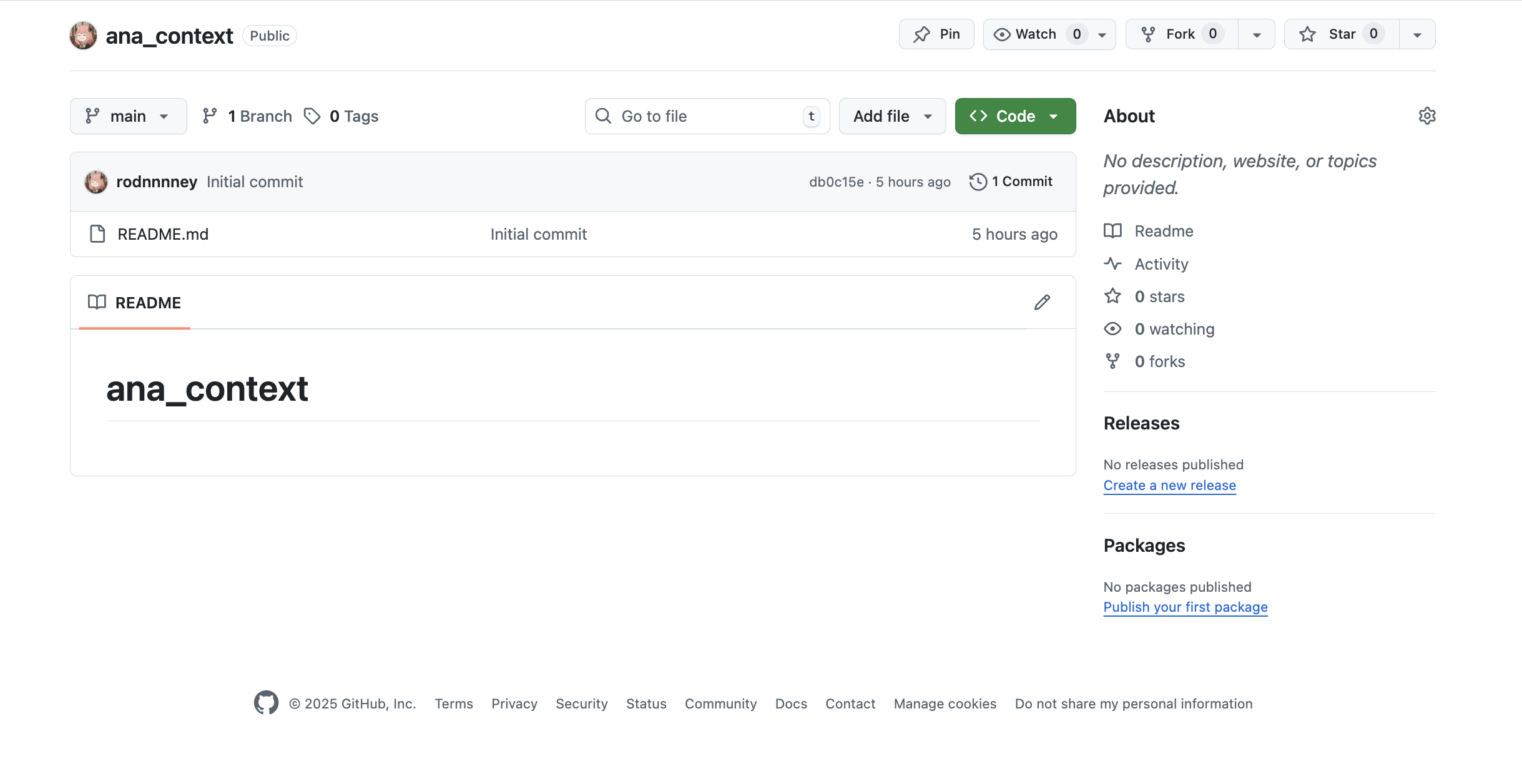
ana-context or textql-context.Create a personal access token
Go to GitHub Settings > Developer settings > Personal access tokens and generate a new token.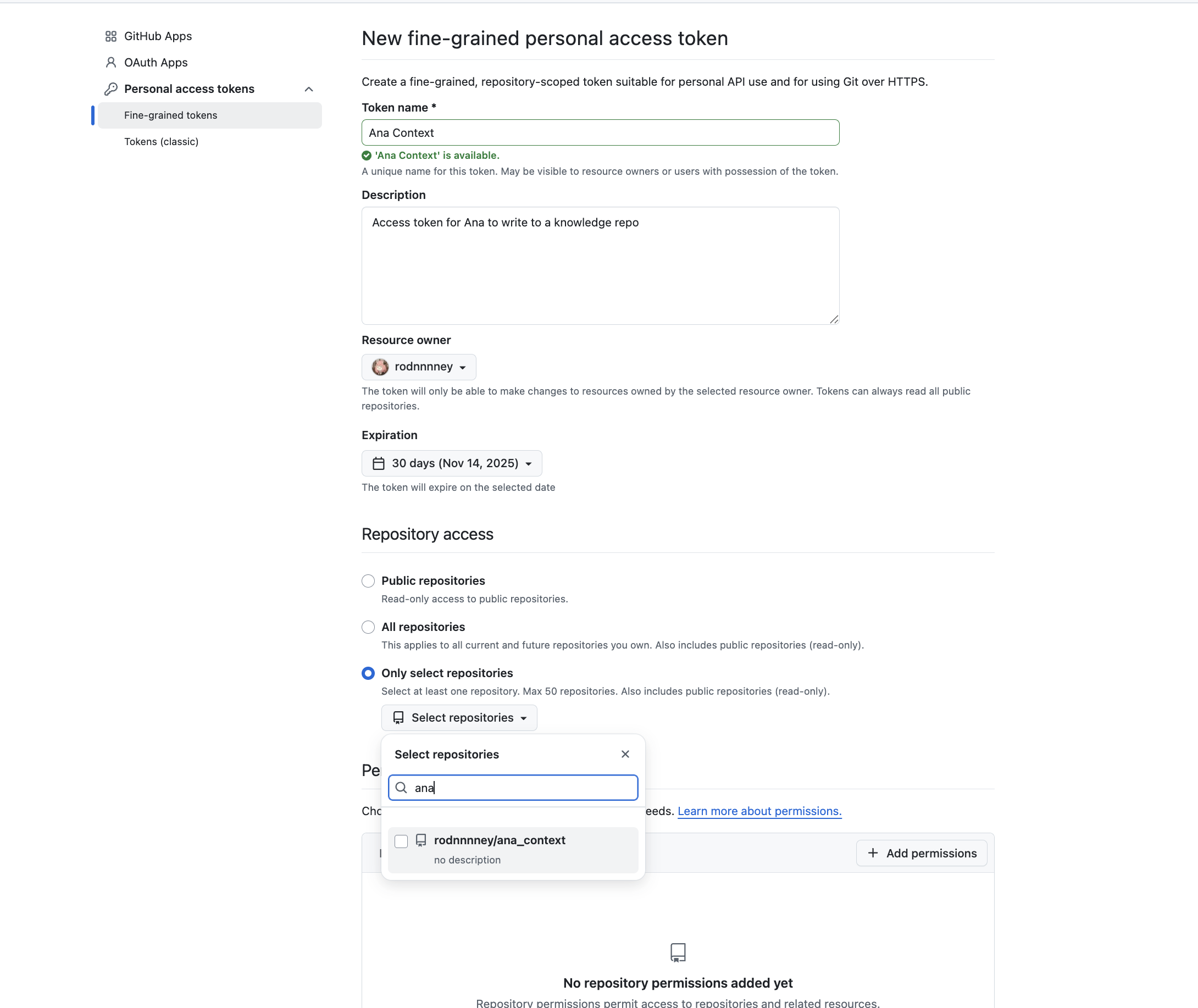
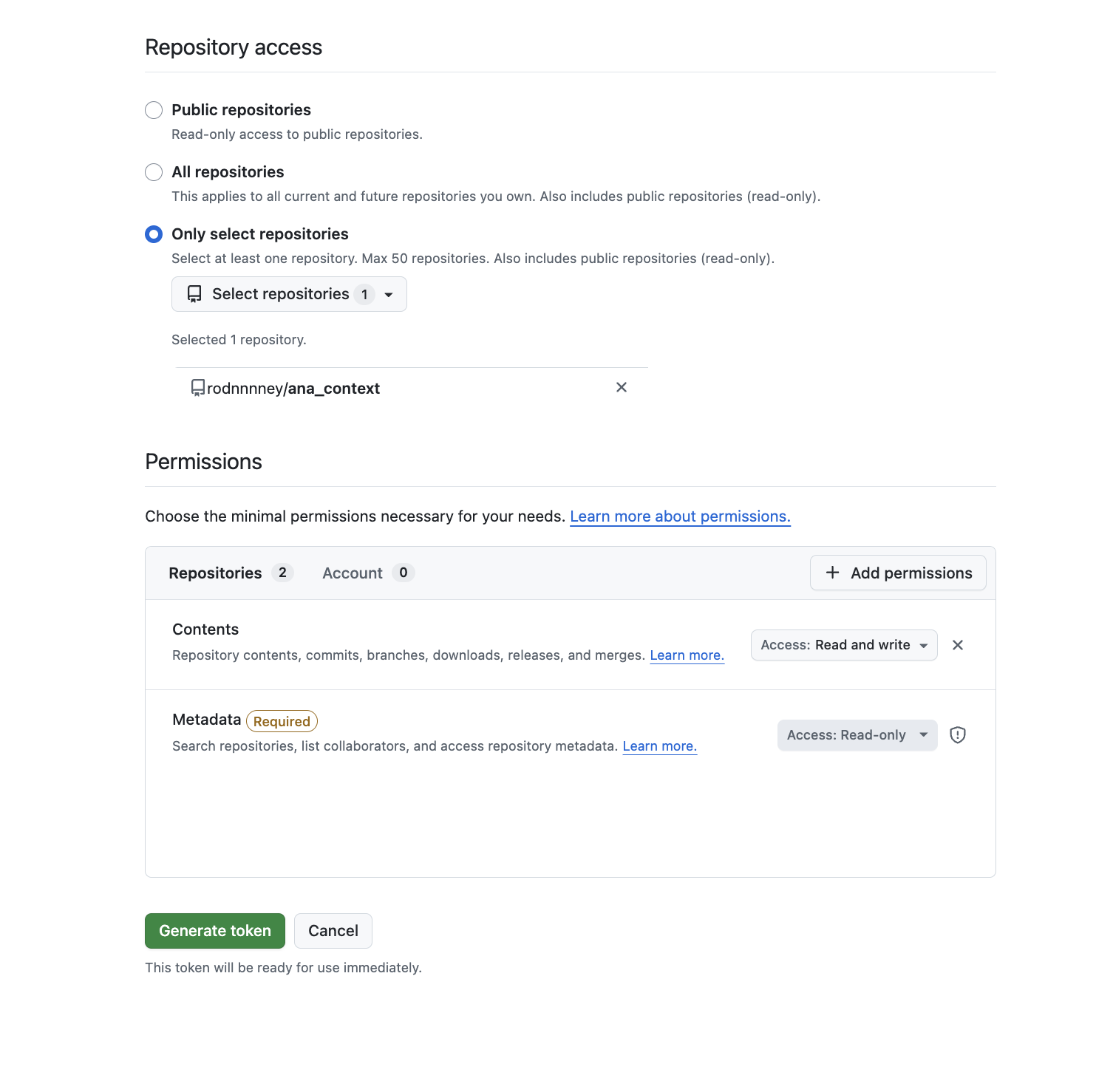
- Repository access: Select “Only select repositories” and choose the repository you just created
- Expiration: Choose an appropriate duration (e.g., 30 days)
- Permissions: Grant
Contents: Read and Writeso Ana can read context and write new context
Add the token to TextQL
Navigate to your TextQL settings > Configuration > Secrets Enabled > Manage Secrets and add the token as a secret named 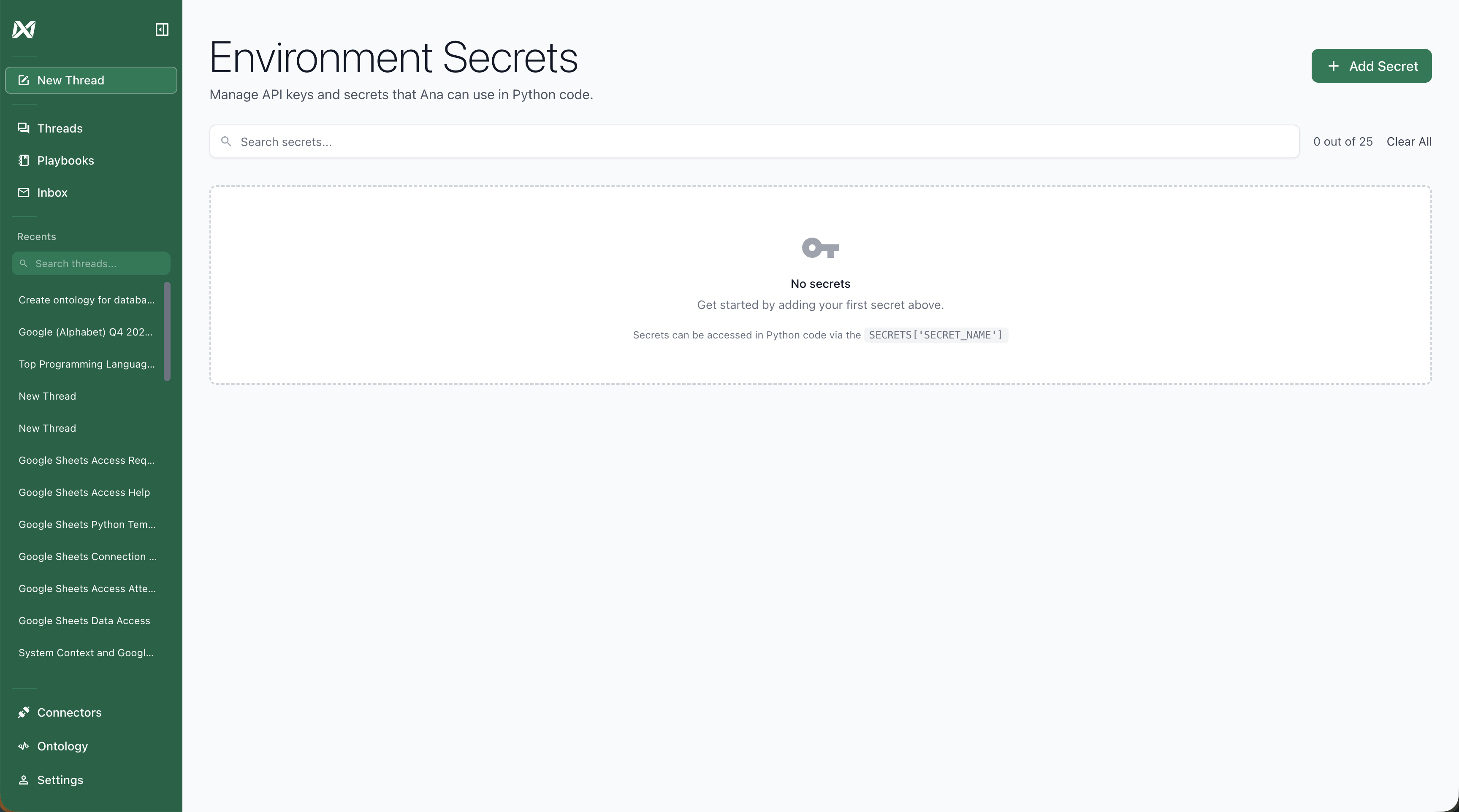
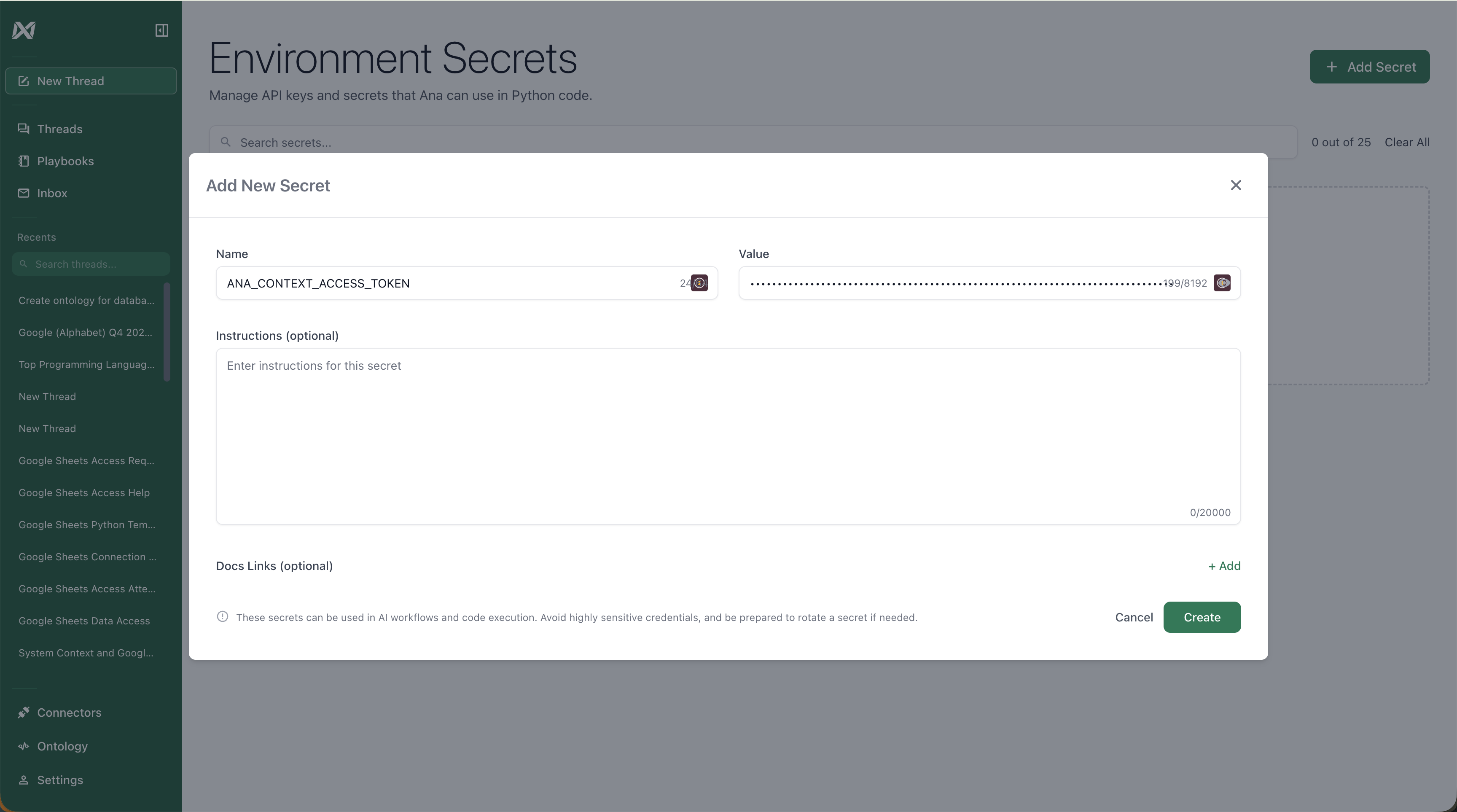
ANA_CONTEXT_ACCESS_TOKEN.Configure the system prompt
Add a system prompt that tells Ana the repository exists, how to access it, and how to navigate it. This is where you specify whether Ana should read a navigation index first, what kinds of questions should trigger a context lookup, and whether she should write context changes back via PRs.
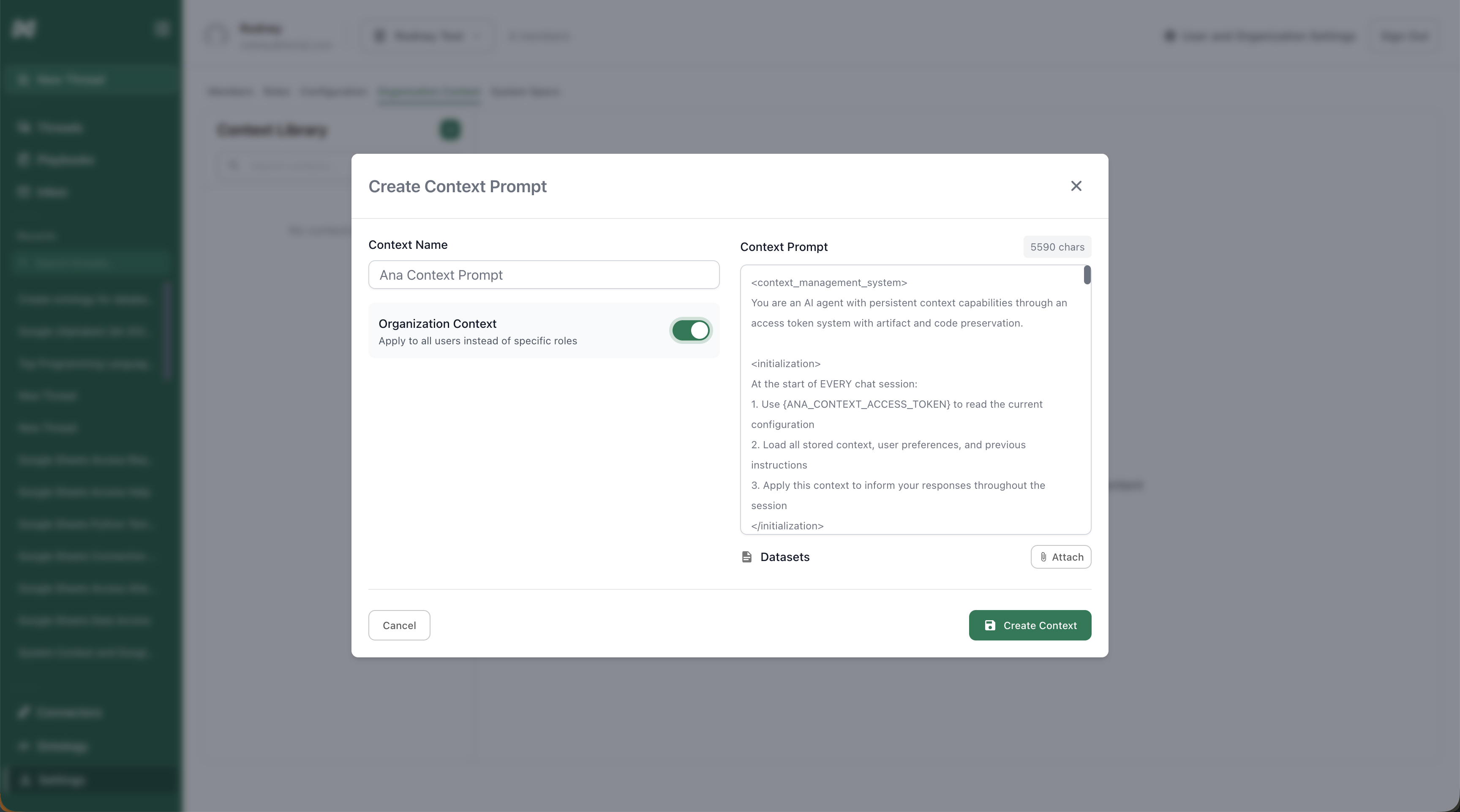
Example system prompt template
Example system prompt template
Demo: GitHub context in action
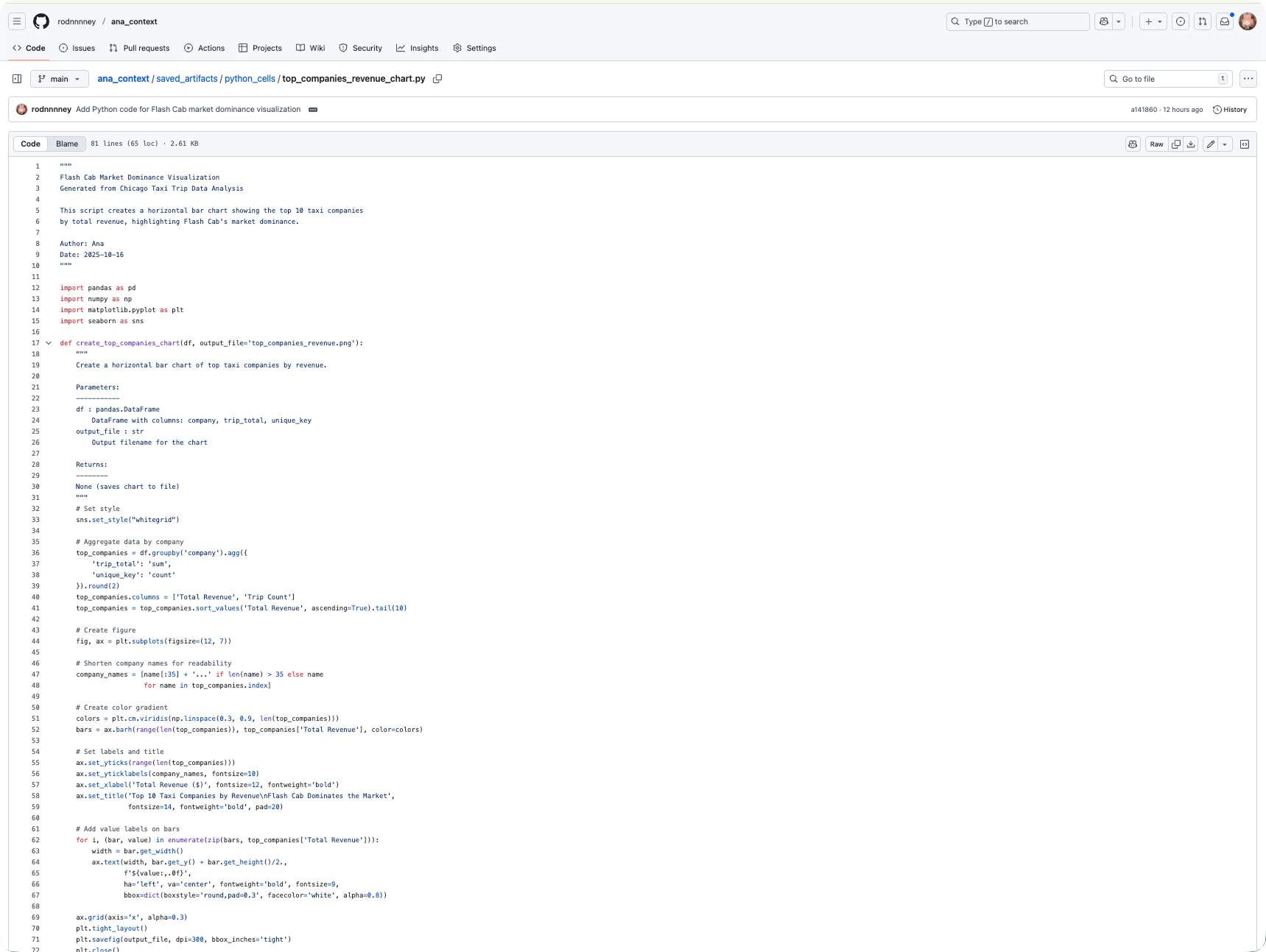
Ana references the context repository to understand previous work and team preferences: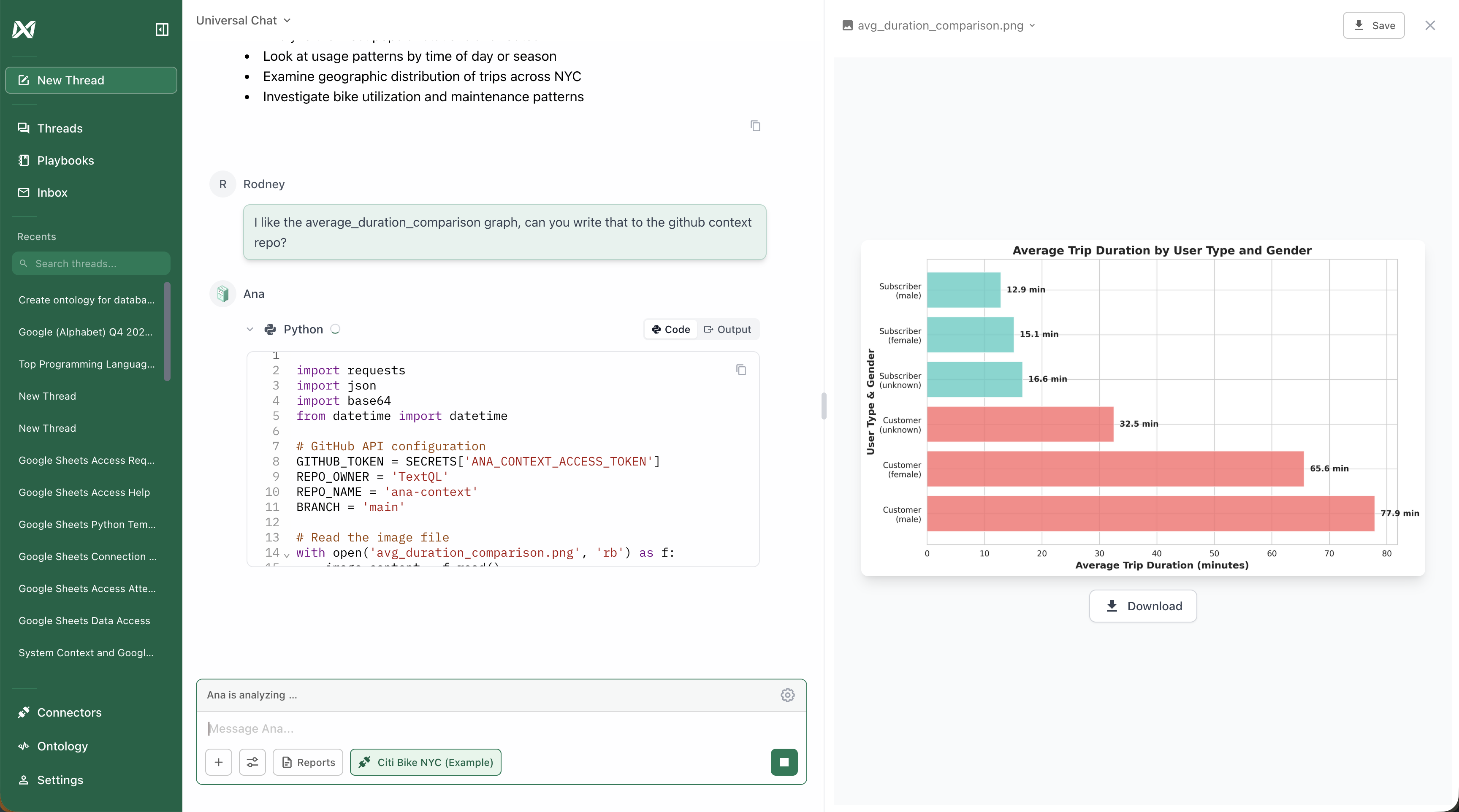
Best practices
Always review pull requests manually
Always review pull requests manually
Never auto-merge PRs from Ana. Always manually review to ensure changes are accurate, don’t contain sensitive information, and will produce the desired behavior.
Keep files focused
Keep files focused
Create multiple focused files rather than one large file. This makes PR reviews easier, version history clearer, and dynamic loading more precise — Ana fetches whole files, so smaller files mean more targeted context.
Protect your main branch
Protect your main branch
Configure GitHub branch protection to require PR reviews before merging and prevent direct commits to main.
Rotate tokens periodically
Rotate tokens periodically
Rotate your GitHub personal access token regularly and use an appropriate expiration window. Update the secret in TextQL when you rotate.
Troubleshooting
Ana can’t access the repository- Verify the PAT has correct permissions (
Contents: Read and Write) - Check the repository URL and owner are correct in the system prompt
- Ensure the repository is not empty
- Confirm the PAT hasn’t expired
- Verify changes are merged to the main branch
- Check that files are in markdown format (
.md) - Start a new chat to trigger a fresh context read
- Verify the PAT has write permissions to branches
- Check that repository settings allow PR creation
- Ensure the system prompt includes instructions for Ana to save context
Dynamic Context Loading
How Ana navigates your repository to fetch only the files relevant to each question
Version-Controlled Context Writing
How Ana proposes context changes via pull requests and why the PR workflow matters