

Documentation Index
Fetch the complete documentation index at: https://docs.textql.com/llms.txt
Use this file to discover all available pages before exploring further.
For Non-Technical Users: This guide provides a high-level overview of ontology concepts and how to use an ontology that’s already been set up by your team. If you’re a technical user looking to build and configure ontology, check out our How It Works > Ontology section for detailed technical documentation.
What is Ontology
Think of ontology as a business dictionary for your data. Ontologies tell Ana exactly what things mean in your business, so everyone gets consistent answers.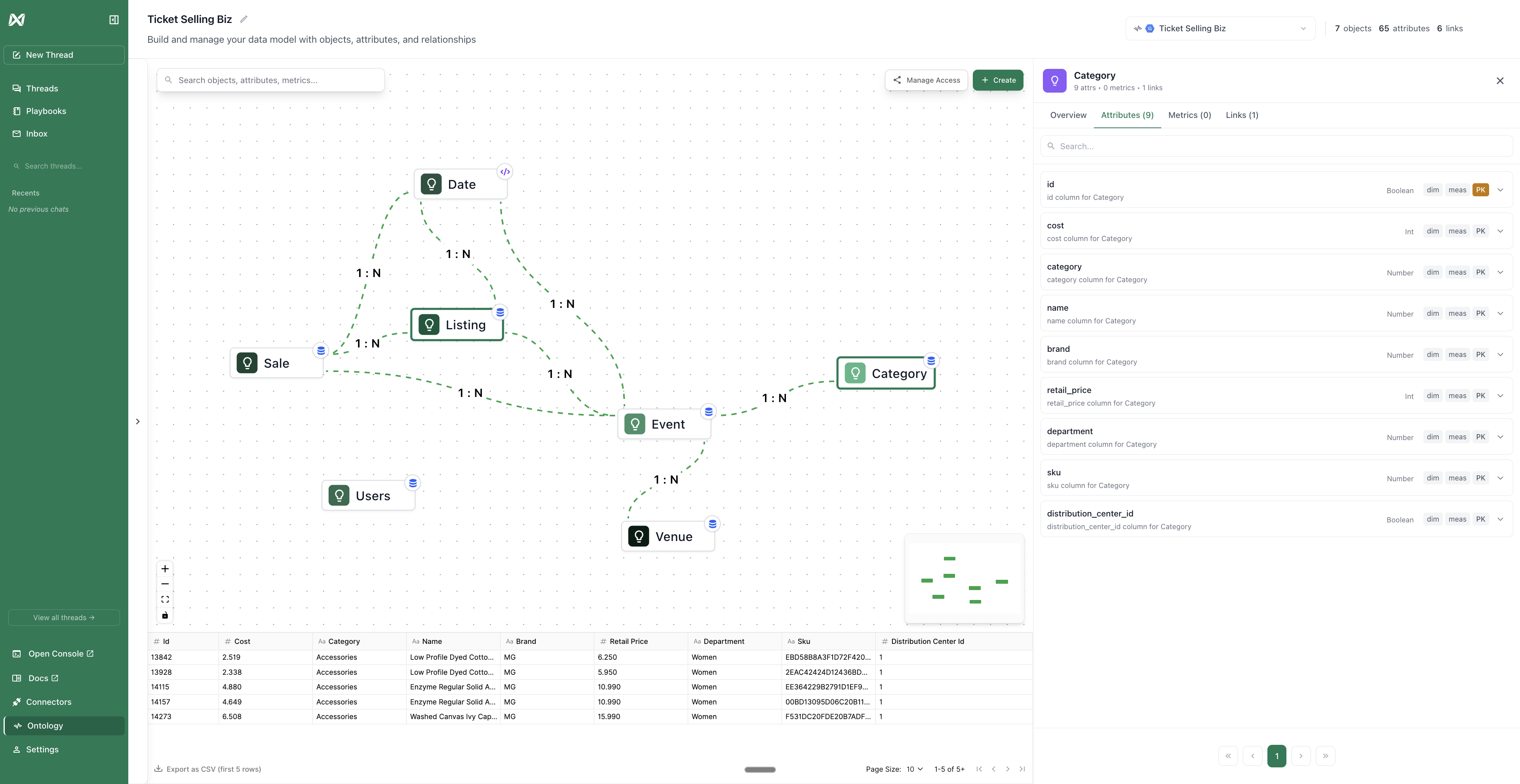
The Problem It Solves
Imagine three people calculating “total revenue” and getting three different numbers:- Person A includes refunds
- Person B only counts completed orders
- Person C uses gross revenue before discounts
A Simple Analogy
- Without Ontology: Like asking someone to cook dinner without a recipe. They’ll figure it out, using their best intuition.
- With Ontology: Like giving someone a cookbook. The recipe for “Total Revenue” is written down, tested, and ready to use. Anyone can follow it and get the same result.