
Documentation Index

Fetch the complete documentation index at: https://docs.textql.com/llms.txt

Use this file to discover all available pages before exploring further.

Security teams need full visibility into their AI layer, on their own infrastructure. TextQL now supports OpenTelemetry export, letting your team stream audit logs and product metrics directly into the observability platforms you already operate. Bring your own Datadog, Splunk, Grafana, or Prometheus setup. Both streams are configurable independently.
StreamWhat it exportsWhere to configure
Audit logsKey actions in the platform: queries run, connectors configured, and moreSettings → Audit Log → Export tab
Product metricsUsage, performance, and operational signalsObservability → Export tab

Audit Log Export

Access from Settings → Audit Log, then click the Export tab.
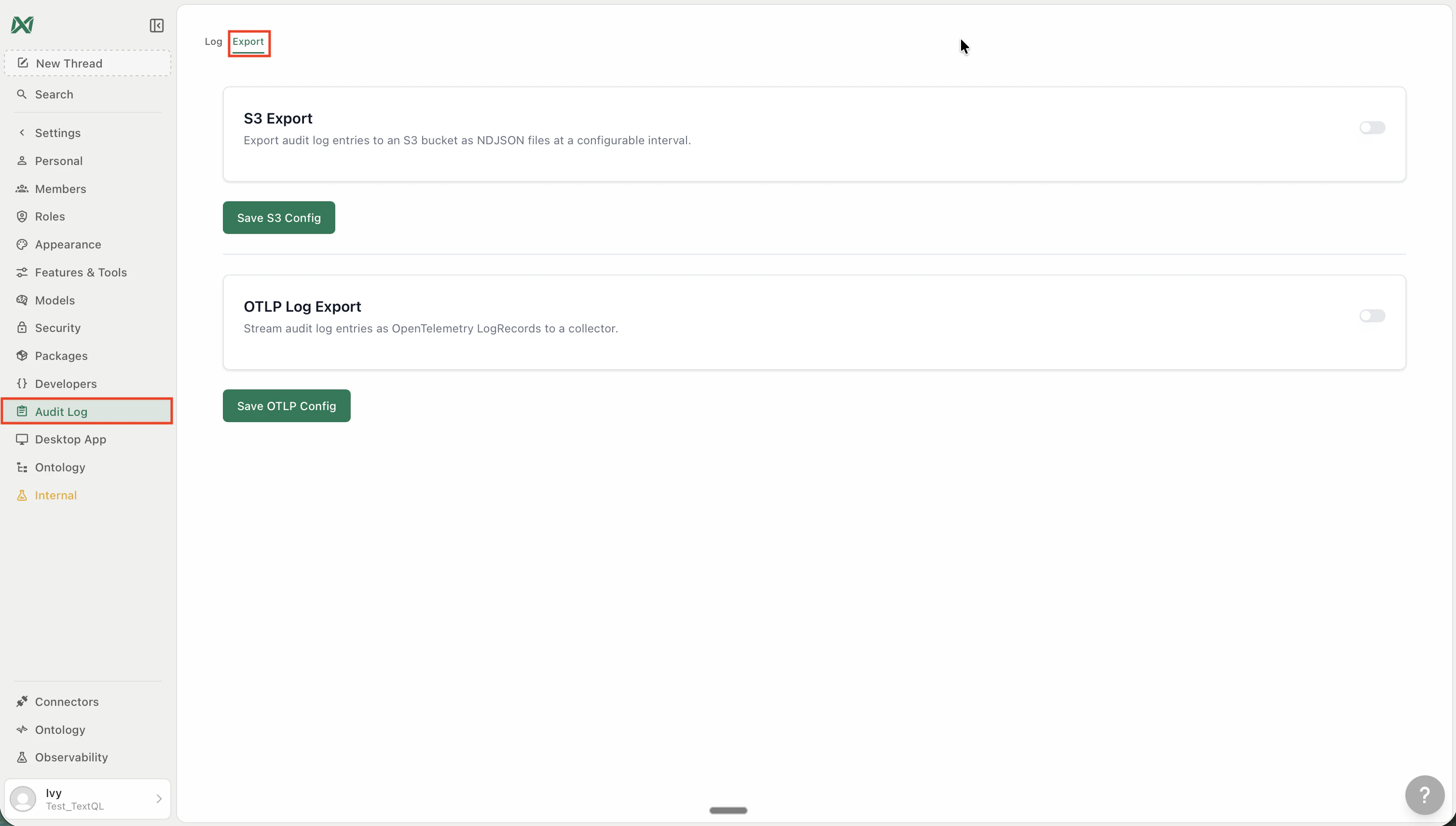
Audit Log Export tab showing S3 Export and OTLP Log Export sections
Audit log exports are incremental and scheduled — your downstream systems stay current without gaps or duplicates.

S3 Export

Exports audit log entries to an Amazon S3 bucket as NDJSON files at a configurable interval. To configure:
  1. Go to Settings → Audit Log → Export
  2. Under S3 Export, toggle it on
  3. Enter your S3 bucket name, region, and credentials
  4. Click Save S3 Config
Each export run writes a new NDJSON file to your bucket. Files are named with a timestamp so downstream consumers can process them in order.

OTLP Log Export

Streams audit log entries as OpenTelemetry LogRecord objects to any OTLP-compatible collector — Datadog, Splunk, Grafana Loki, Honeycomb, and others. To configure:
  1. Go to Settings → Audit Log → Export
  2. Under OTLP Log Export, toggle it on
  3. Enter your OTLP endpoint URL and any required headers (e.g. Authorization: Bearer <token>)
  4. Click Save OTLP Config
Logs are batched and pushed on a recurring schedule. The endpoint must accept OTLP over HTTP.

Metrics Export

Access from Observability → Export in the left sidebar.
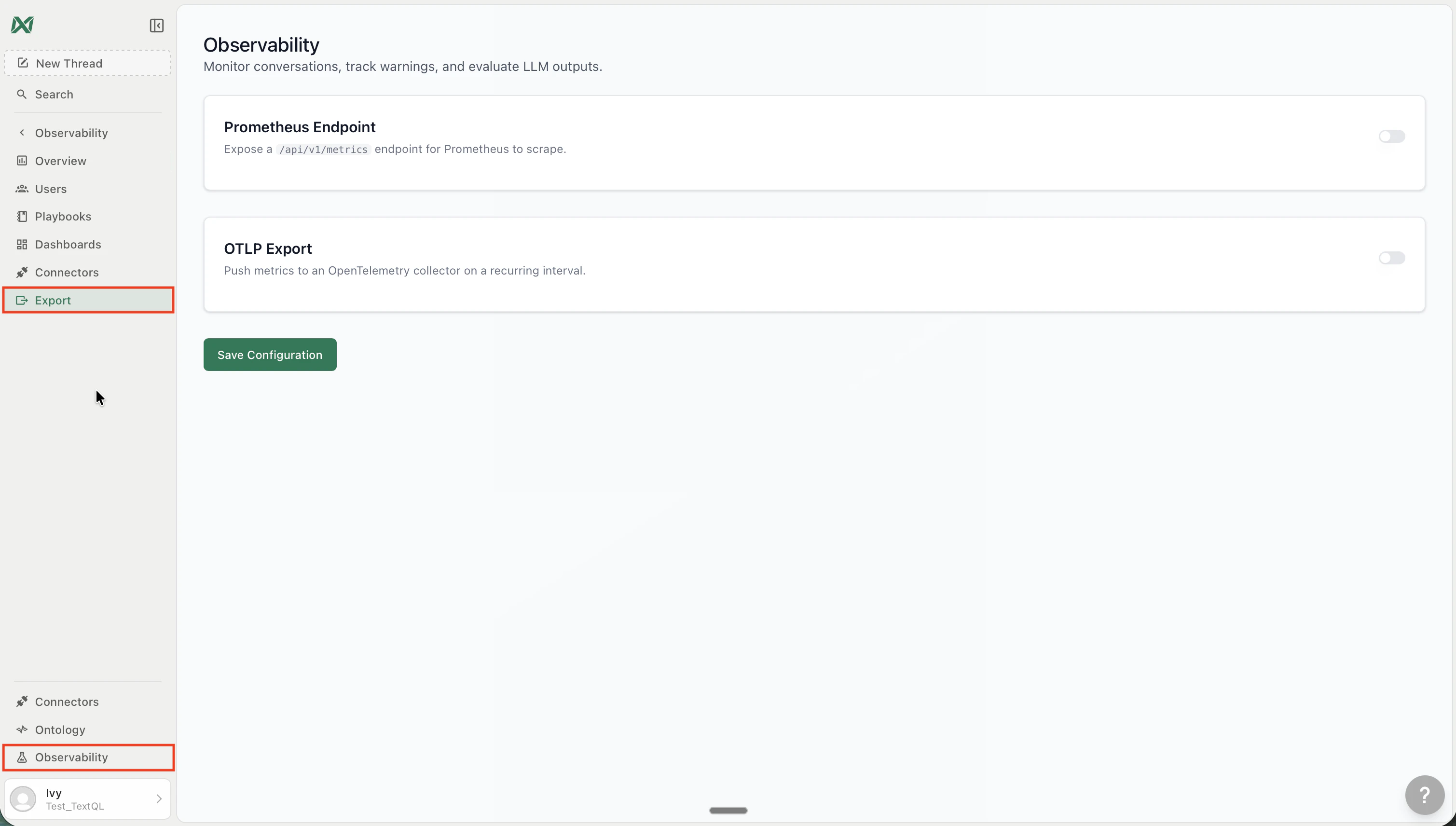
Observability Export tab showing Prometheus Endpoint and OTLP Export sections
Product metrics cover usage, performance, and operational signals across your TextQL workspace. You can push them to an S3 bucket, via OpenTelemetry to any OTLP endpoint, or expose them as a Prometheus scrape target — all three are configurable independently.

Prometheus Endpoint

Exposes a /api/v1/metrics scrape endpoint that Prometheus can pull from on its own schedule. To configure:
  1. Go to Observability → Export
  2. Under Prometheus Endpoint, toggle it on
  3. Click Save Configuration
  4. Add TextQL as a scrape target in your Prometheus config:
scrape_configs:
  - job_name: 'textql'
    authorization:
      credentials: '<your-api-key>'
    static_configs:
      - targets: ['app.textql.com:443']
    metrics_path: '/api/v1/metrics'
    scheme: https
Once scraped, TextQL metrics flow into your existing Prometheus dashboards automatically.

OTLP Export

Pushes product metrics to any OpenTelemetry-compatible collector on a recurring interval — Datadog, Grafana, Honeycomb, and others. To configure:
  1. Go to Observability → Export
  2. Under OTLP Export, toggle it on
  3. Enter your OTLP endpoint URL and any required headers
  4. Click Save Configuration
Metrics are pushed via OTLP HTTP (JSON or protobuf). The interval is configurable per your org’s needs.

Compatible Tools

Both OTLP streams work with any collector that accepts the OpenTelemetry protocol over HTTP:
  • Datadog — via the Datadog Agent OTLP ingest
  • Grafana — Loki (logs), Mimir or Prometheus (metrics)
  • Splunk — via the Splunk OpenTelemetry Collector
  • Honeycomb — native OTLP ingest
  • Any OpenTelemetry Collector — forward to your existing pipeline

Further Reading

  • Audit Log — what actions are captured and how to browse them in-app
  • Observability — retrospective thread quality monitoring and warning analysis