1. Create your Playbook
Your First Playbook
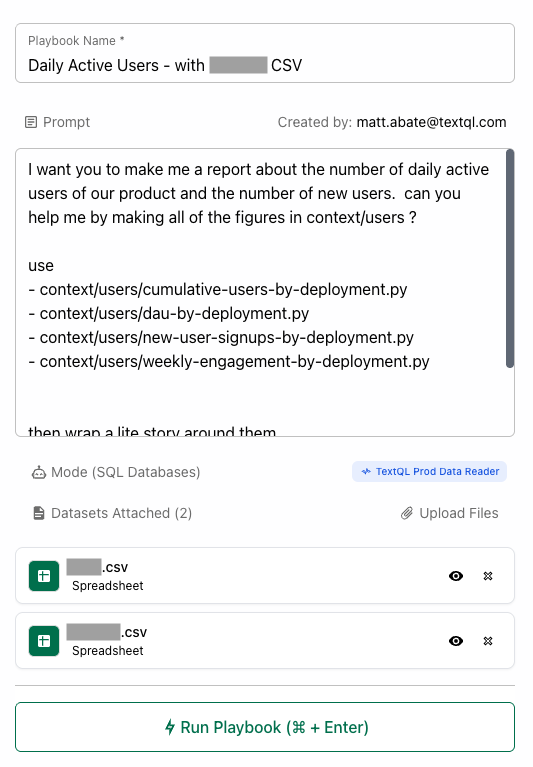
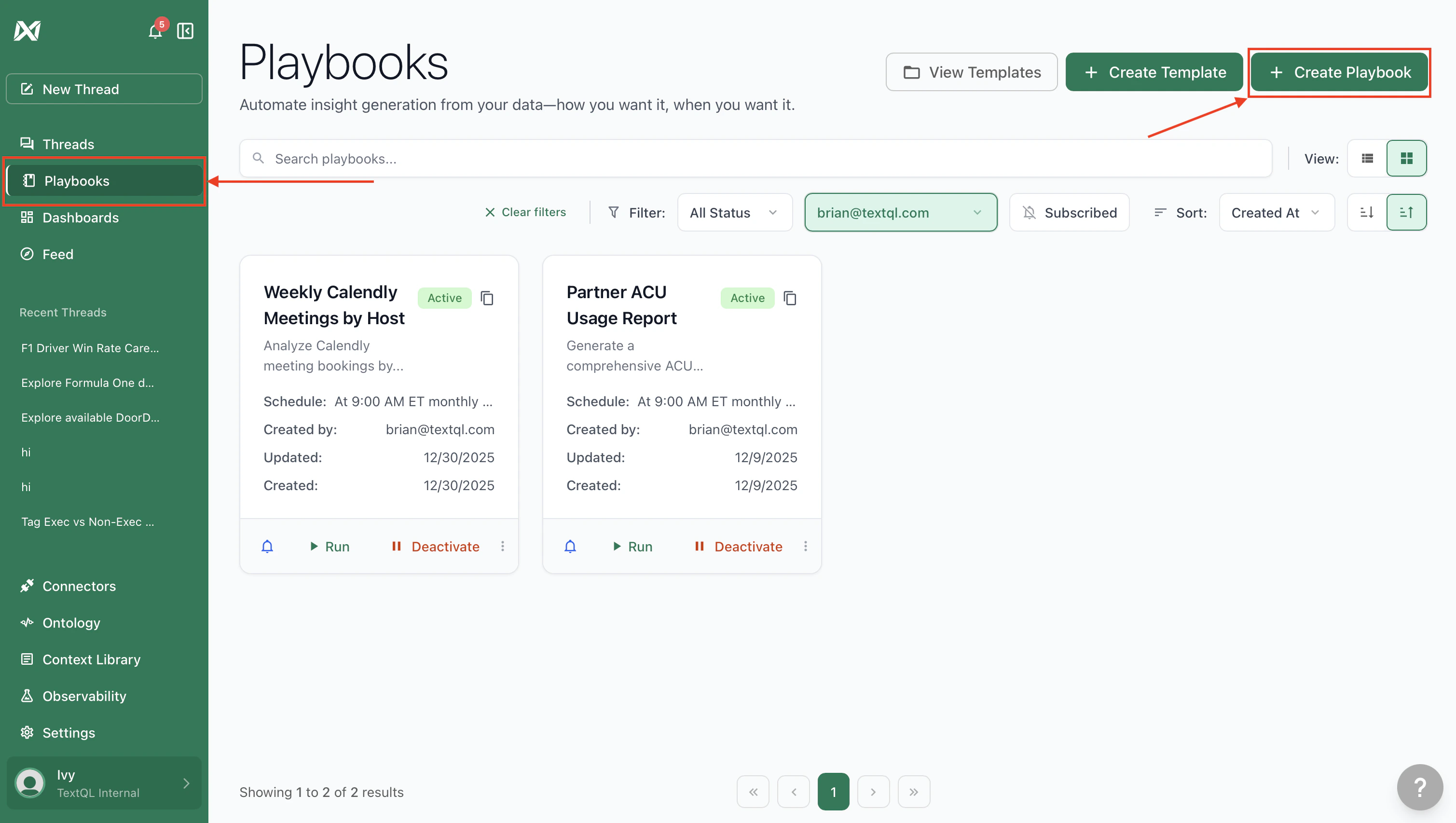
Navigate to the Playbooks section in the sidebar and click Create Playbook, or ask Ana to build one for you in a thread.
  • Write your analysis scope — Describe the analysis in natural language. Include the specific metrics, time ranges, and any filters or conditions that matter (e.g., “daily active users in the US over the past 30 days, broken down by platform”)
  • Specify output format — Ana can output CSV files, PDFs, charts, and more — the same file types available in regular threads
  • Attach data sources — Select the connectors the Playbook should query
  • Preview and test — Run the Playbook manually to verify the output before deploying. Adjust the prompt until the results and formatting are exactly right
You are making a daily report on chats with our product from the previous day.

Here are two datasets "Chat" and "Chat Cell." Chats are identified by their url (which is unique to each chat). Chat cells describe messages in a chat - and for one chat url there will be many cells. use the time stamps on chat cells to determine the order in which they were sent.  Chat cells have a cell type that determines what kind of cell they are, the report needs information about the PythonCell type particularly, you'll see below in the example.

## Sample report
Here is a sample showing the EXACT format that I want for the report.  These are the exact questions I want you to answer for me - do not have other data on the report at this time:

📊 **Yesterday's Report (01/07)**

- **Total Chats:** 18 ⬇️ *(-26 compared to day before)*
- **Number of Failures:** 1 ⬆️ *(+1 compared to day before)*
- **Average Chat Length:** 23  ➡️ *(No change)*
- **Total Python Cells:** 50 ⬇️ *(-103 compared to day before)*
- **Total Lines of Python Written:** 508 ⬇️ *(-1267 compared to day before)*
- **Average Length of PythonCell:** 10 ➡️ *(No change)*

Additionally, note that this is just a sample, and the date isn't today's: this sample is an old report from many weeks ago.  Use the actual value of yesterday date for your analysis.

## Formatting Instructions
- Round any decimal to the nearest integer. Do this before doing the up/ down comparisons.
- In the case of 0 change, I don't want to see the change, eg, ⬇️ (-0 compared to day before). so make sure you first aggregate columns by day (including, eg, the average number per day). Then round. and then do the comparison in the report, so that we only ever see, eg, 0 ➡️ *(No change)*.

## How to approach
- First determine today's date, yesterday's date, and the date of the day before yesterday. note, you should not use any data from today in your analysis. You were asked to compare the data from yesterday to the day before.
- inspect the data, then use the analyze mode to write Python that aggregates these metrics by date.  Round and decimals to the nearest integer, and then compute the difference between yesterday's data and the data from the day before.  finally, send back the report. Note: Do not stop working until you have answered all questions and the report is generated.
Playbook Setup Interface

2. Configure scheduling

Time and Day
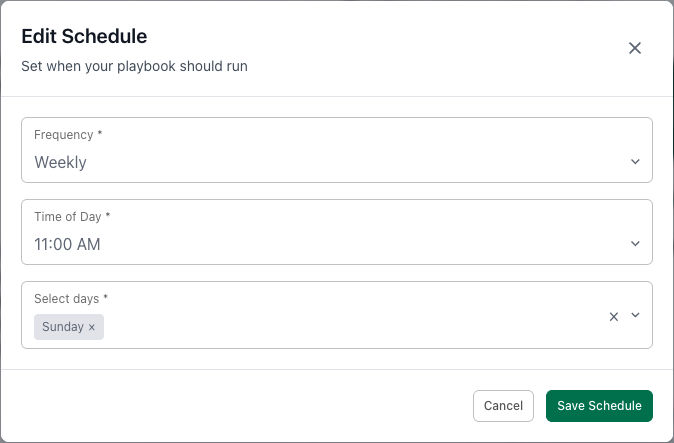
Time and Day TriggerRun on a fixed schedule, such as every weekday at 9:00 AM or every Monday at 3:00 PM

Custom

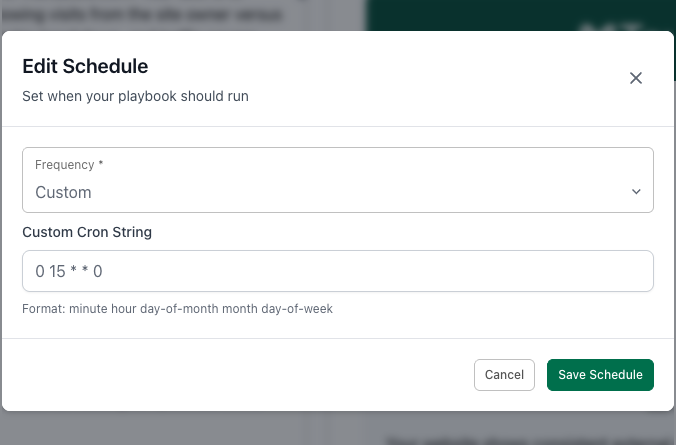
Custom TriggerRun on a custom or irregular schedule using cron expressions

3. Set up delivery

Send results to Slack channels or email recipients. Slack recipients can ask Ana follow-up questions directly in the thread.
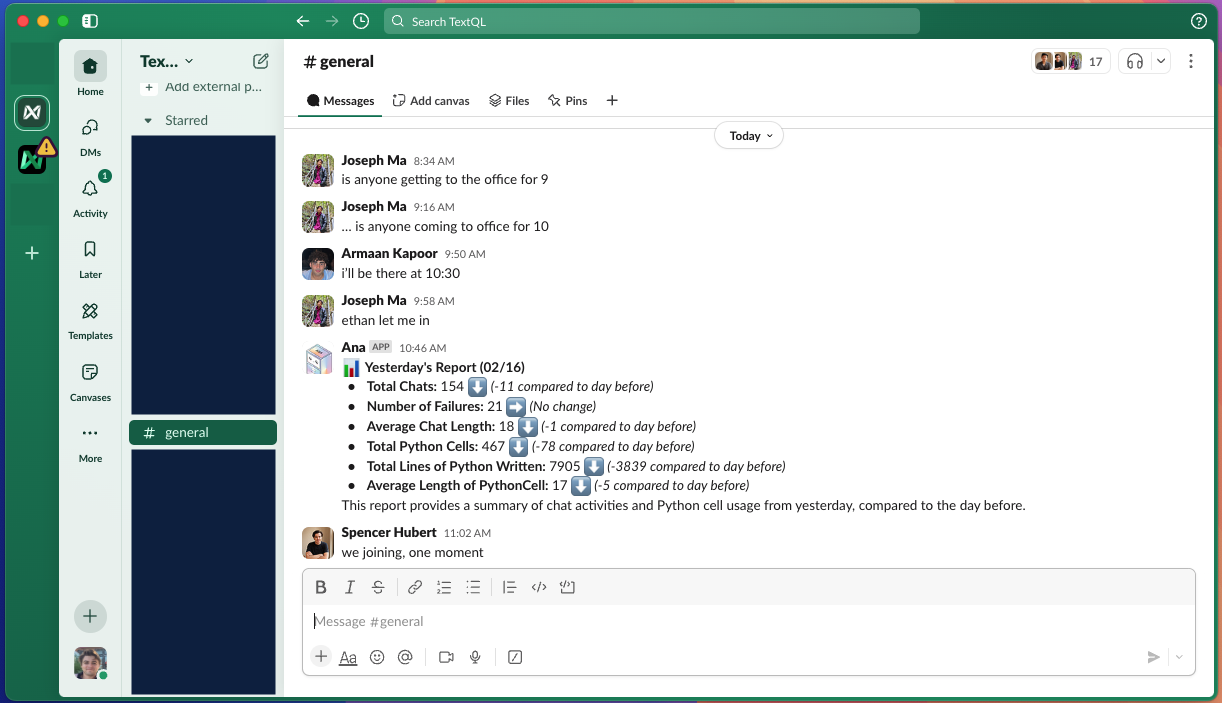
Slack report delivery

4. Deploy and monitor

Once ready, click Deploy to activate. From the Playbooks dashboard you can monitor execution history and update settings at any time. The dashboard shows all playbooks across your team by default — use the creator filter to narrow the view to your own.

Troubleshooting

  • Failed Executions — Check data source connectivity and query syntax
  • Delivery Problems — Verify Slack bot permissions and email addresses
  • Performance Issues — Simplify complex queries or adjust data ranges
Check the FAQ Playbooks section for additional insights, or contact support@textql.com.