

1. Overview
The Cloudflare connector links Ana to your Cloudflare account’s analytics, traffic logs, and security event data via the Cloudflare API. Once configured, Ana can query request metrics, firewall events, Workers performance, and bandwidth usage across your zones — and correlate that data with other connected sources like your data warehouse. Note that access scope depends on the token permissions granted; read-only analytics tokens will not expose billing or DNS configuration data.Connect your Cloudflare API token to Ana to query traffic, security, and performance data directly in chat, dashboards, and playbooks.
2. Prerequisites
You’ll need:- A Cloudflare account to create an API token
- A TextQL account with permission to add API connectors
3. Capabilities
Once configured, Ana can:- Query traffic metrics like request volume, bandwidth, cache hit rates, and latency across your Cloudflare zones
- Analyze firewall and security events to identify bot activity, blocked threats, and DDoS patterns over time
- Monitor Cloudflare Workers performance including invocation counts, error rates, and CPU time by script
- Build dashboards and playbooks that track infrastructure health and alert on anomalies in your web traffic
4. Setup Instructions
1. Generating your Cloudflare API token
- Log in to Cloudflare’s Dashboard.
- Click on the user icon in the top right corner and go to My Profile.
- Click API Tokens > Create Token.
- Select the Read analytics and logs template. This pre-fills the read-only permissions Ana needs (see “What the template grants” below).
- Token name: The template fills in a default name. Edit it to something descriptive that identifies purpose and owner (e.g.
Ana - Analytics Read), so it’s easy to audit and revoke later. - Account Resources / Zone Resources: Set to All zones to let Ana query your entire account, or restrict to specific zones to limit Ana to certain domains.
- Client IP Address Filter (optional): If Ana runs from a fixed IP, add it here for an extra layer of security. Leave blank otherwise.
- TTL (optional but recommended): Set an expiration window that fits your security policy (e.g. 90 or 180 days) and rotate the token before it expires. Note: when the token expires, the connector stops working until you create a new one and re-paste it in Ana.
- Token name: The template fills in a default name. Edit it to something descriptive that identifies purpose and owner (e.g.
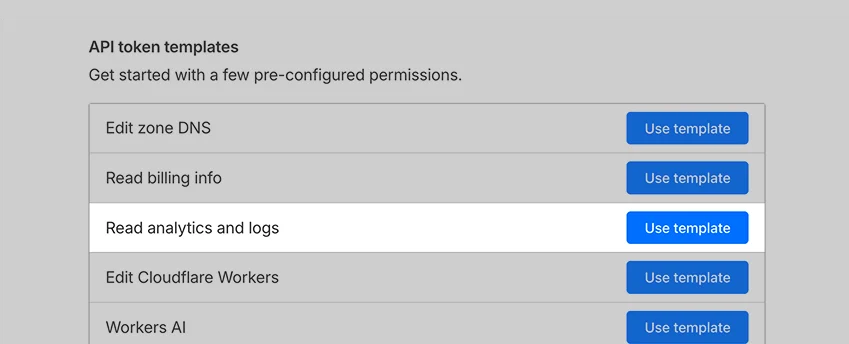
The recommended permissions template
- Click Continue to Summary, review the permissions shown, then Create Token.
- Copy the token value immediately once generated.
What the template grants
The “Read analytics and logs” template gives Ana read-only access to your analytics and log data. That covers everything in the Capabilities section above:- Traffic and performance metrics: request volume, bandwidth, cache hit rates, and latency across your zones
- Security and firewall events: bot activity, blocked threats, and DDoS patterns, which surface through Cloudflare’s analytics datasets
- Workers performance: invocation counts, error rates, and CPU time, backed by account-level analytics
- Request logs, depending on your plan. Analytics (request counts, bandwidth, cache rates, firewall events, Workers metrics) work on every Cloudflare plan, but access to raw request logs is gated to higher tiers — so log-based queries may return no data on Free or Pro plans.
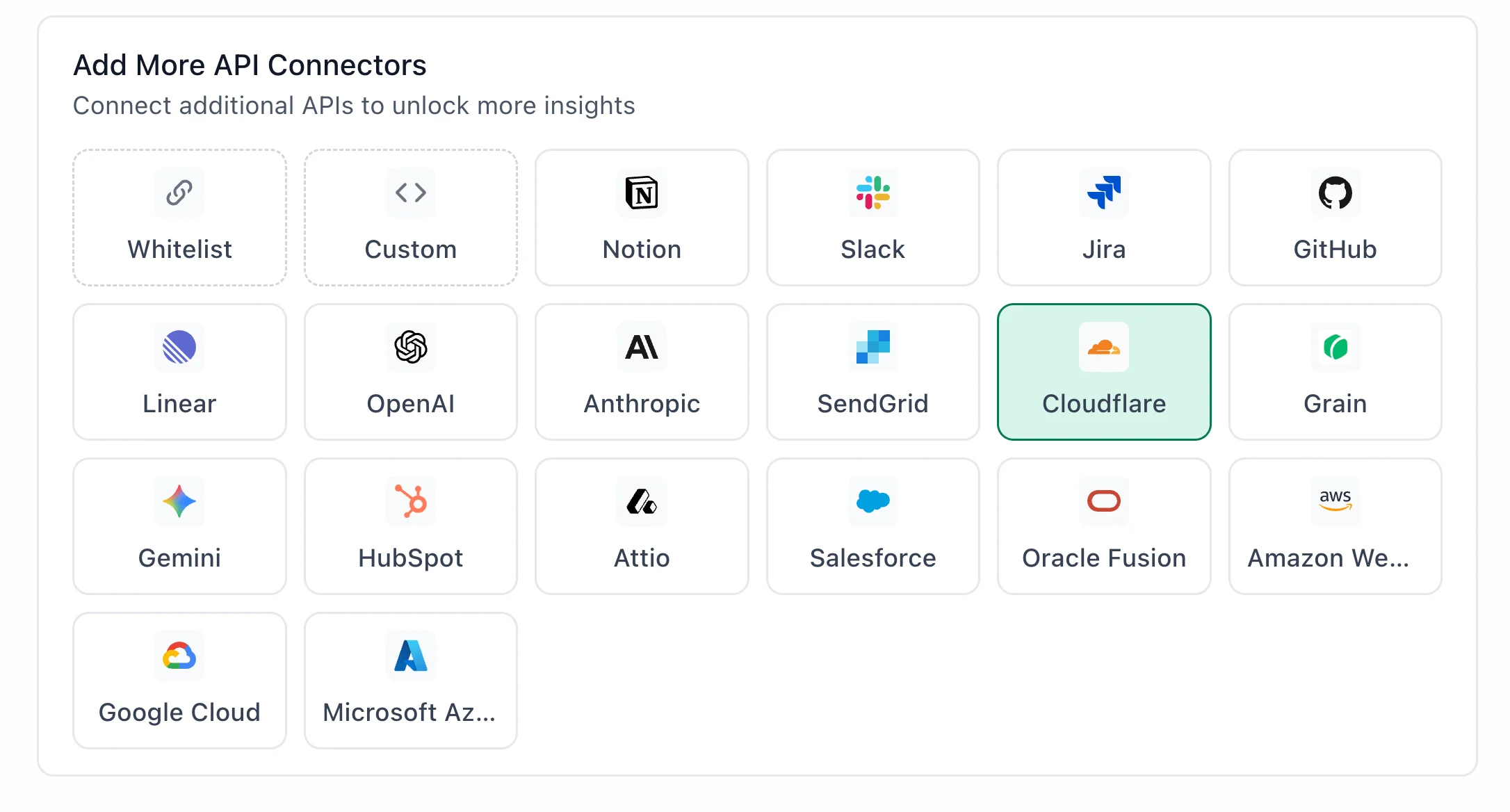
Cloudflare highlighted in the TextQL API Connectors setup panel — select it to open the connector configuration form
- Go to app.textql.com and sign in
- At the bottom left sidebar, click ‘connectors’
- Select the ‘APIs’ tab
- Navigate to ‘Add more API connectors’ and click ‘Cloudflare’
- In the configuration panel that opens, fill in the following fields:
- Name: a label for this connection (e.g.
Cloudflare WorkspaceorCloudflare - [Your Name]) - Access token: paste the token you copied in Step 1.
- Name: a label for this connection (e.g.
- Click Save.
- Once the token is saved, click on the Cloudflare connector and select Test Connection at the bottom of the panel.
- A successful setup will return Connection successful (200).
- If the test fails, refer to the Troubleshooting section for next steps.
5. Usage Examples
Once configured, you can ask Ana:- “Show me total requests and bandwidth usage by zone over the last 7 days”
- “Which firewall rules have triggered the most blocks this month, and what IPs are behind them?”
- “Compare cache hit rates across my zones and flag any that dropped significantly this week”
- “What is the error rate and average CPU time for each of my Cloudflare Workers scripts over the past 24 hours?”
- “Join my Cloudflare traffic data with our Snowflake revenue data to show whether slow response times correlate with checkout drop-off”
6. Troubleshooting
7. Security Notes
- Cloudflare API tokens do not expire by default, but you can set a custom expiration date when creating the token — it is recommended to rotate tokens periodically as a best practice
- Ana uses a read-only analytics token by default, meaning it can query and surface data but cannot modify zone settings, DNS records, firewall rules, or any account configuration
- The integration uses API token authentication — Ana cannot modify your Cloudflare zones, workers, or account settings
- Do not share API tokens, client secrets, or OAuth credentials in email, chat, tickets, or other unsecured locations.
- To revoke access, go to your Cloudflare dashboard, navigate to My Profile > API Tokens, find the token associated with Ana, and click Revoke
- For more information on how Cloudflare handles APIs and permissions, refer to Cloudflare’s official developer docs. (https://developers.cloudflare.com/api/)