

1. Overview
Once you connect Oracle, Ana can look at the Oracle Cloud data you give it access to and answer questions about it. You can also have Ana mix Oracle data with data from your warehouse to answer one question across both.Connect your Oracle Cloud account to Ana so you can ask questions about your Oracle data in plain English — and combine it with your warehouse data.
2. Prerequisites
You’ll need:- An Oracle Cloud account that can see the data you want Ana to use
- Permission in Oracle to create an API key (or, for the OAuth option, to create an “application”)
- A TextQL account that lets you add connectors
Which type of connection should I use?
3. Capabilities
Once configured, Ana can:- Query ERP, HCM, and SCM data across your Oracle Fusion modules in plain language — no PL/SQL required.
- Track financial transactions, headcount changes, and supply chain activity in real time.
- Analyze procurement cycles, payroll data, and operational metrics over any time period.
- Get a snapshot of employee records, vendor relationships, and order status including approval workflows and audit history.
- Surface anomalies, bottlenecks, and compliance gaps across your enterprise data — and join it all with your data warehouse for a complete picture.
4. Setup Instructions
Step 1: Generate your Oracle credentials
Before you begin, choose your connection type. If you’re unsure, refer to Which type of connection should I use? Then follow the instructions below for your chosen type.- API Token
- OAuth (Org-level or Per-member)
- Sign in to Oracle Cloud.
- Click your profile icon (top-right) and choose My Profile.
- Find API Keys and click Add API Key.
- Leave Generate API key pair selected. Click Download Private Key and save the file somewhere safe — you’ll need it in a moment.
- Click Add.
- Copy the fingerprint shown in the configuration file preview dialog — you’ll need it when filling in the TextQL connector form.
Step 2: Add Oracle as an API connector in TextQL
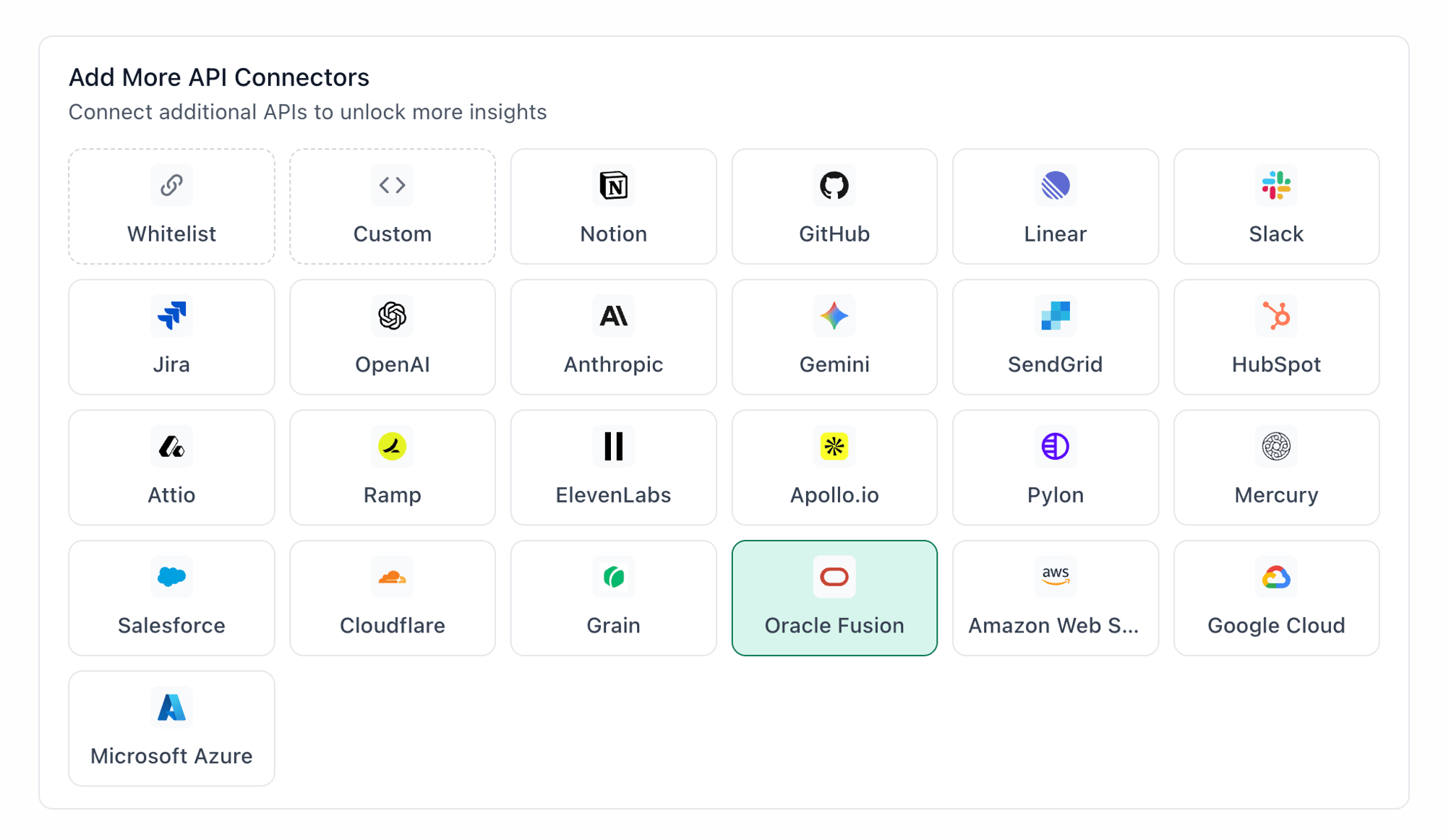
Oracle Fusion highlighted in the TextQL API Connectors setup panel — select it to open the connector configuration form
- Go to app.textql.com and sign in.
- In the bottom left sidebar, click Connectors > APIs and select Oracle Fusion.
- In the configuration panel, fill in the fields depending on your connection type:
- API Token
- Name (e.g. Oracle
API Token) - Authentication type: select API Token
- Private Key: paste the full contents of the private key file you downloaded in Step 1
- Name (e.g. Oracle
- OAuth (Org-level or Per-member)
- Name (e.g. Oracle
OAuth) - Authentication type: select OAuth (org-level) or OAuth (per-member)
- Client ID and Client Secret: paste the values copied from Step 1
- OAuth Authentication: click Authenticate — a popup will appear asking for permissions to access your Oracle account. Click Allow.
- Name (e.g. Oracle
- API Token
- Click Save.
Step 3: Verify the connection
Once saved, confirm the connector is active:- Click on the Oracle Fusion connector and select Test Connection at the bottom of the panel.
- A successful setup will return Connection successful (200).
- If the test fails, refer to the Troubleshooting section for next steps.
5. Usage Examples
Once configured, you can ask Ana:- “Show me all purchase orders over $100k that are still pending approval.”
- “Which employees were hired in the last 90 days and haven’t completed onboarding?”
- “What’s our total payroll expense by department this quarter?”
- “Show me all supplier invoices that are overdue or flagged for review.”
- “How has headcount changed across regions over the last 12 months?“
6. Troubleshooting
7. Security Notes
- Follow the principle of least privilege when creating API keys or confidential applications in Oracle. Grant only the access required for Ana to query the data you need — for example, if you only need procurement and HCM data, do not grant access to financials or administrative settings.
- API keys remain valid until they are manually deleted. Store the downloaded private key file securely and rotate it if you suspect it has been exposed.
- OAuth access may require re-authentication if the connected Oracle user’s account is deactivated, their role is changed, or the confidential application’s authorization is revoked from within Oracle.
- Do not share private key files, client secrets, or OAuth credentials in email, chat, tickets, or other unsecured locations.
- If you no longer need the integration, delete the API key or deactivate the confidential application under Identity & Security > Domains > Integrated applications in Oracle, and remove the connector from TextQL.
- For more details on how Oracle handles API authentication and credential security, refer to the Oracle Cloud Infrastructure Documentation.